Hi Keithc,
Thank you for your comment. The idea you’ve outlined is indeed perfectly achievable.
For example, imagine your Webclipper Obsidian note looks like this:
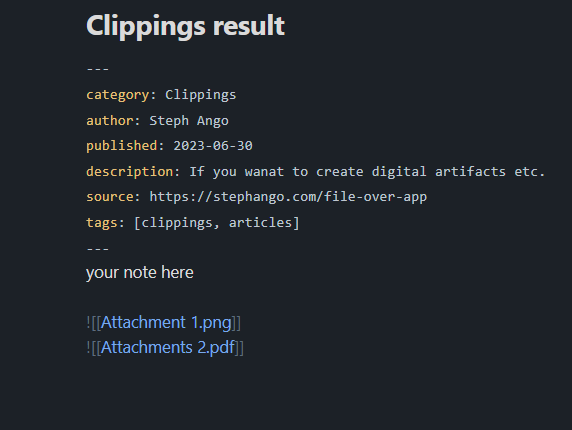
Using your Post Webhook plugin, you can send this note to an n8n Post Webhook with a workflow like this:
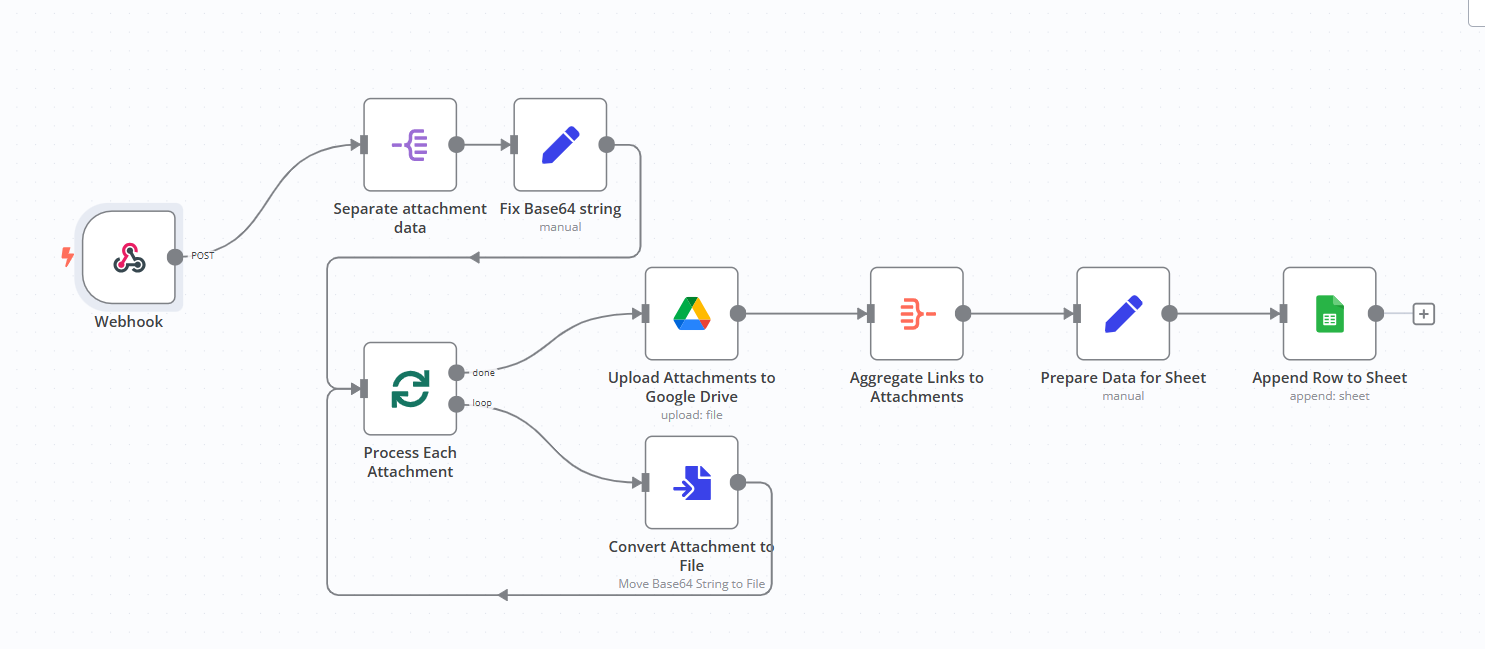
Here’s a brief explanation of how this workflow processes the note content:
- Webhook: Captures the note data from Obsidian via the Post Webhook plugin.
- Separate Attachment Data: Extracts attachment details from the incoming payload.
- Fix Base64 String: Cleans and decodes any Base64-encoded data in the note.
- Process Each Attachment: Prepares to handle multiple attachments in batches.
- Convert Attachment to File: Converts attachment data into file format for processing.
- Upload Attachments to Google Drive: Saves the attachments to a specific folder in Google Drive.
- Aggregate Links to Attachments: Collects links to the uploaded attachments into a single array.
- Prepare Data for Sheet: Maps metadata (e.g., title, author, tags) and attachment links to structured fields.
- Append Row to Sheet: Adds the note’s metadata and attachment links as a new row in a Google Sheets document.
The result will look like this:

This assumes that the notes are sent manually to the webhook. You may also be able to use another plugin to monitor a folder and automatically execute the command ‘send note to webhook.’
Please let me know if you’d like to receive the JSON file for this workflow!