Hello @Anasp
Hope everything is going well, after looking further into this, I found that using the code node, your be limited in using packages, see details here:
n8n added Python support in version 1.0. It doesn’t include a Python executable. Instead, n8n provides Python support using Pyodide, which is a port of CPython to WebAssembly. This limits the available Python packages to the Packages included with Pyodide. n8n downloads the package automatically the first time you use it.
But as a workaround, you can use the execute command node,
There are a few steps such as installing python, this video details it https://www.youtube.com/watch?v=Z-3rY3Rku20
And as a step by step,
1. Install Python and Pip as Root
From within your container or host:
For Alpine-based image:
apk add --no-cache python3 py3-pip rust cargo
rustandcargoare required to compiletiktokenon ARM.
2. Switch to node user & install tiktoken
su node
pip3 install --user tiktoken --break-system-packages
This installs tiktoken under /home/node/.local/.
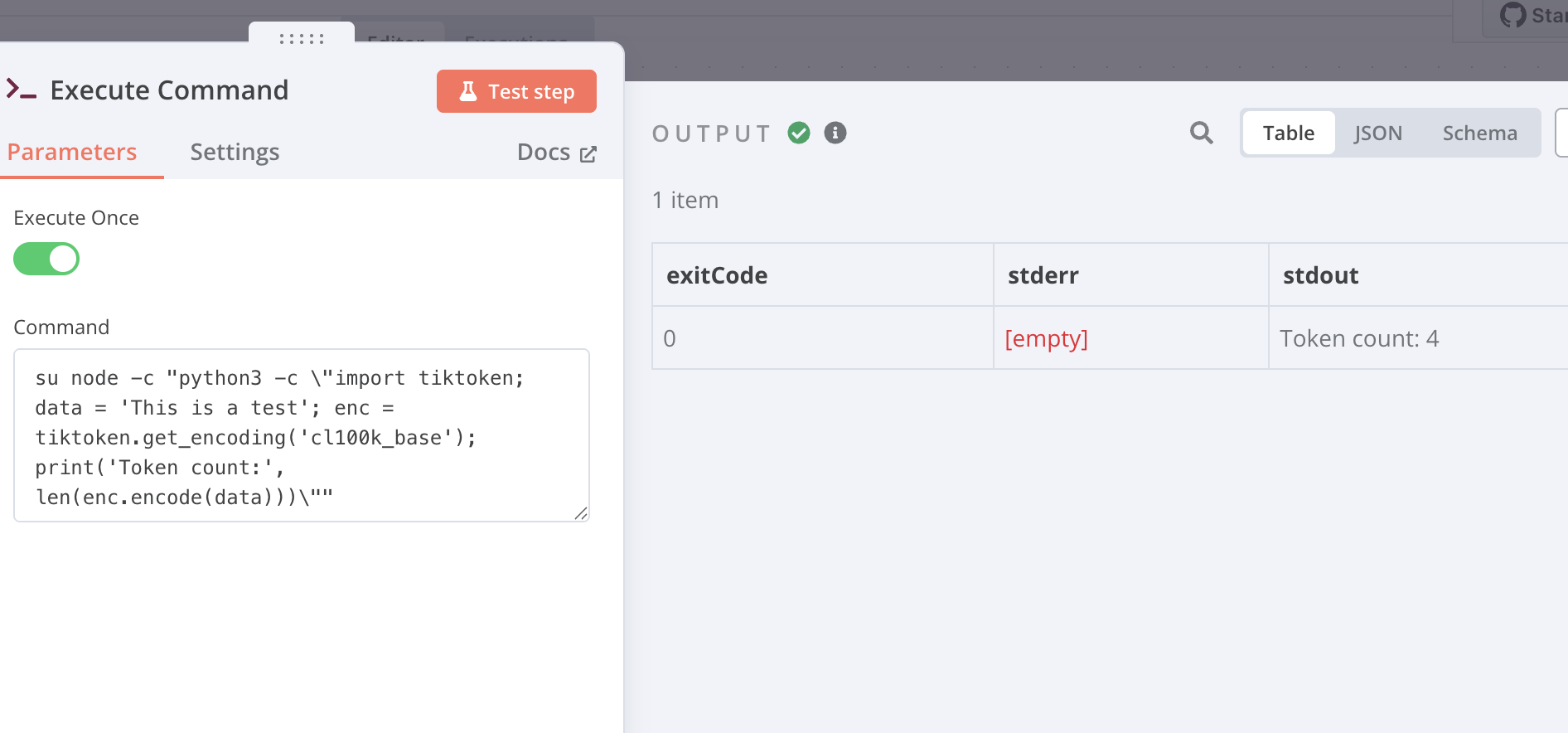
3. Run a working Execute Command node
Paste this into your n8n Execute Command node:
su node -c "python3 -c \"import tiktoken; data = 'This is a test'; enc = tiktoken.get_encoding('cl100k_base'); print('Token count:', len(enc.encode(data)))\""
Output should be:
Token count: 6
4. (Optional) Add /home/node/.local/bin to PATH
If you ever need to use any CLI tools installed by pip:
echo 'export PATH=$HOME/.local/bin:$PATH' >> /home/node/.profile
I tested and this works, you can also pass in the expression from the edit fields node, it’s abit of a headache, as if your not using root, you can’t sudo with the node users, for me and my dev env I use the root user in my yml, but you can also use this:
docker exec -it --user root n8n sh
To gain access as root to install, and then just switch back to the node user for the pip install for step 2.
Hope this helps,
Samuel