LinkedIn OAuth Setup

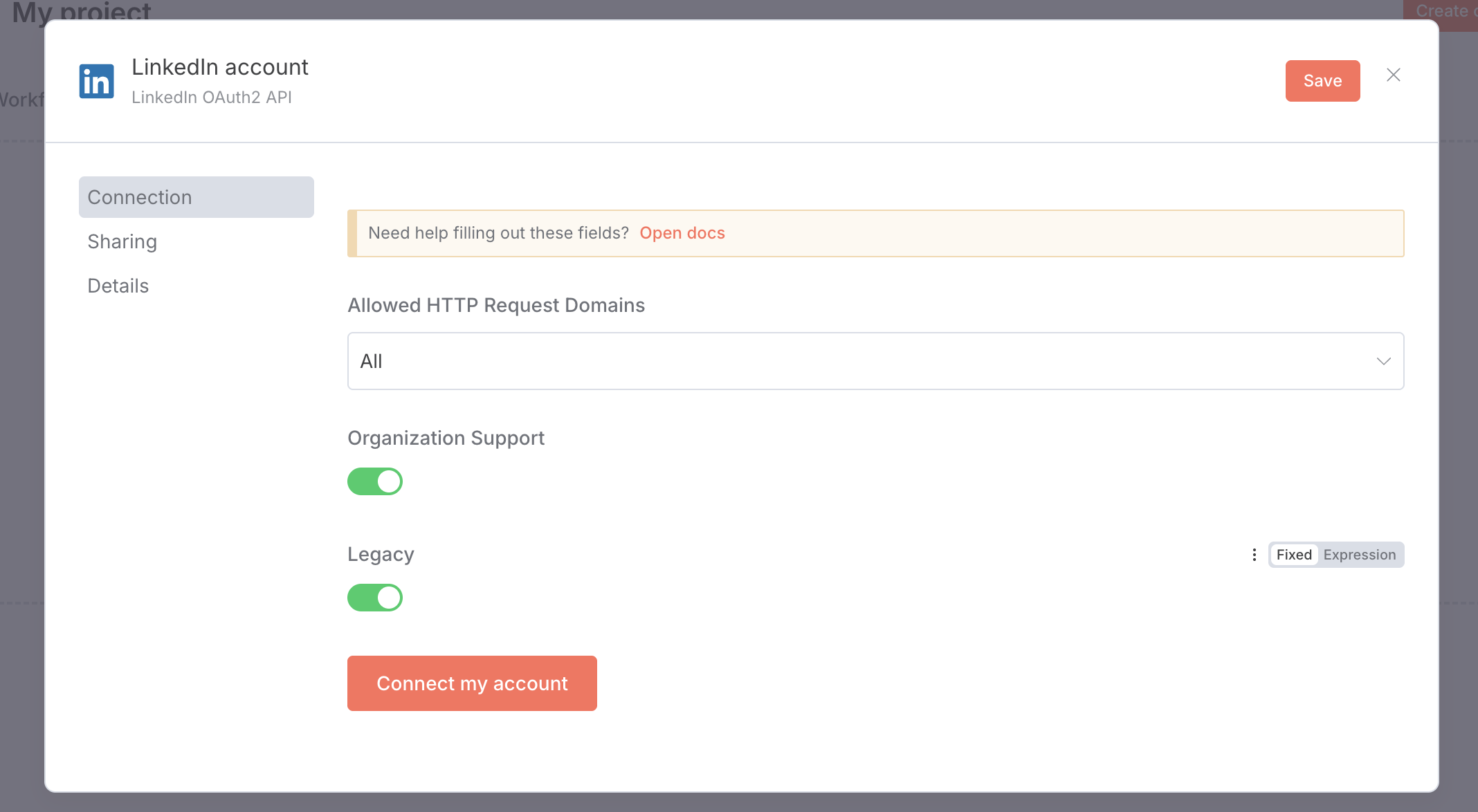
Why my LinkedIn setup have this shape? I cant insert Client ID and Secret. I watch video instructions, or even the text guidances, its totally different way. Im using the latest version of the n8n that is available.

Looking at your screenshot, you’re seeing the OAuth2 method which doesn’t show Client ID/Secret fields because it uses browser-based authentication. To get the fields for manual credential entry, you need to select **“Community Management OAuth2”** instead of just “OAuth2” when creating your LinkedIn credentials.

Here’s what to do:

• Go back and create a new LinkedIn credential

• Choose **“Community Management OAuth2”** as the authentication method

• This will show the Client ID and Client Secret fields you’re looking for

The [docs.n8n.io]( LinkedIn credentials | n8n Docs ) specifically mention using “Community Management OAuth2” for new LinkedIn apps, which matches what you’re trying to set up. The regular OAuth2 method is mainly for older LinkedIn integrations.

This topic was automatically closed 90 days after the last reply. New replies are no longer allowed.