Hello @Ludwig and thx for your reply. However I think you slightly missunderstood my problem:
- I have no problem to access the data from the first step within mit “Approved ?” step. As you correctly noted the syntax for this would be another and your example does work.
- I try to access the result of the “Wait-Form” of my “Wait”-Step within my “Approved ?” Step.
As further explanation:
Within Step 3 (Wait) I’ve selected “On Form Submitted” as a Resume and added a single dropdown-field with 2 values:
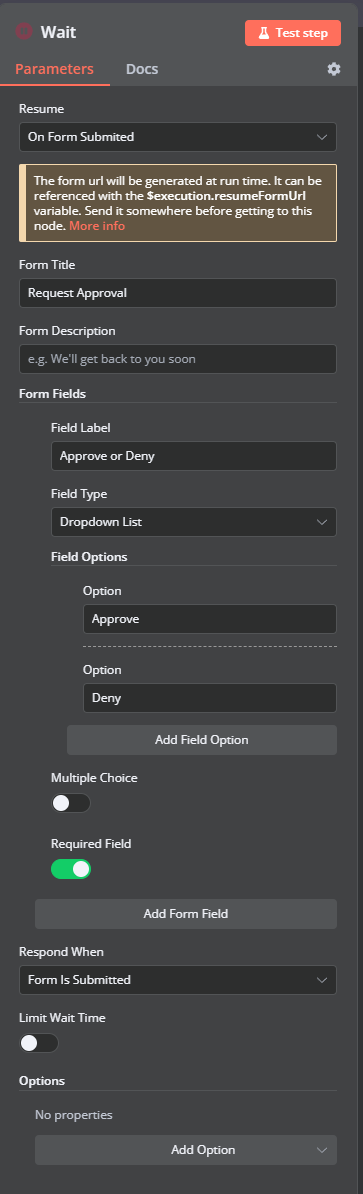
When I run my workflow now, I fill-in the first form and n8n does send out the correct mail (with the link to the previously mentioned Wait-Form via the code ‘{{ $execution.resumeFormUrl }}’ ). I can open that link and select my decision (Approve in this case):
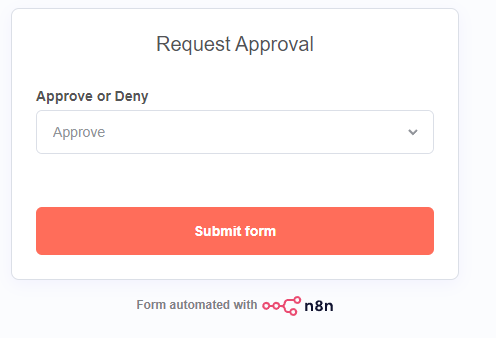
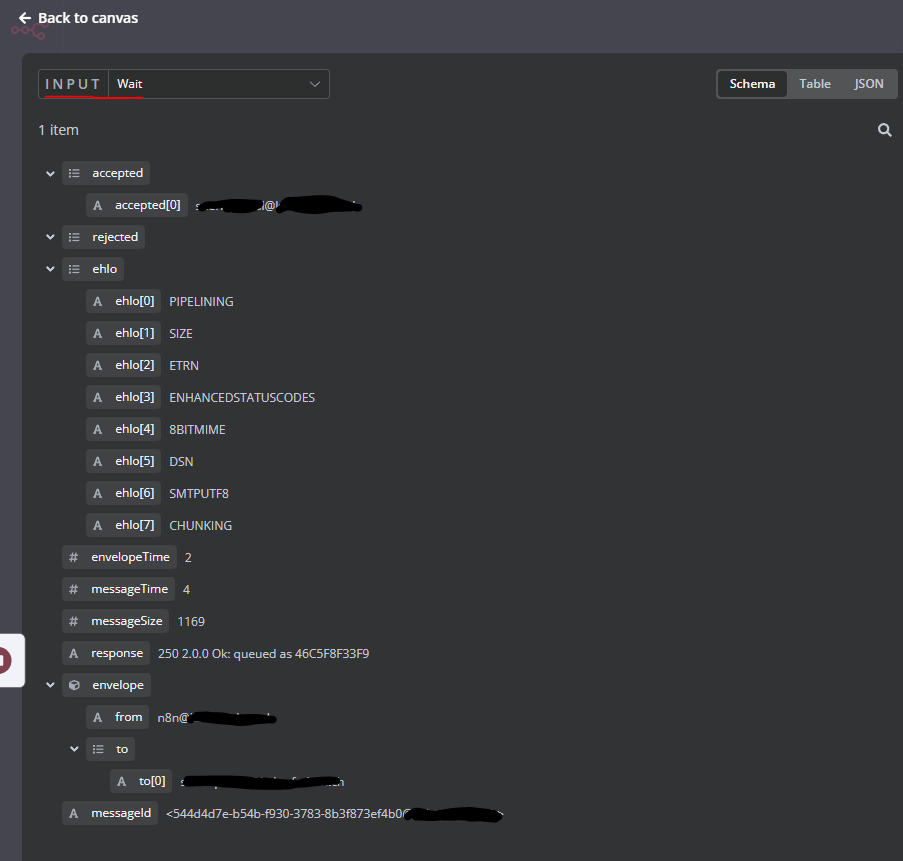
What I’m failing now is accessing the value of that decision (In this example the value should be “Approve”) within my next Step 4 (which is the “Approved ?”) Step. I don’t know the correct syntax for accessing this. Also when going to the workflow-execution and selecting step 3 (“Wait”) as Input I only see the status for the mail sent out in step 2 (“Mail Notification”):
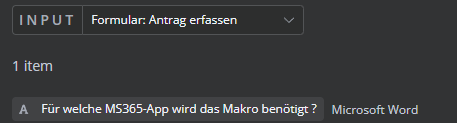
While when I select Step 1 (Form) as a source, I can see all the fields and it’s value (not all included on the screenshot below),from which I can “generate” the correct syntax by the visual editor via drag & drop):
I hope this clarifies where I’m struggling at 