office 365
Can you try to send to another email provider, just for testing?
This has nothing to do with the email client. My question is: How can I send an image (abc.png) as an attachment? That is, how should I configure the attachment in the “send mail” node? Is there any detailed explanation for this field?
There is not much to explain about the field - it takes the name of the binary that contain data to add to email as attachment. Multiple such binaries should be comma-separated.
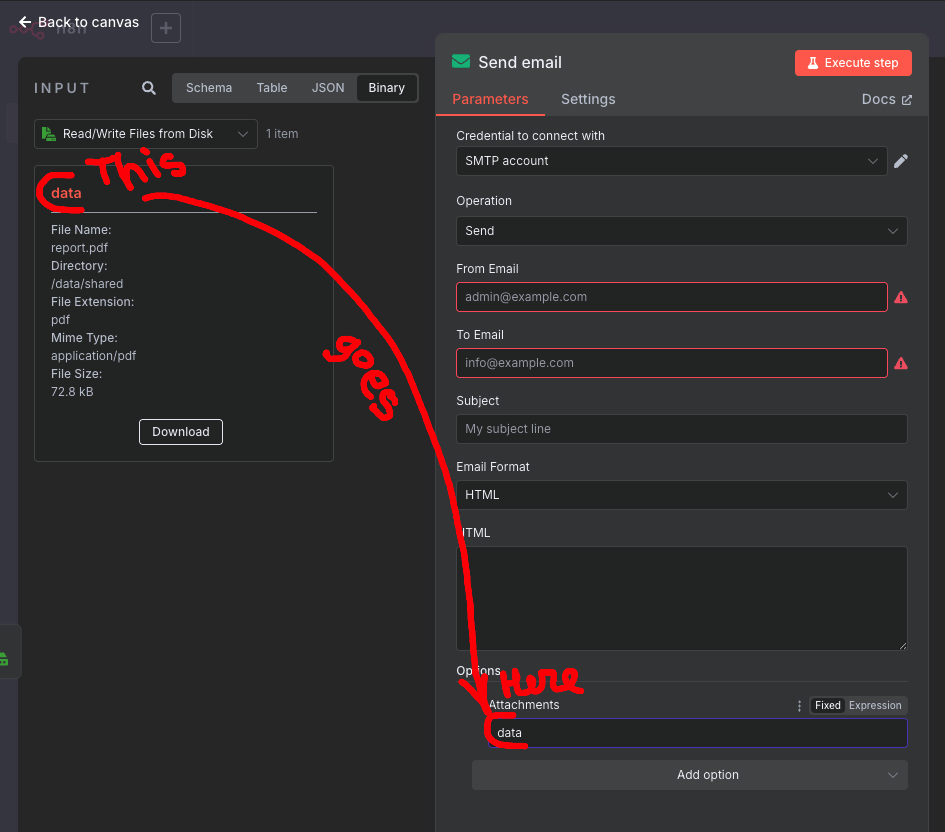
How is that for an explanation? 
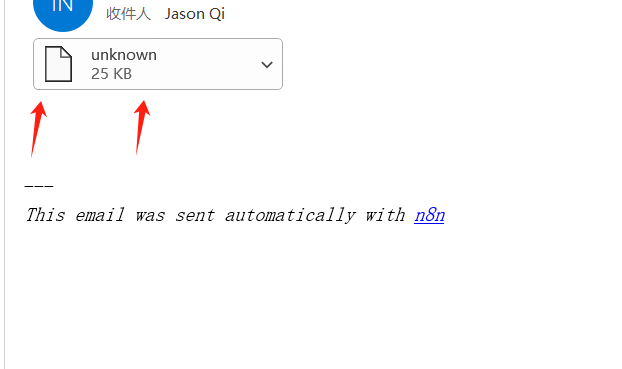
Yes, that’s exactly how I use it. However, after the email was sent, the attachment showed as “unknown”. Please refer to my picture.
The above reply provided you with the JavaScript code. If I added the code, the attachment would no longer be displayed.
Try this
Ah wait, I think I remember you trying this already…
Anyway, setting the filename is the only way it should work and it does it for me…
Without setting the filename - I get an “unknown” named attachment, just like you do. When I do set the filename in the node before the send email node - I get an email with properly named attachment.
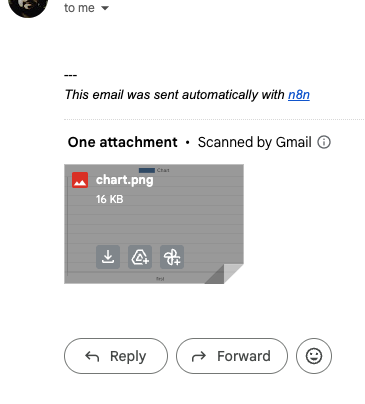
My workflow is exactly the same as yours. However, when I test and send the email, there is still no attachment and “unknown” is missing. My N8n version is 1.95.3.
I am on the latest 1.100.1, the “send email” node is 2.1
I upgraded the version to the latest 1.100.1, then downloaded your workflow to a local json file, and imported it for testing. However, the sent email still had no attachment. I’m really frustrated.
Well, I am out of ideas, if we use the same n8n and the same workflow, the only difference is where we send the emails.
This topic was automatically closed 90 days after the last reply. New replies are no longer allowed.