Industry reports and whitepapers pile up fast. A quarterly market analysis drops. A competitor publishes a technical whitepaper. Three research publications land in the same week. Everyone saves them with good intentions. Almost nobody reads them properly.
The documents that do get read take 45-60 minutes each to properly digest — extract the key stats, map the main findings, pull the recommendations, figure out who on the team needs to see it.
Built a workflow that does that processing in about 20 seconds and posts a full structured summary to Slack automatically.
What it does
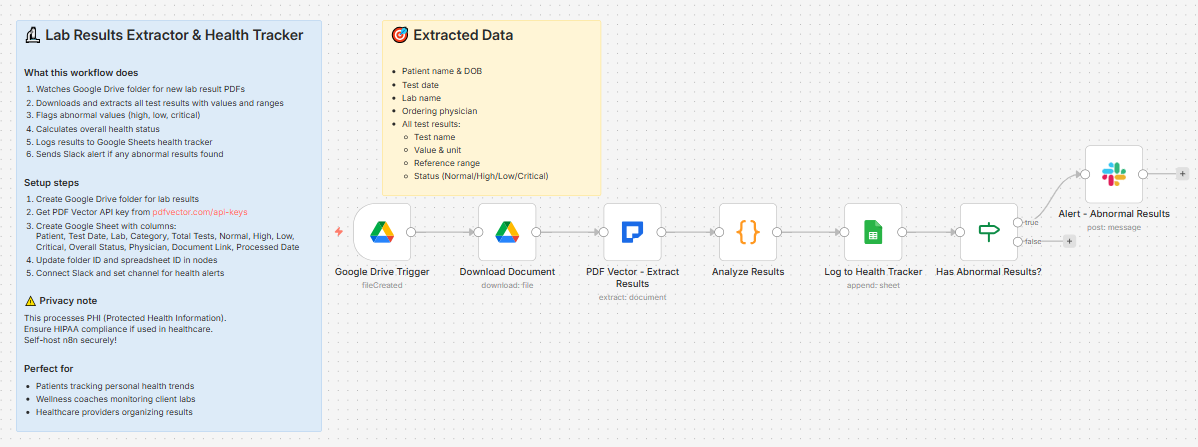
Document dropped in Google Drive → two AI passes (structured extraction + executive summary) → compiles everything → logs to research library → posts full briefing to Slack
Takes about 18-22 seconds per document.
Document types supported
Whitepaper, Research Report, Industry Report, Case Study, Technical Document, Annual Report, Market Analysis
Two AI passes — structured data + executive summary
Pass 1 — Structured extraction:
-
Title, author, organization, publication date
-
Document type, industry, page count
-
Main thesis
-
Key statistics with sources
-
Methodology
-
Main findings (as array)
-
Conclusions (as array)
-
Recommendations (as array)
-
Data sources cited
-
Keywords
Pass 2 — Executive summary:
Uses PDF Vector’s Ask operation to generate:
-
3-4 sentence executive summary
-
Single most important takeaway for business leaders
-
Three actionable next steps based on findings
-
Who should read this document and why
What lands in Slack
📄 New Whitepaper Summarized

Title: The State of AI Adoption in Enterprise 2025

Author: Sarah Chen | Type: Industry Report | Industry: Technology

---

📋 Executive Summary:

Enterprise AI adoption accelerated in 2024, with 67% of Fortune

500 companies now running at least one production AI system.

The most important takeaway: competitive advantage is shifting

from access to AI tools to operational maturity in deploying them.

Three next steps: audit current AI initiatives for production

readiness, build internal AI ops capability, start with

narrow high-value workflows before scaling.

---

📊 Key Statistics (8):

📊 67% of Fortune 500 have production AI systems

📊 Average time-to-production: 14 months

📊 42% of AI projects fail to reach production

📊 Companies with AI ops teams deploy 3x faster

---

🔍 Key Findings (6):

1. Talent shortage is the #1 barrier (78% of respondents)

2. Integration with legacy systems costs 40% of AI budgets

3. ROI positive within 18 months for 61% of deployments

---

✅ Recommendations (4):

✓ Build internal AI ops capability before scaling

✓ Prioritize use cases with clear data pipelines

✓ Allocate minimum 30% of budget to integration

✓ Start narrow, then scale

📄 Read Full Document
What lands in Google Sheets
Each row: Title, Author, Organization, Type, Industry, Published, Pages, Key Statistics (count), Findings (count), Recommendations (count), Keywords, Document Link, Added Date
Your full research library, searchable by industry, filterable by type. Sort by Industry to find all reports in a specific sector.
Setup
You’ll need:
-
Google Drive (folder for whitepapers and reports)
-
Google Sheets (free)
-
n8n instance (self-hosted — uses PDF Vector community node)
-
PDF Vector account (~6-8 credits per document for two passes)
-
Slack
About 15 minutes to configure.
Download
Workflow JSON:
Full workflow collection:
Setup Guide
Step 1: Get your PDF Vector API key
Sign up at pdfvector.com — free plan for testing.
Step 2: Create Drive folder and Sheet
Folder: “Whitepapers & Reports” — copy folder ID.
Sheet headers:
Title | Author | Organization | Type | Industry | Published | Pages | Key Statistics | Findings | Recommendations | Keywords | Document Link | Added Date
Step 3: Import and configure
Download JSON → n8n → Import from File.
Google Drive Trigger: Connect Drive, paste folder ID
PDF Vector - Extract Info + PDF Vector - Generate Summary:
-
Both run in parallel from Download Document
-
Add PDF Vector credential to both nodes
Add to Research Library: Connect Sheets, paste Sheet ID
Share Summary: Connect Slack, select your research or team-updates channel
Accuracy
Tested on industry reports, SaaS company whitepapers, consulting research, and academic papers.
-
Title, author, organization, date: ~97%
-
Key statistics: ~93% — numbers with clear context extract reliably
-
Main findings: ~91% — best on documents with explicit findings sections
-
Recommendations: ~89%
-
Executive summary quality: strong on well-structured reports
Cost
~6-8 credits per document. Free tier handles ~12-15 documents per month.
Customizing it
Route by industry: Add a Switch node after Compile Summary — market analyses go to #sales-intel, technical docs to #engineering
Weekly digest: Scheduled workflow every Monday reads your library and posts a summary of all documents added in the past 7 days
Connect to Notion: Replace or supplement Sheets with a Notion node to create a database entry per document
Questions? Drop a comment.