AI Agent's HTTP Request tool has issues with auth and fetching Jira tickets

Describe the problem/error/question

HTTP Request tool of the AI Agent node has issues with authorization via Jira v3 REST API.

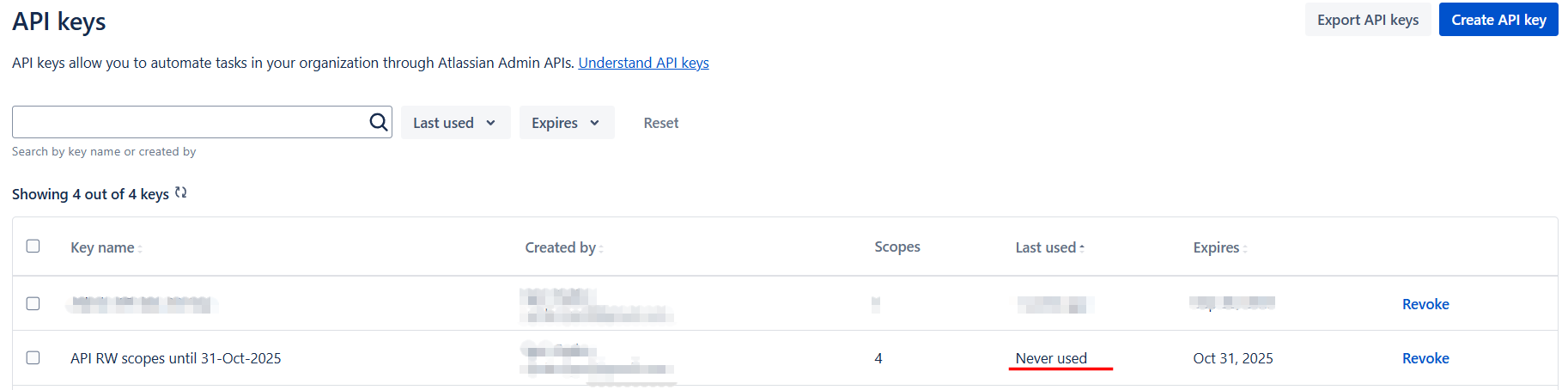
In both workflow modes (Test and Production) the Jira API sends its response with empty body even that the JQL is correct and should return up to 15 tickets, and responce goes with 200 code. Weird thing here is that Jira console displays that the token has never been used.

What is the error message (if any)?

Please share your workflow

I can not share my qorkflow due to the customer request. However I can add some screenshots and tools descriptions.

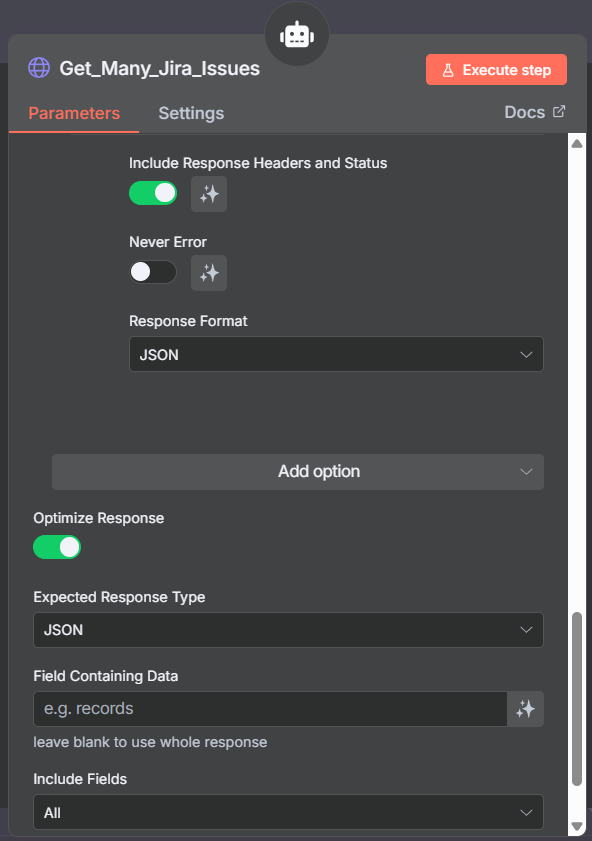
Get_Many_Jira_Issues HTTP tool settings:

Tool Description: `Call this tool to search for Jira issues using a JQL (Jira Query Language) query and return the results. This tool (node) makes an HTTP request and returns the response data of multiple Jira issues based on user’s request. The tool input should be the functioncall argument ``jql``. A ``jql`` query parameter is a string to search for issues via Jira API, for example: “project = ‘MKT’ AND fixVersion = ‘1.5.0’ and assignee = ‘Bob Dylan’ ORDER by key ASC” or “issueKey = MKT-771”`

Method: POST

URL: https://{my-domain}/rest/api/3/search/jql

Specidy Headers (JSON):

{
“Authorization”: “Basic{{ $fromAI(“basicAuthHeader”) }}”,
“Accept”: “application/json”,
“Content-Type”: “application/json; charset=utf-8”
}

Send body (JSON):

{ "expand": "names",

"fields": [ "key", "summary", "status", "fixversions" ],

"fieldsByKeys": true,

"jql": "{{ $fromAI("jql", "", "string") }}",

"maxResults": 100 }

Jira Basic Auth Credentials tool:

It takes user’s Jira email and token, converts them into Base64 format and then returns results as a param ``basicAuthHeader``
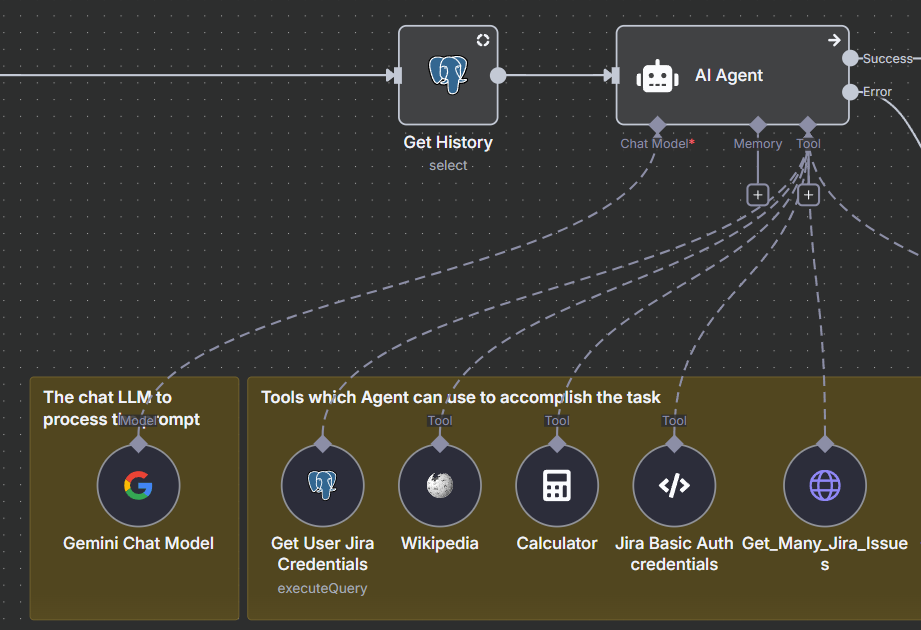
Share the output returned by the last node (Get_Many_Jira_Issues HTTP tool)

Information on your n8n setup

  • n8n version: 1.109.1
  • Database (default: SQLite): PostgresSQL
  • n8n EXECUTIONS_PROCESS setting (default: own, main): default
  • Running n8n via (Docker, npm, n8n cloud, desktop app): cloud
  • Operating system: Windows11

Hey @Igor_Syzko hope all is good. Welcome to the community.

Any reason you are not using an existing tool node?

Hey @jabbson, the customer has several Jira accounts and Jira native tool doesn’t support dynamic credentials update from other nodes in the workflow.

Did your workflow caught an error?

Hi @cutecatcode, no it didn’t, the Get_Many_Jira_Issues tool outputs usually such success result:

[{
“response”: [
{
“body”: [
{
“issues”: ,
“isLast”: true
}
],
“headers”: {
“content-type”: “application/json;charset=UTF-8”,
“transfer-encoding”: “chunked”,
“connection”: “close”,
“date”: “Tue, 02 Sep 2025 09:51:02 GMT”,
“server”: “AtlassianEdge”,
“timing-allow-origin”: “*”,
“x-arequestid”: “48696a7304163f09b18ab2195154c017”,
“set-cookie”: [
“atlassian.xsrf.token=8e0dc0c1390e70a326531c89ffe479168f18bbf6_lout; Path=/; SameSite=None; Secure”
],
“cache-control”: “no-cache, no-store, no-transform”,
“vary”: “Accept-Encoding”,
“x-content-type-options”: “nosniff”,
“x-xss-protection”: “1; mode=block”,
“atl-traceid”: “880999faac7242c3b7431ba7fb74386d”,
“atl-request-id”: “880999fa-ac72-42c3-b743-1ba7fb74386d”,
“strict-transport-security”: “max-age=63072000; includeSubDomains; preload”,
“report-to”: “{“endpoints”: [{“url”: “https://dz8aopenkvv6s.cloudfront.net”}], “group”: “endpoint-1”, “include_subdomains”: true, “max_age”: 600}”,
“nel”: “{“failure_fraction”: 0.001, “include_subdomains”: true, “max_age”: 600, “report_to”: “endpoint-1”}”,
“x-cache”: “Miss from cloudfront”,
“via”: “1.1 7115bbde016dc7107bc64db76ba40c56.cloudfront.net (CloudFront)”,
“x-amz-cf-pop”: “FRA60-P7”,
“x-amz-cf-id”: “7IpJyR9gtKQPM-6uH9upexOEJ4opKizbYl4B9fMq_IpMRrITlmlo-g==”,
“server-timing”: “cdn-upstream-layer;desc=“EDGE”,cdn-upstream-dns;dur=0,cdn-upstream-connect;dur=1,cdn-upstream-fbl;dur=198,atl-edge;dur=187,atl-edge-internal;dur=19,atl-edge-upstream;dur=167,atl-edge-pop;desc=“aws-eu-central-1”,cdn-cache-miss,cdn-pop;desc=“FRA60-P7”,cdn-rid;desc=“7IpJyR9gtKQPM-6uH9upexOEJ4opKizbYl4B9fMq_IpMRrITlmlo-g==”,cdn-downstream-fbl;dur=202”
},
“statusCode”: 200,
“statusMessage”: “OK”
}
]
}]

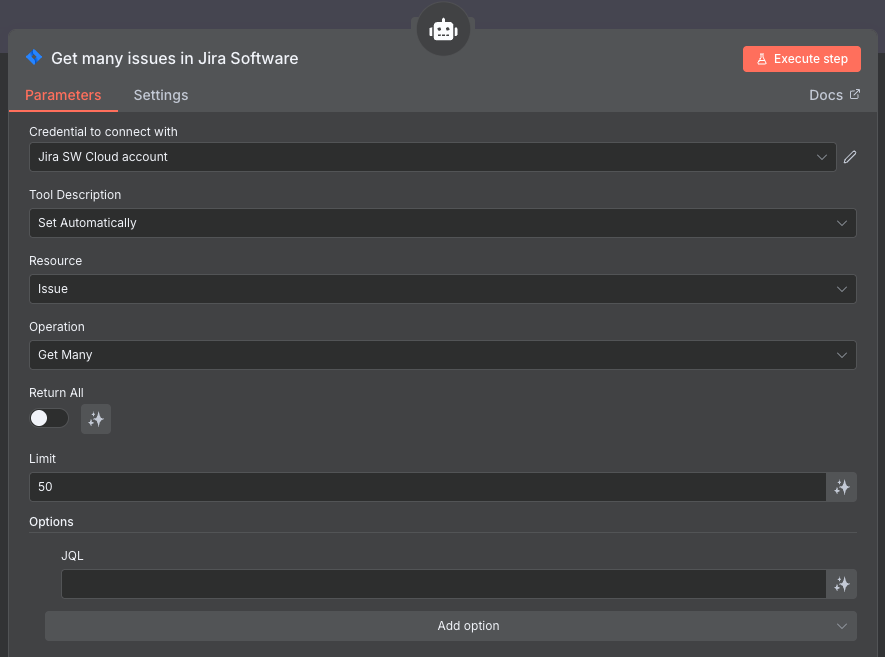
Just tried this simple workflow and it works:

If your workflow doesn’t fail but returns no results, see if you can get better results without jql filters. Also try to use /rest/api/3/search instead of /rest/api/3/search/jql.

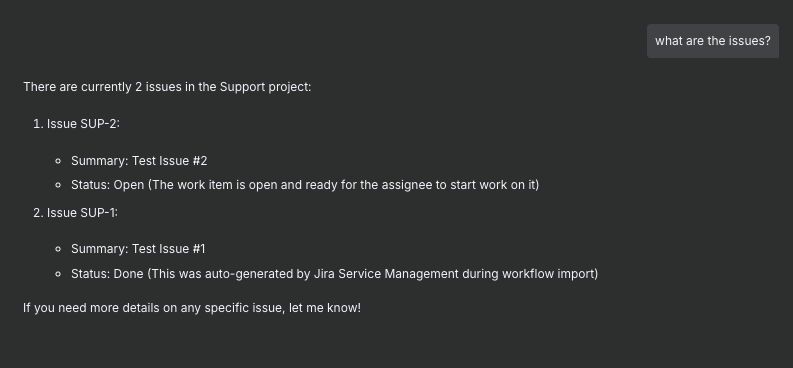
Here is my chat with an agent:

Also check if there is an issue with spacing in (there needs to be a space between Basic and the rest).

Basic {{ $fromAI('basicAuthHeader') }}

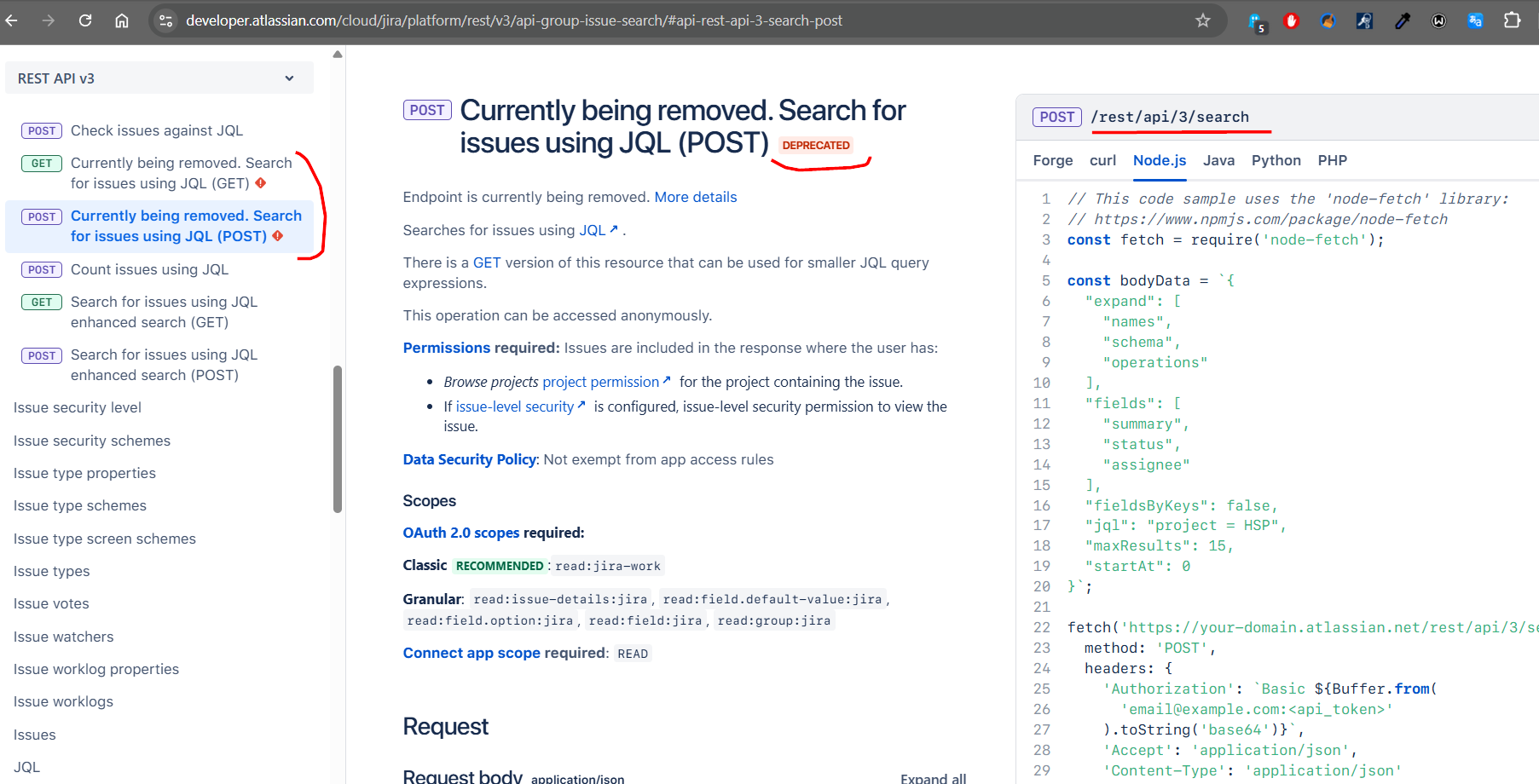
Hi @jabbson, thanks for checking Jira endpoint, but I’m not using `/rest/api/3/search` because Atlassian specs says that it will be removed this autumn (and I also got an info email on this).

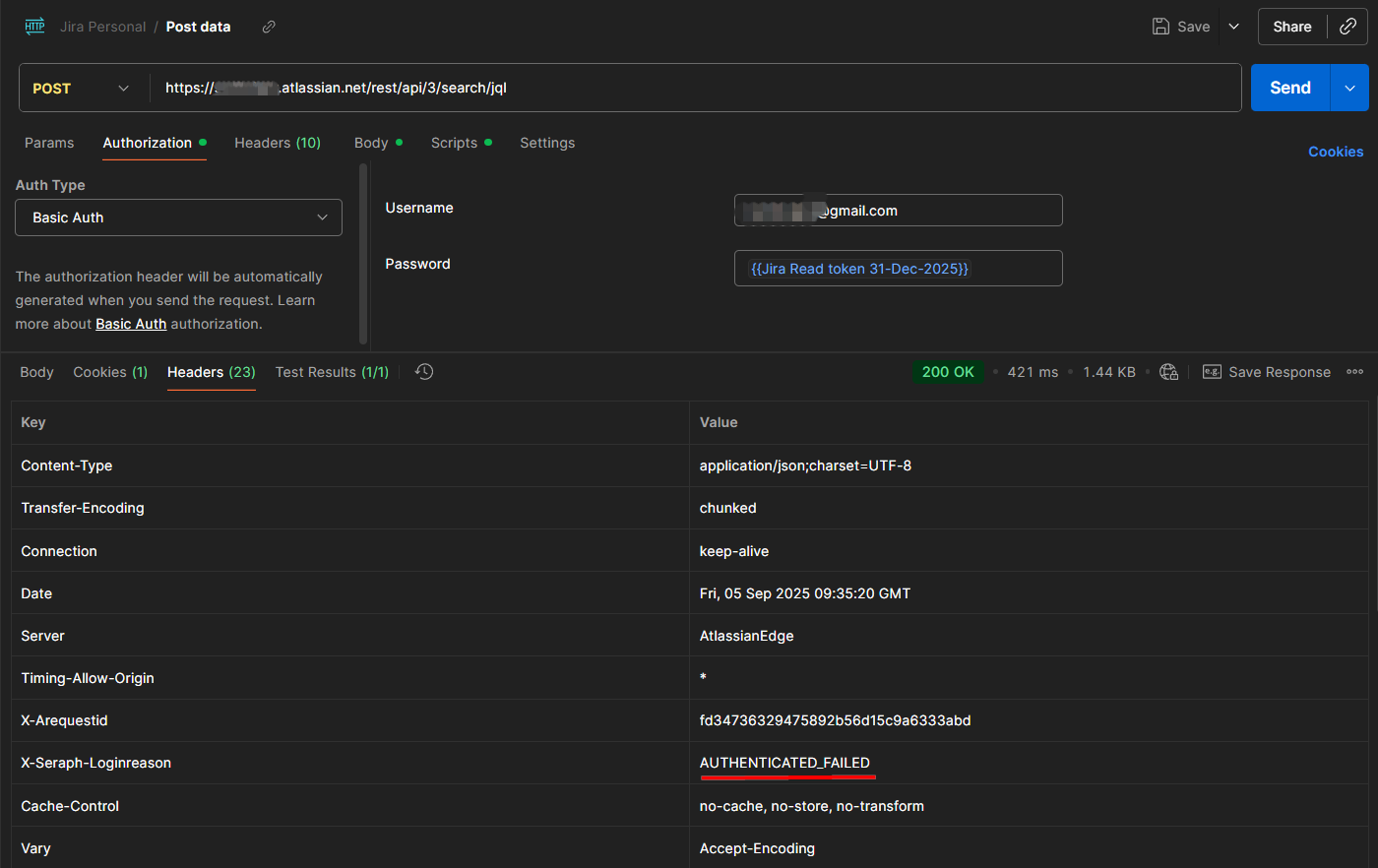
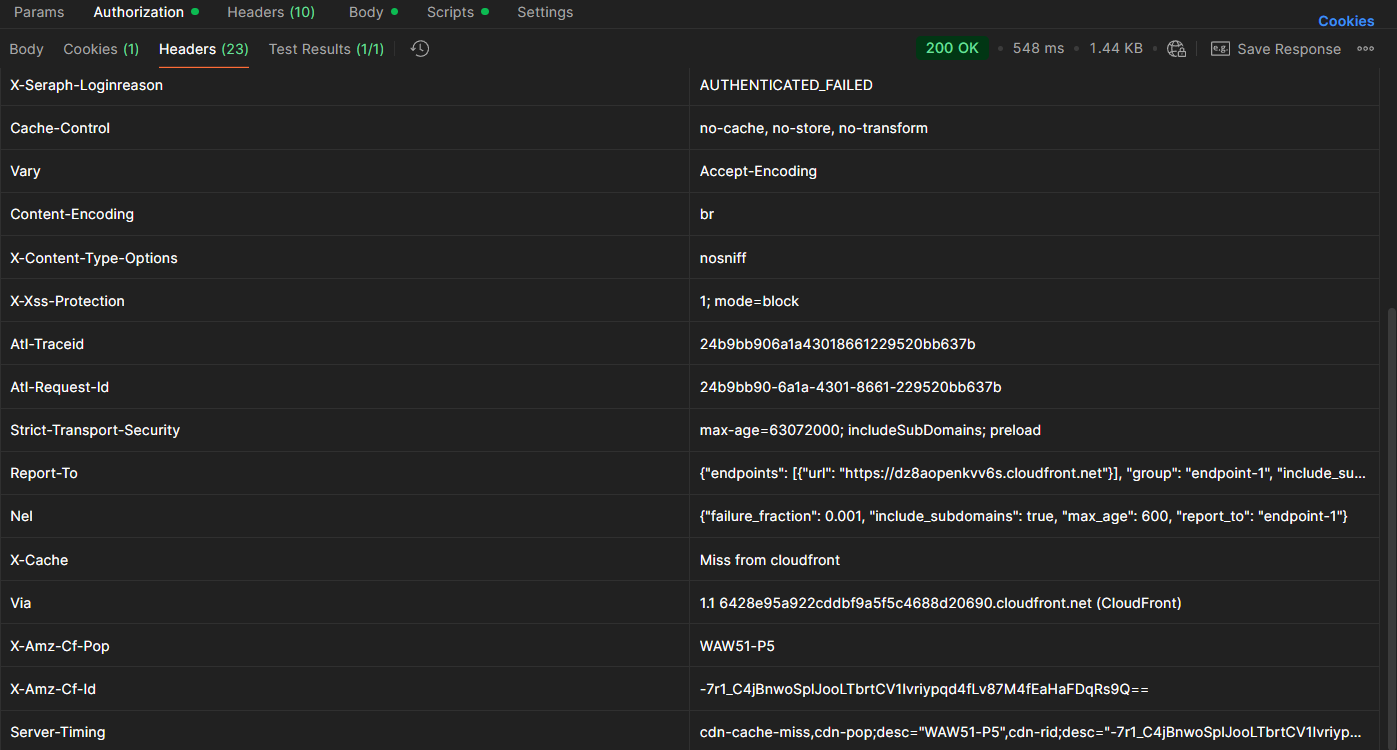
And I tried the backspace in the expression Basic {{ $fromAI('basicAuthHeader') }} from the very begining but it executes and returns `AUTHENTICATED_FAILED` error:

[

{
“response”: [
{
“body”: [
{
“issues”: [ ] ,
“isLast”: true
}
],
“headers”: {
“content-type”: “application/json;charset=UTF-8”,
“transfer-encoding”: “chunked”,
“connection”: “close”,
“date”: “Wed, 03 Sep 2025 06:59:19 GMT”,
“server”: “AtlassianEdge”,
“timing-allow-origin”: “*”,
“x-arequestid”: “abd9efdb9f9f45cf5868e7e3da917095”,
“x-seraph-loginreason”: “AUTHENTICATED_FAILED”,
“set-cookie”: [
“atlassian.xsrf.token=970ca1fde47f3beda54abd015dd8dea3b722b45e_lout; Path=/; SameSite=None; Secure”
],
“cache-control”: “no-cache, no-store, no-transform”,
“vary”: “Accept-Encoding”,
“x-content-type-options”: “nosniff”,
“x-xss-protection”: “1; mode=block”,
“atl-traceid”: “809eaecc374a47588d71cda685035ce0”,
“atl-request-id”: “809eaecc-374a-4758-8d71-cda685035ce0”,
“strict-transport-security”: “max-age=63072000; includeSubDomains; preload”,
“report-to”: “{“endpoints”: [{“url”: “https://dz8aopenkvv6s.cloudfront.net”}], “group”: “endpoint-1”, “include_subdomains”: true, “max_age”: 600}”,
“nel”: “{“failure_fraction”: 0.001, “include_subdomains”: true, “max_age”: 600, “report_to”: “endpoint-1”}”,
“x-cache”: “Miss from cloudfront”,
“via”: “1.1 84294257ed643a88ee54d2e3f7d7ccea.cloudfront.net (CloudFront)”,
“x-amz-cf-pop”: “FRA56-P2”,
“x-amz-cf-id”: “PJfWzEG6qd5dHAwntF5P7sIU5F08RcGpsz-axE2P15wJbMI_MO-n7Q==”,
“server-timing”: “cdn-upstream-layer;desc=“EDGE”,cdn-upstream-dns;dur=0,cdn-upstream-connect;dur=1,cdn-upstream-fbl;dur=170,atl-edge;dur=164,atl-edge-internal;dur=12,atl-edge-upstream;dur=152,atl-edge-pop;desc=“aws-eu-central-1”,cdn-cache-miss,cdn-pop;desc=“FRA56-P2”,cdn-rid;desc=“PJfWzEG6qd5dHAwntF5P7sIU5F08RcGpsz-axE2P15wJbMI_MO-n7Q==”,cdn-downstream-fbl;dur=174”
},
“statusCode”: 200,
“statusMessage”: “OK”
}
]
}

]

I see, in this case, do you have an example of a curl command that works for you? Or postman call that works for this endpoint?

The curl command should be like this (I didn’t try it b/c don’t know which node to use):
curl

--request POST \

--url ‘https://${your-domain}.atlassian.net/rest/api/3/search/jql’ \

--user ‘${email}:${token>}’ \

--header ‘Accept: application/json’ \

--header ‘Content-Type: application/json’ \

--data

'{

“expand”: “names”,

“fields”: [ “summary”, “description“ ],

“fieldsByKeys”: true, “jql”: “{{ $fromAI(“jql”, “”, “string”) }}”,

“maxResults”: 50

}’

Try the terminal, find the curl command that works from the terminal.

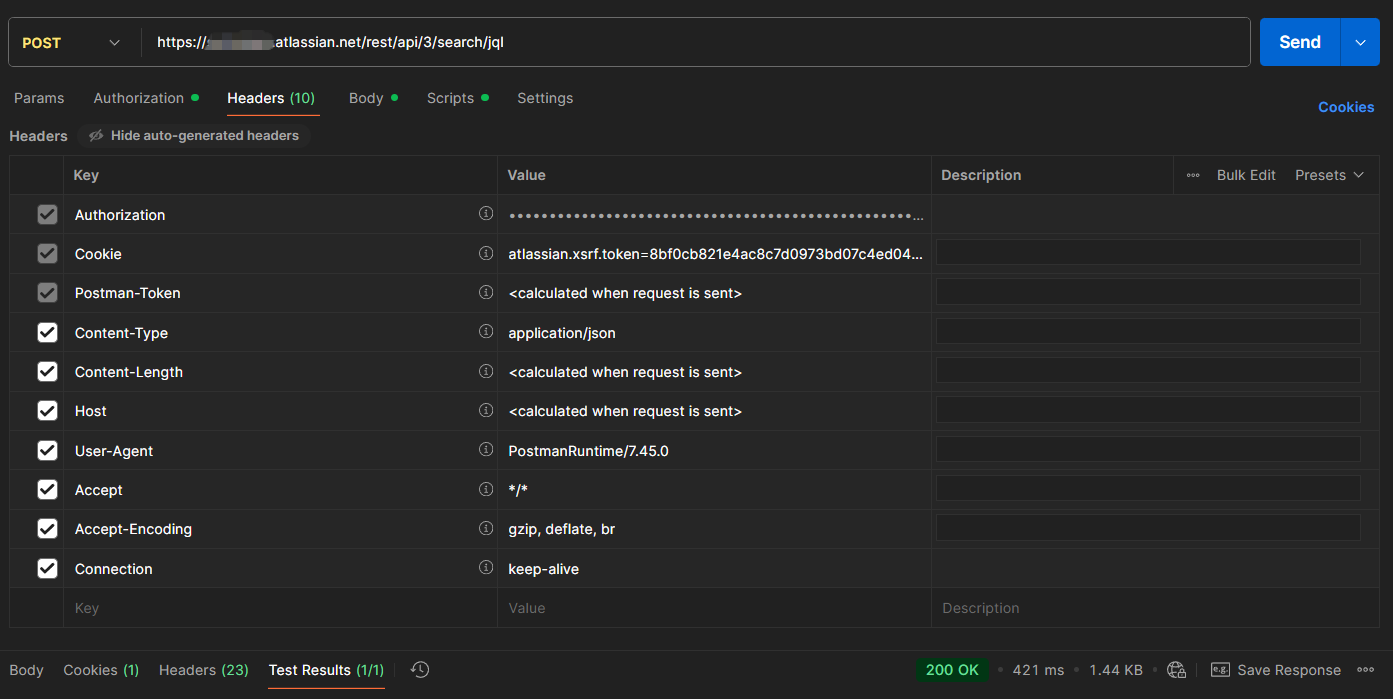
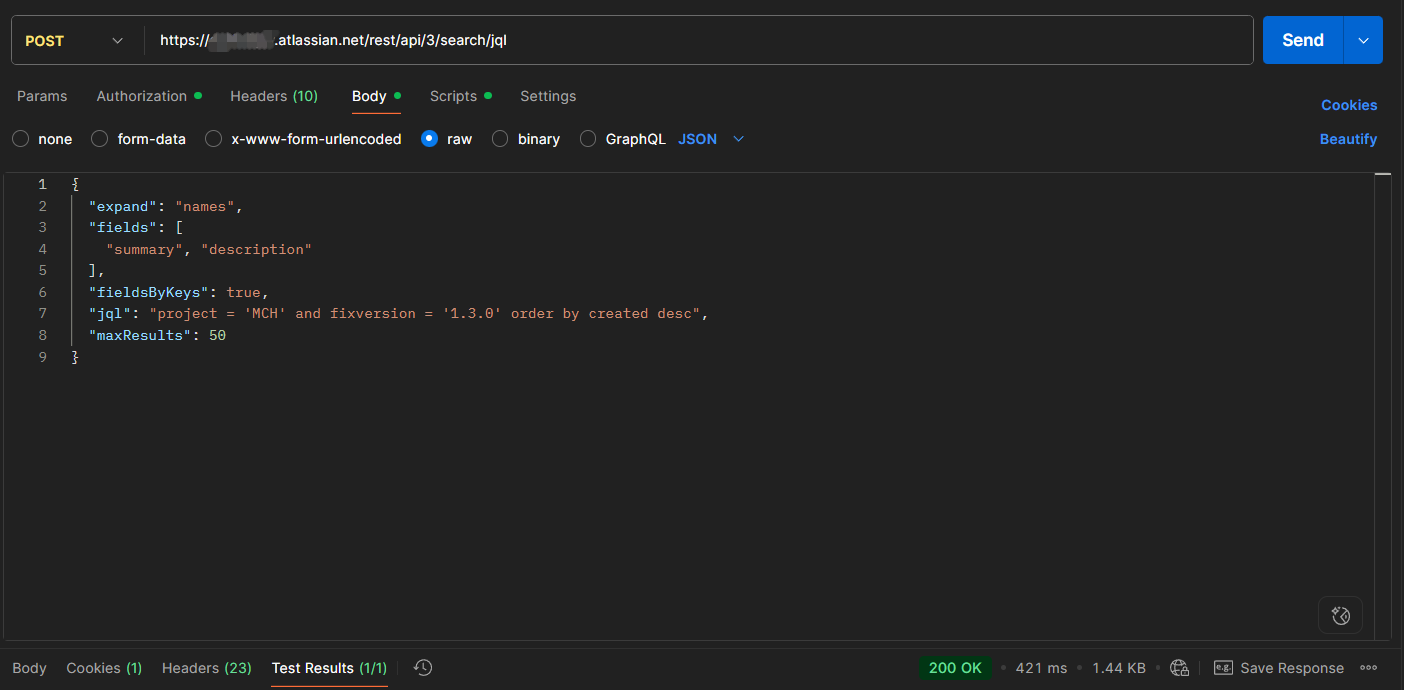
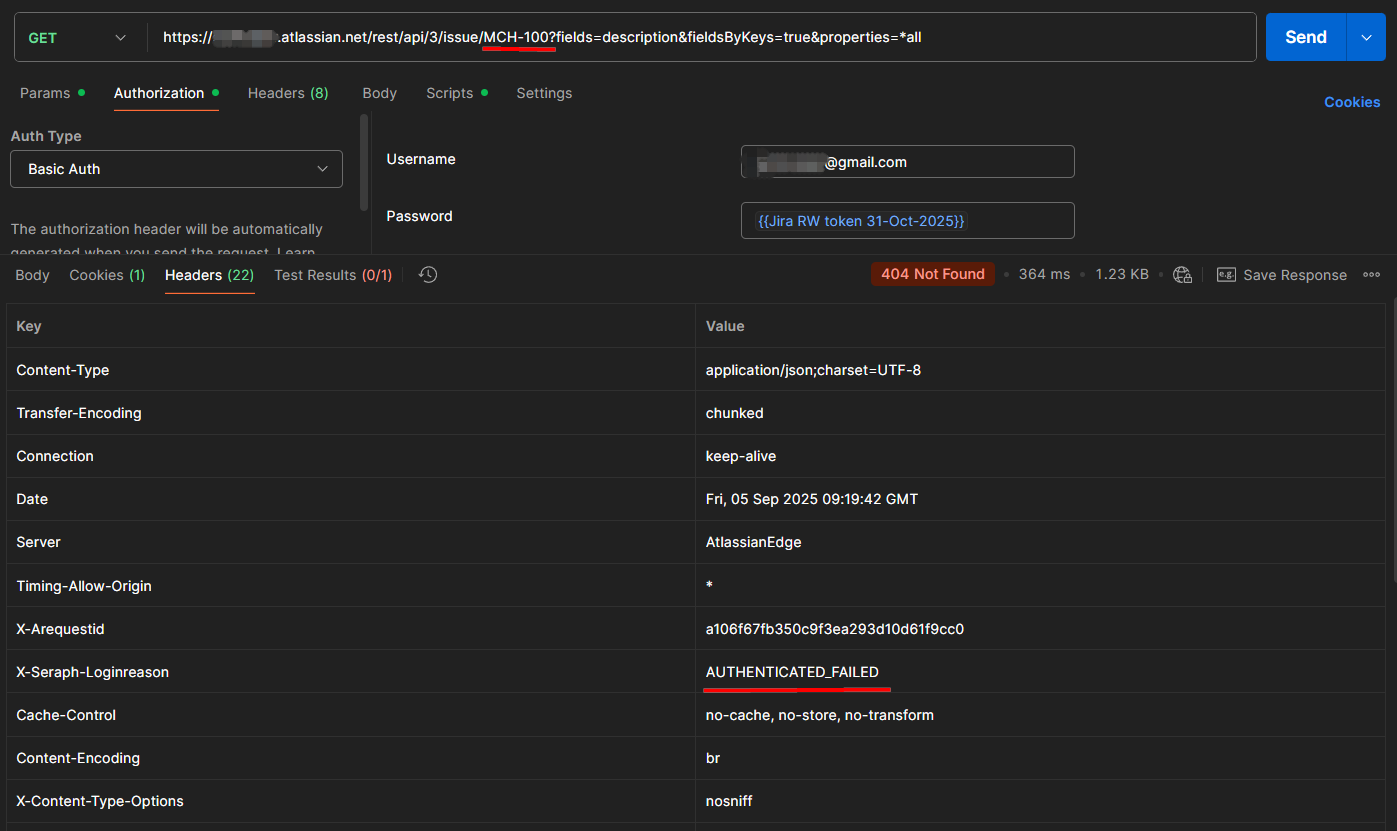
Hey @jabbson , I tried again via postman and the results are similar to what I’ve got trhough HTTP node

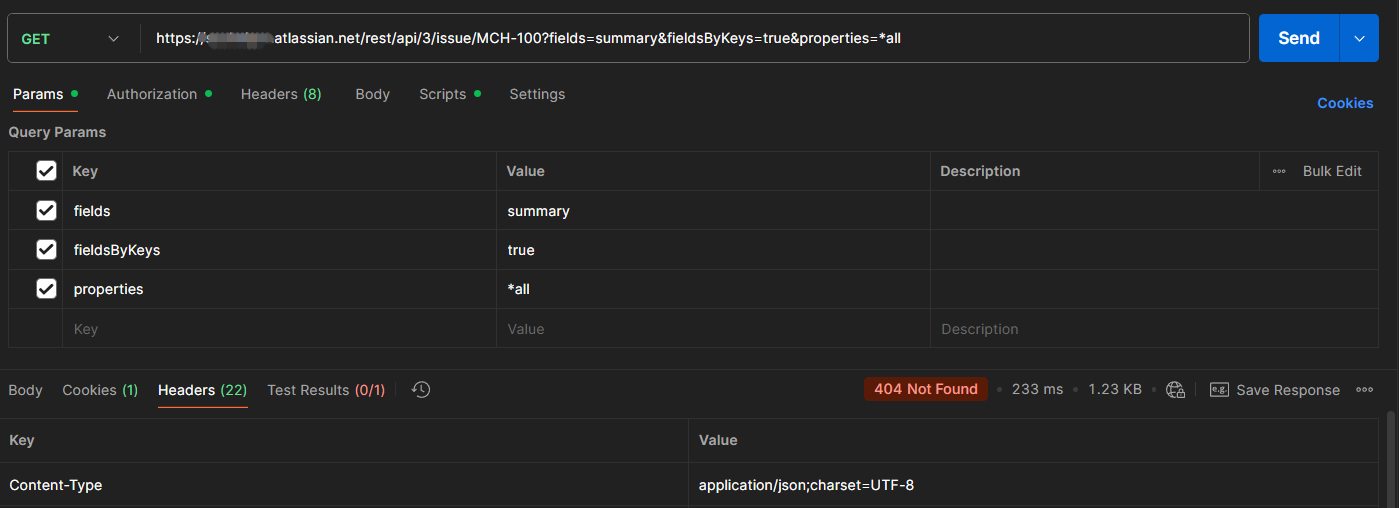
However, for GET request on issue details ir returned 404 even that the issue key is valid

Ok, so the issue is not with n8n, but rather with Jira?

Probbaly, when you succesfully tested your basic workflow, which JIRA API key options (policies) you selected?

I’ve used a regular API token without scopes.

This topic was automatically closed 90 days after the last reply. New replies are no longer allowed.