Hi Everyone.
I’m new to n8n and primarily want to use it to connect Webflow, Airtable, LimeSurvey & AWS SES. I’m currently using n8n Cloud to experiment and test to see if what I need to do is feasible. Immediately I’m coming up with some issues with AirTables trigger so had a few queries that I’m hoping the community might be able to advise me on:
[In this scenario, to make it straightforward, I’m only conducting a basic Airtable test with 4 records in a table]
-
I understand from reading the forum that it’s suggested that the trigger for AirTable (AT) will only bring back 1 record regardless of the number of records in that particular AT. Is this true, and if so do we understand what determines what record it retrieves? For instance, I’m using a ‘Trigger Field’ of AT’s ‘Last Modified Time’ but for some reason it doesn’t bring back the last modified record, instead I feel as though it’s only ever bringing back the most recent ‘Created’ record ('Created Time), and thus ignores the main Trigger Field of ‘Last Modified Time’.
-
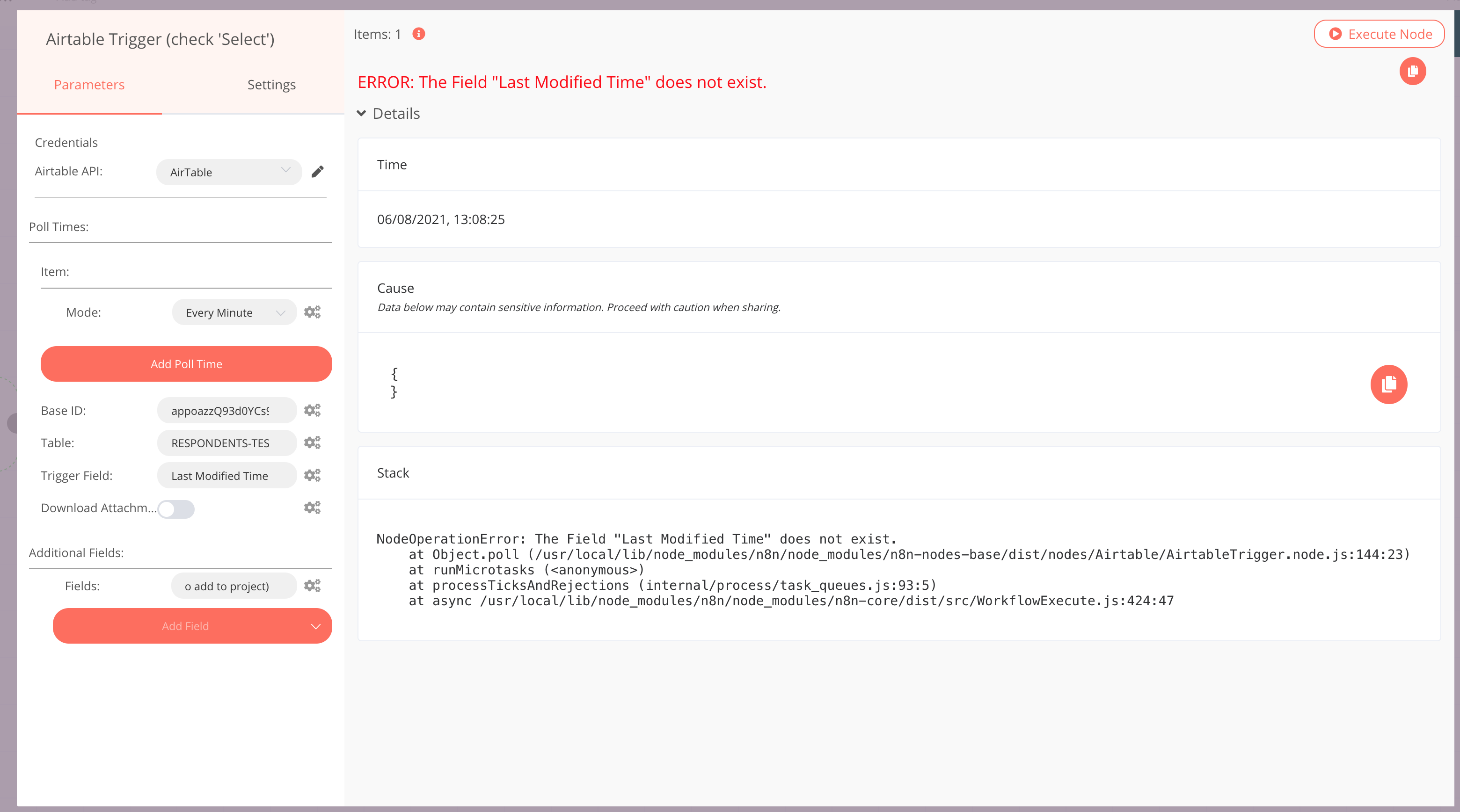
Whenever I also add an ‘Additional Field’ (Field) - in an attempt to extract the Field I actually need form the AT (in this case a ‘Select/Check’ type field) the n8n Execution ‘always’ presents "ERROR: The Field “Last Modified Time” does not exist (even though I wasn’t seeking this as the Additional Field, and the fact it can successfully retrieve the ‘Last Modified Field’ as long as I do not add the ‘Additional Field’ - See Q1). What am I doing wrong? How can I extract the actual field I need (the AT Select field - 'Select (to add to project)) to use in the rest of the n8n flow?
For information I do not appear to have any issues with n8n’s AT’s non ‘Trigger’ functions.
Any advice would be greatly appreciated.
Stephen
PS It’s just kicked out all my other explanatory images as I’m a new user, so not sure if I can add more screenshots afterward 
See other images just incase it helps 
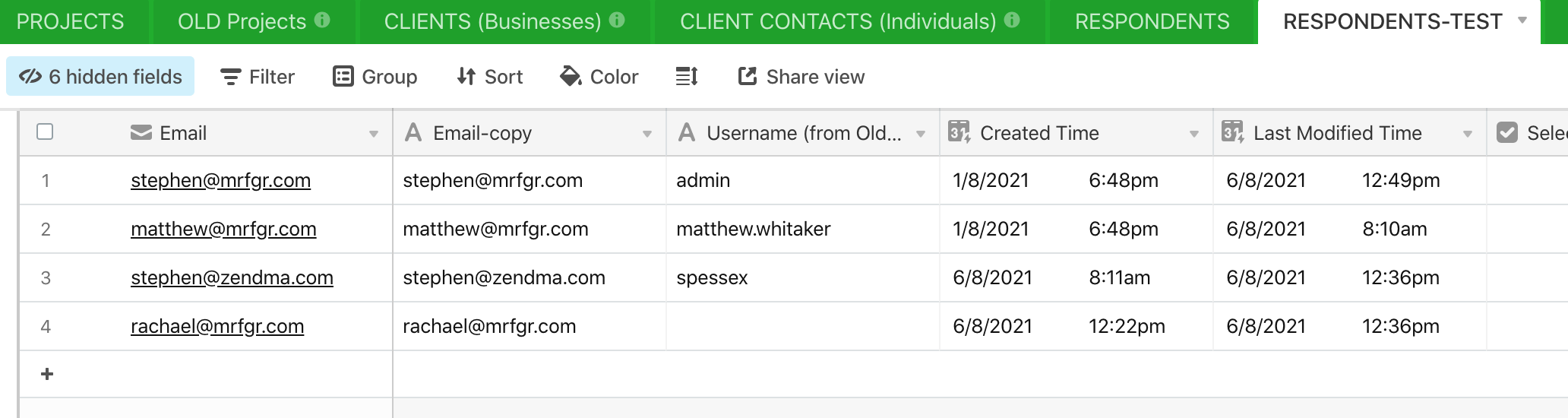
Airtable example I’m using.
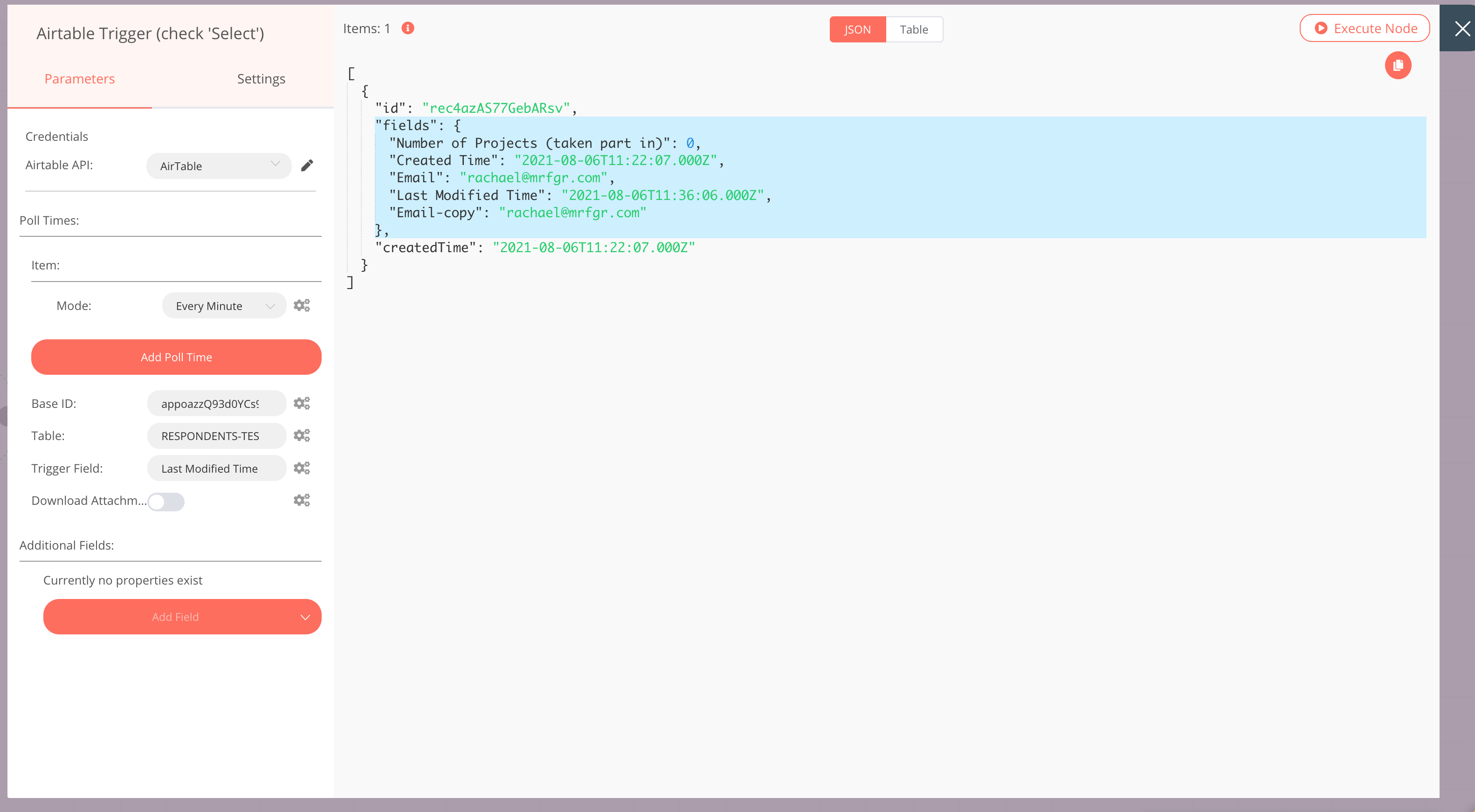
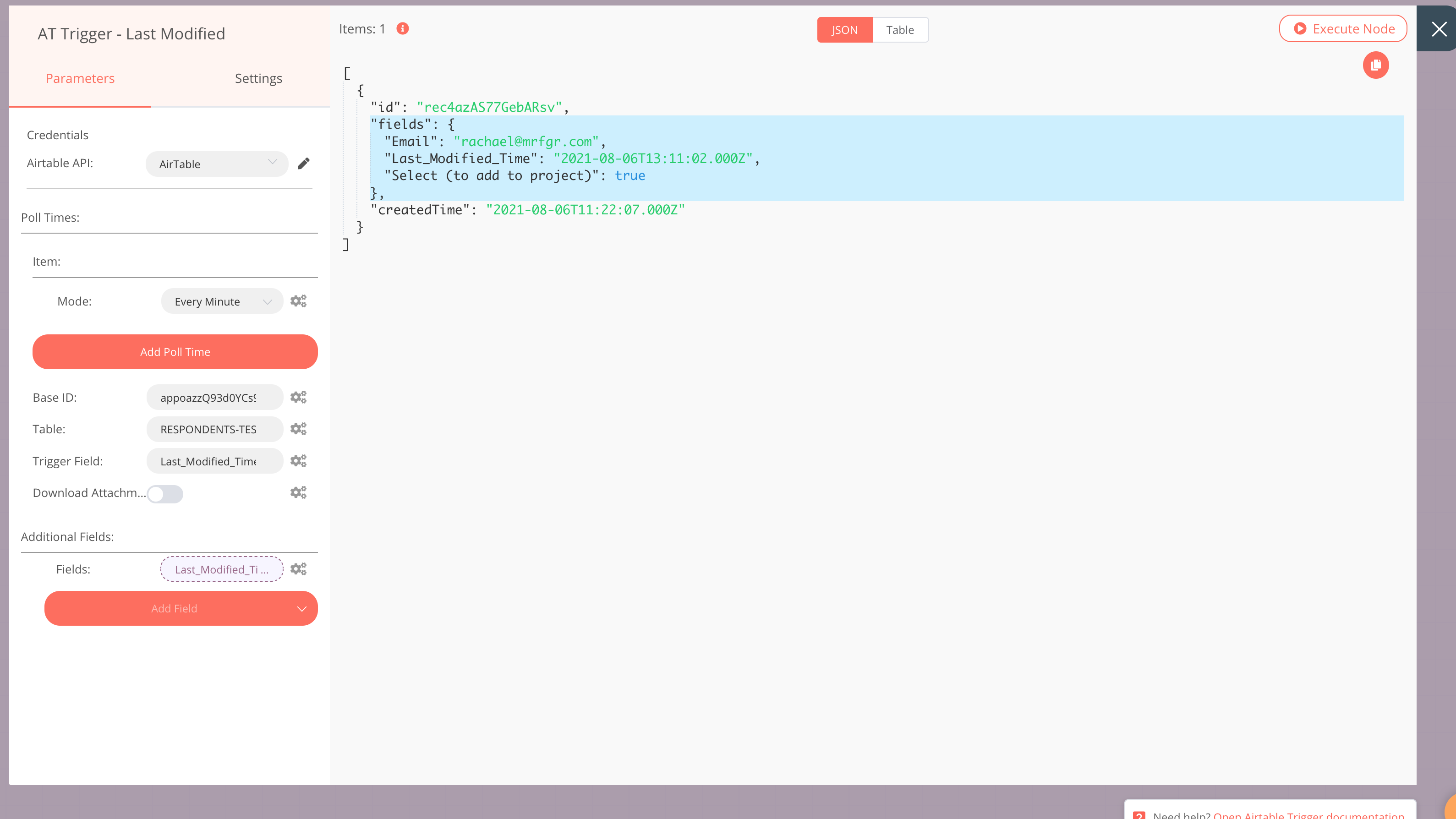
Airtable successful data extraction (but as described doesn’t appear to being back the most recent modified information.
PS to confirm this result WAS NOT the most recent modified field, and instead was probably the most recently created.
Hey @spessex,
Welcome to the community 
When you’re building the workflow and executing the node manually, it will always return the last record from Airtable, irrespective of when it was last modified. This happens only when you’re testing and building the workflow. Once you activate your workflow, the node will return the data based on the Last Modified field. To summarise it, when executing the node manually, the node always returns the last record. However, when your workflow is active and triggered automatically, the node returns only the records that were recently modified.
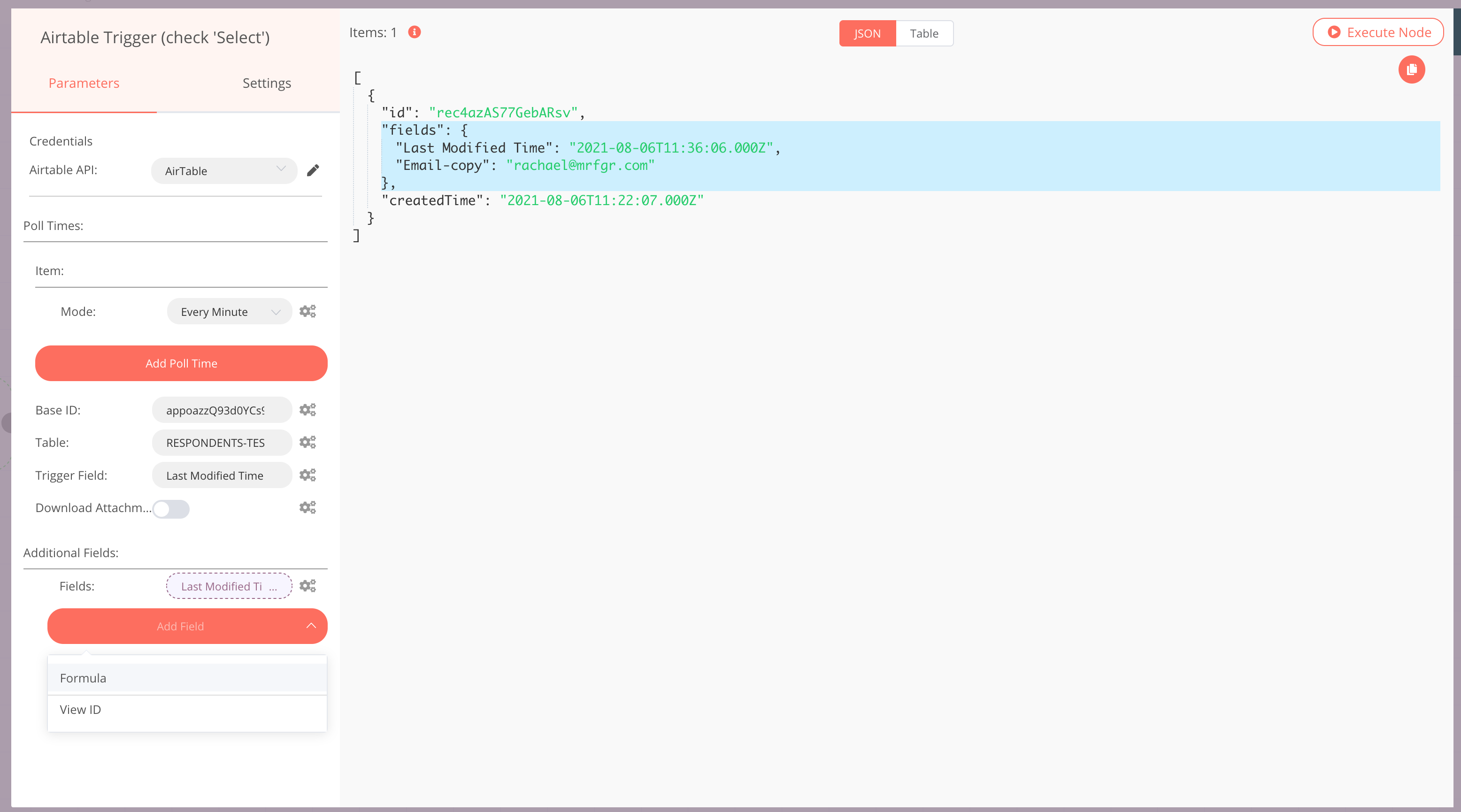
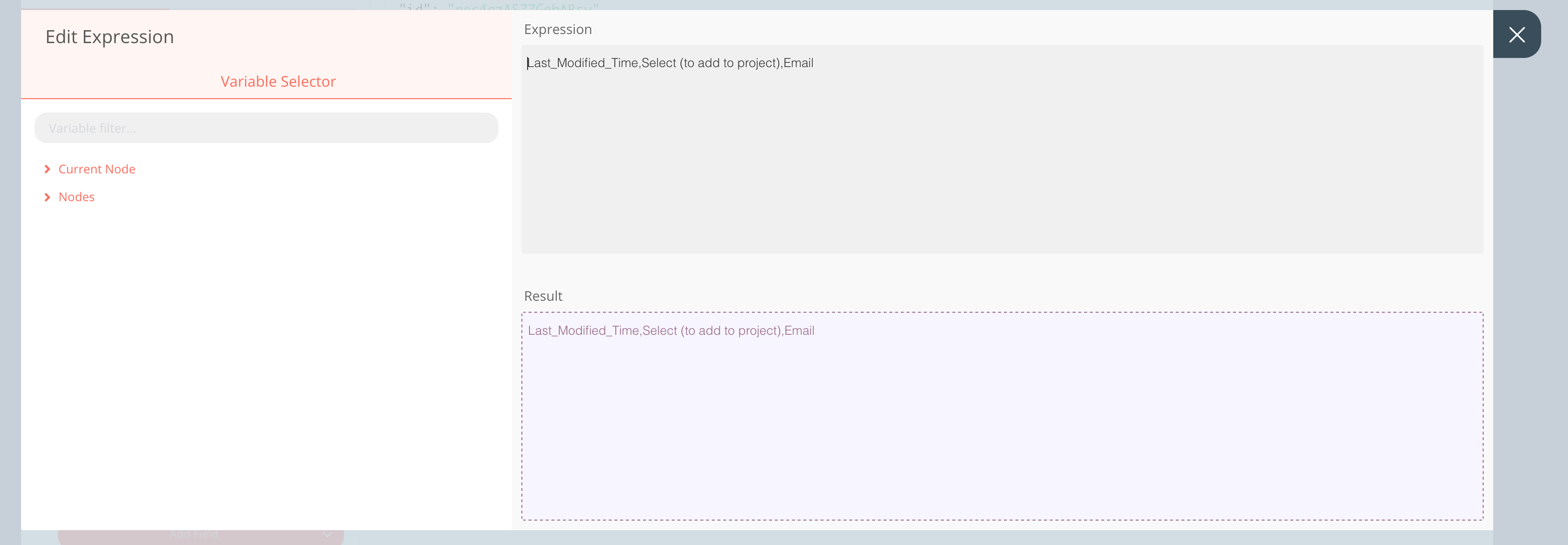
Coming to your next issue of returning specific fields, you need to include the last modified field in the Fields parameter as well. For example, if you want the node to return the Email-copy filed, you need to enter Last Modified Time,Email-copy in the Fields parameter.
I hope this answers your questions
2 Likes
Thank you for the quick response. That’s very useful to know. Much appreciated 
1 Like
PS Is it only possible to return 1 additional field, and if so, is this because once we have a connected field we can then extract the others from the retrieved JSON within the Expression editor?
You can return as many fields as you want in the same Field parameter. You just have to separate them with a comma (,). For example, if you want to return Email-copy and Email you should enter Last Modified Time,Email-copy,Email. This will return both the fields, Email-copy, and Email. You also don’t have to use the Expression Editor for this.
2 Likes
Sorry to ask so many questions but I’m now on a roll and I can see it working, but in respect of bringing back an AirTable ‘select/check’ type field is it correct that it doesn’t visually bring back any results? I ask because I have one of the 4 rows ‘selected’ and it’s only returning data in respect of the email.
Happy to answer any questions you have 
Airtable doesn’t return any value for the Checkbox field type for the record that doesn’t check the box. If you check the box for the last record and execute the node, the Select (to add project) field will get returned.
1 Like
Brilliant. Yes, it worked! It’s going to take a bit of getting used to understand the intricacies of the n8n system, or is it I’ve selected a ‘painful’ trigger with Airtable and operates out of the normal scope?
I spent over 3 hours last night trying everything to get this to work and nearly gave up. I think n8n should consider returning some helpful prompts in such situations, it would be extremely useful and ensure new users didn’t abandon the system when common-sense failed
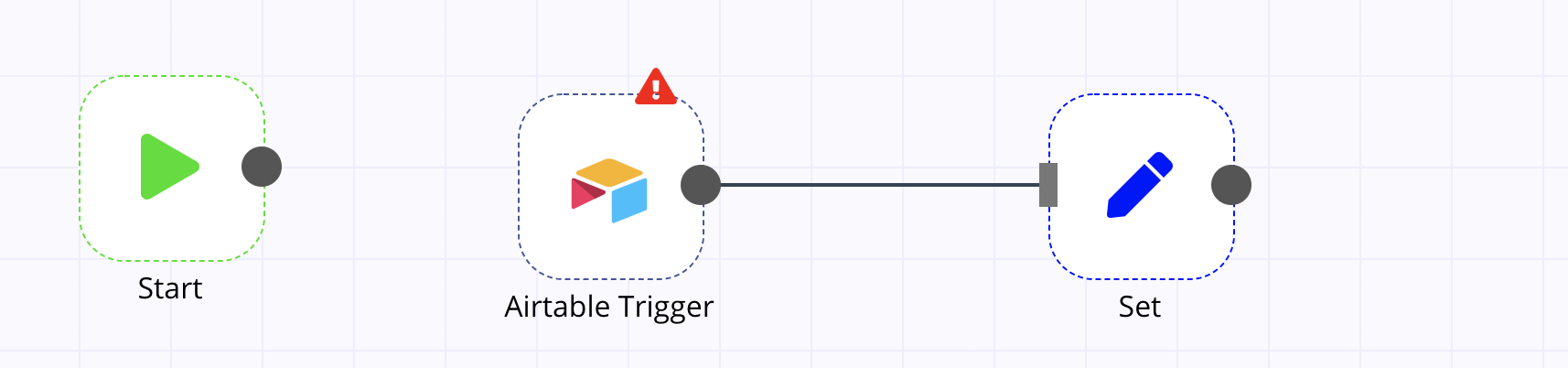
Just to give background on this incase someone else searches for a similar issue, this is the workflow I’m creating.
PS Flipping system has now put a hold on me adding any more comments or replies for 22 hours! 
MANY THANKS FOR HELPING ME TRYING TO POST BUT ITS STILL KICKING ME OUT HENCE THE EDIT HERE (I’VE EVEN TRIED REFRESH AND LOGOUT AND BACK IN).
Thank you for sharing the feedback! We are continuously improving n8n and making it more user-friendly. Keep this feedback coming
Can you try posting now again? I’ve resolved that issue for you
1 Like
Hi Harshil
Further to the AirTable trigger discussion I’ve now come out of test phase and have applied the workflow to a live AirTable Table of 7867 users and interestingly when manually executing each part of the work flow starting with the AirTable Trigger, it’s not bringing back the last record of the AirTable but instead some record at row 1926 (and this is without any sort or filter etc i.e the native table). I have considered this for most of the day and for the life of me cannot understand why it is doing this, but it makes testing very difficult as I don’t want this person to keep receiving emails (I did try to prevent this from happening by adding my own email at the end of the table but it was ignored). Can you shed any light on why this might be happening? Have you ever applied the trigger to a large AirTable Table?
I have never tested it with a lot of records, but just did with 3 records and always returned the last record for me. Even if this were an issue with Airtable returning a random record, you can easily override the email with a set node when testing.
Thanks Ricardo but what do you mean by a ‘set node’? And yes, in my tests of a small amount of records it always brings back the last record (but just not in this much larger example).
You put a set node after the Airtable Trigger that overrides the email. When going into production then you just disable the set node so it does not override the email.
3 Likes
Thanks Ricardo. Good tip. I’ll take a look and try it.