Hi, during all the updates of n8n something must have changed that I am not aware of (easy). So I have a workflow monitoring a gmail inbox. At some point it stopped working. Now I noticed that I have to execute this workflow manually from within n8n. Formerly, every time I updated n8n I could be sure that it will be directly working. Now I have to interact. What can I do to start this imap email inbox automatically? Best, daniello
Hi @daniello
The most common reason for this behavior is that the workflow is not Active. In recent versions of n8n, triggers like Email Trigger (IMAP) only run automatically when the workflow is activated; manual executions in the editor are only for testing. So the first thing to check is the Active toggle at the top of the workflow.
If the workflow is already active, the next things to verify are:
- Make sure the Email Trigger (IMAP) node is still the first node in the workflow.
- Confirm that your IMAP credentials and mailbox settings are still valid (server, port, SSL, password/app password).
- Check whether another rule or client is marking emails as read or moving them, which can prevent the trigger from detecting new messages.
If everything looks correct but it still doesn’t trigger automatically, try re-authenticating the email credentials and saving the workflow again, as updates can sometimes invalidate sessions.
If you can share a screenshot of the Email Trigger settings and confirm whether the workflow is Active, it will be easier to narrow it down.
1 Like
Now in n8n we do not have activate workflows, now if you want your gmail workflow to run just PUBLISH your workflow, this system is pretty reliable than Active workflows, as this sytem enables kind of a version control within n8n so you can pretty much track every version you publish, and for un-publishing your workflows just click on those 3 dots and you will find the unpublish button, in n8n we now also have autosave feature which is really helpful that now you no longer needs to save your workflows, and as you have updated to the latest from a very old version i recommend refreshing your credentials and checking they are working or not, hope this helps!
Thanks @Anshul_Namdev the workfow is published but when I look at the workflow the email icon is inactive until I press the play button. Maybe I am mistaken and you cannot judge by this look but if I press play the icon get’s an outline and is waiting for an incoming mail.
Can you share a small GIF with us? So that we can understand what kind of behavior you are experiencing from that node?
So here is a screenshot of what I see when I enter the workflow and what I see when I press play.
Could both be active but just not showing?
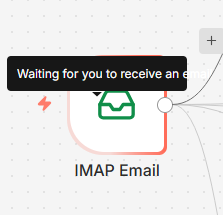
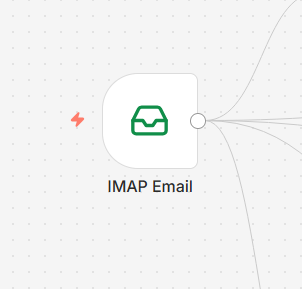
@daniello You are right but let me clarify, when your workflow is live no matter how many times you call it would not show as it does in your manual trigger, so if you are expecting it to show like the way it does the background listening effect it will not, so do not worry it will work just give it some time as these triggers sometimes lack in responding, and if you can please consider using GMAIL node as the trigger it is more reliable, hope this helps!
1 Like
Thanks .. will try Gmail-Node .. wasn’t aware. Not a heavy user 
Glad it helped, mark that as a solution so that other people do not get misled by AI generated content.
I just checked the gmail trigger and versus the imap node it is scheduled. Isn’t imap preferable? I am merely checking the inbox for an email with a specific label to triger an alert via telegram. Just to not overlook monthly invoices.
@tamy.santos I saw your post late - these are the settings:
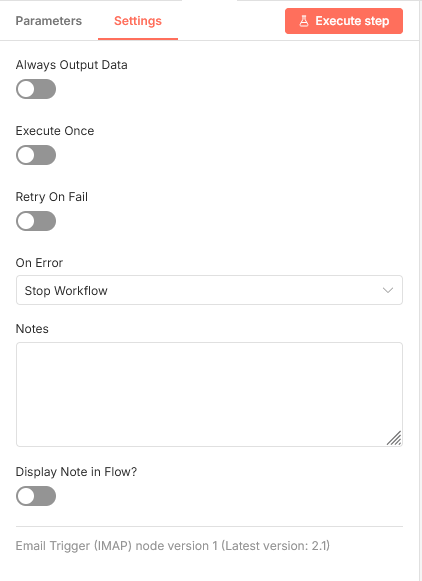
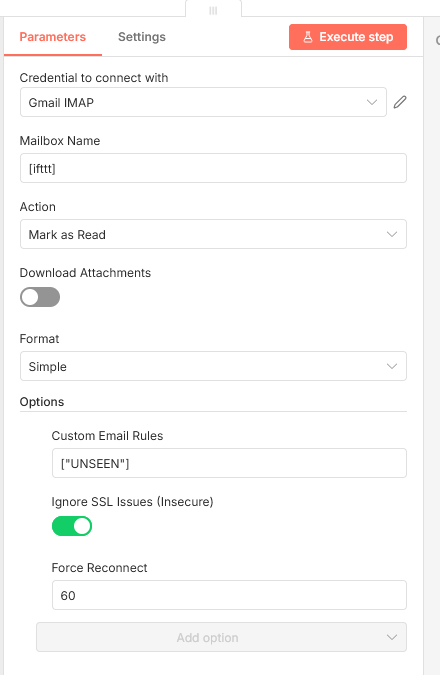
1 Like
@daniello
No problem, @Anshul_Namdev brought the right solution!
1 Like
@daniello i am not saying it is not preferable but using GMAIL node if you are interacting within the GMAIL so using the node made specifically for it is a better practice, i use custom mail only when i have to work with client mail else i am all in with the gmail node, hope this helps!
1 Like
This topic was automatically closed 7 days after the last reply. New replies are no longer allowed.