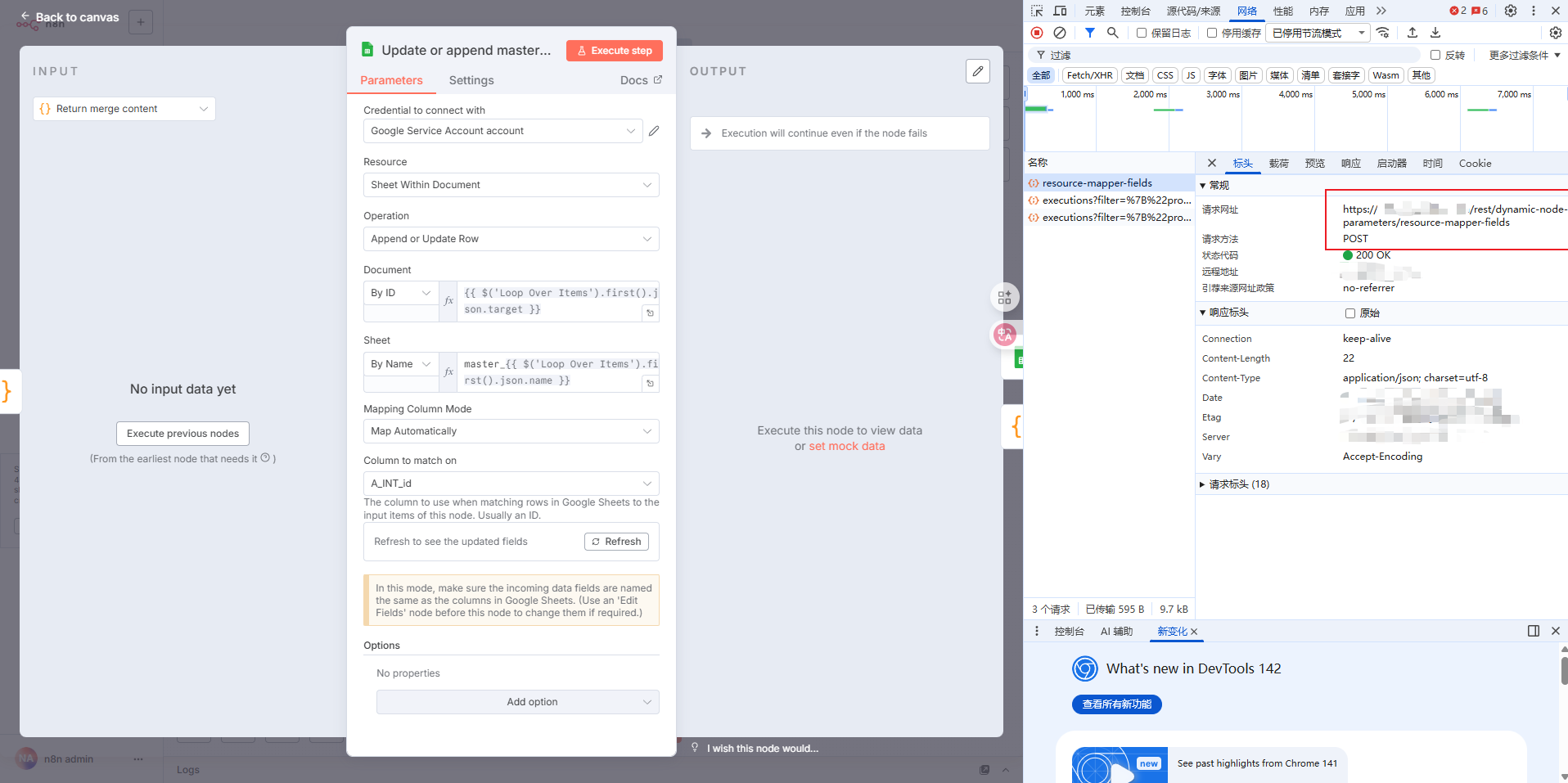
Describe the problem/error/question
When I was updating a batch of Google sheets in a loop, because the headers of each table were inconsistent, I had to choose to use the ID column for automatic mapping. But when I loop to the update of the second table, it will remind me that Column names were updated after the node’s setup. There is an /reset/dynamic node parameters/resource puppet fields API on the client side to refresh the header mapping, but this event is triggered when switching browser tabs. I still used the head mapping from the first table when I updated the table for the second time in the loop. How should I solve this problem.
What is the error message (if any)?
Column names were updated after the node’s setup
Refresh the columns list in the ‘Column to Match On’ parameter. Updated columns: A_ARR_chess_board_size → A_ARR_drop_content
Please share your workflow
Share the output returned by the last node
Information on your n8n setup
- n8n version: 1.108.2
- Database (default: SQLite): null
- n8n EXECUTIONS_PROCESS setting (default: own, main):
- Running n8n via (Docker, npm, n8n cloud, desktop app): docker
- Operating system: ubuntu