[BUG] The Postgres node retrieves the conversation history in a non-chronological order. This mixed-up history confuses the AI agent

As the title mentioned, my agent is not fed the meesages in order, thus resulting in bad conversations.

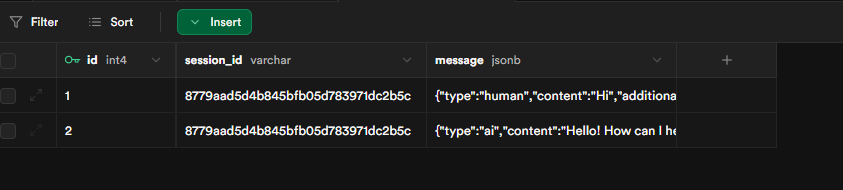
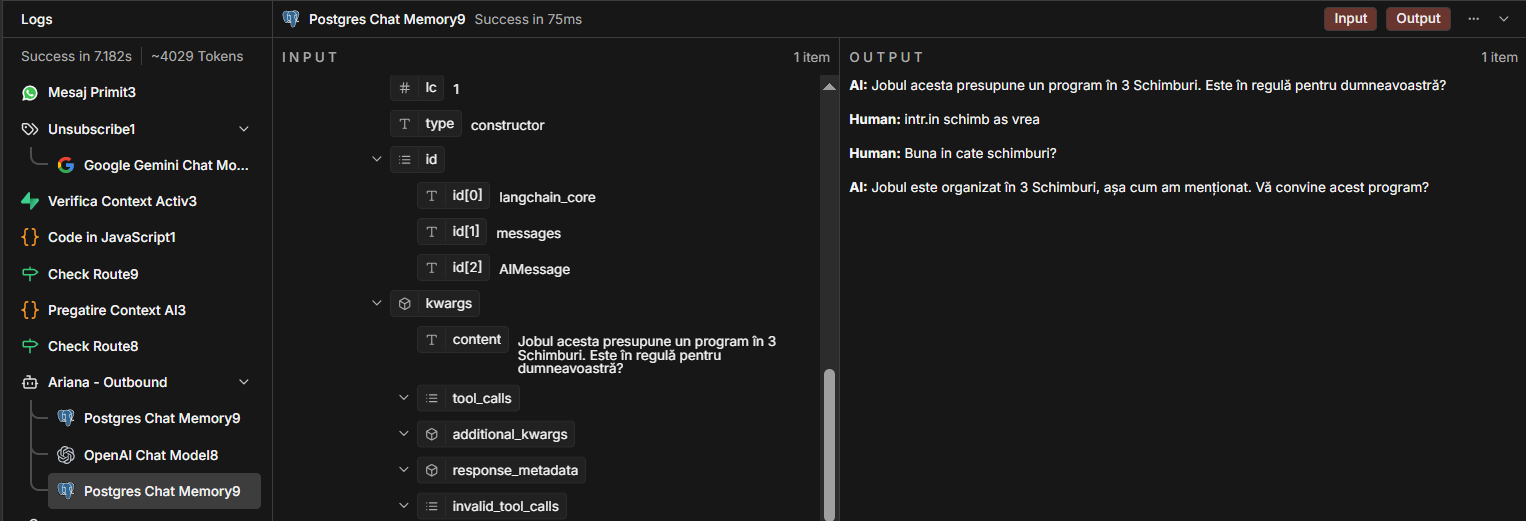
I will attach photos as examples below from what the Agent got and how the DB looks in Supabase.

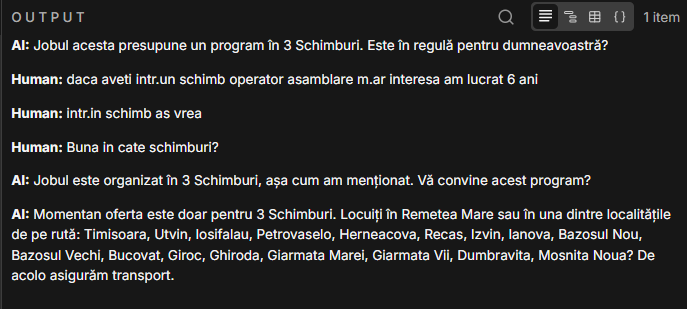
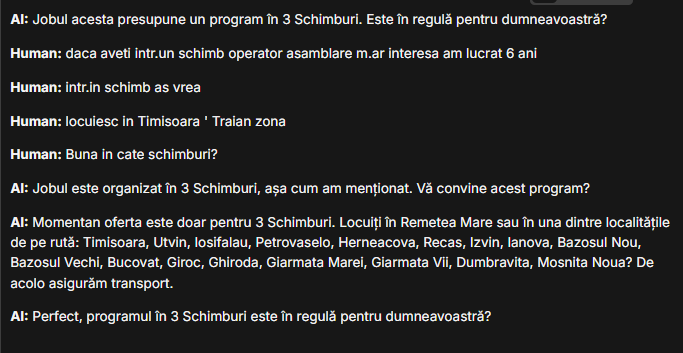
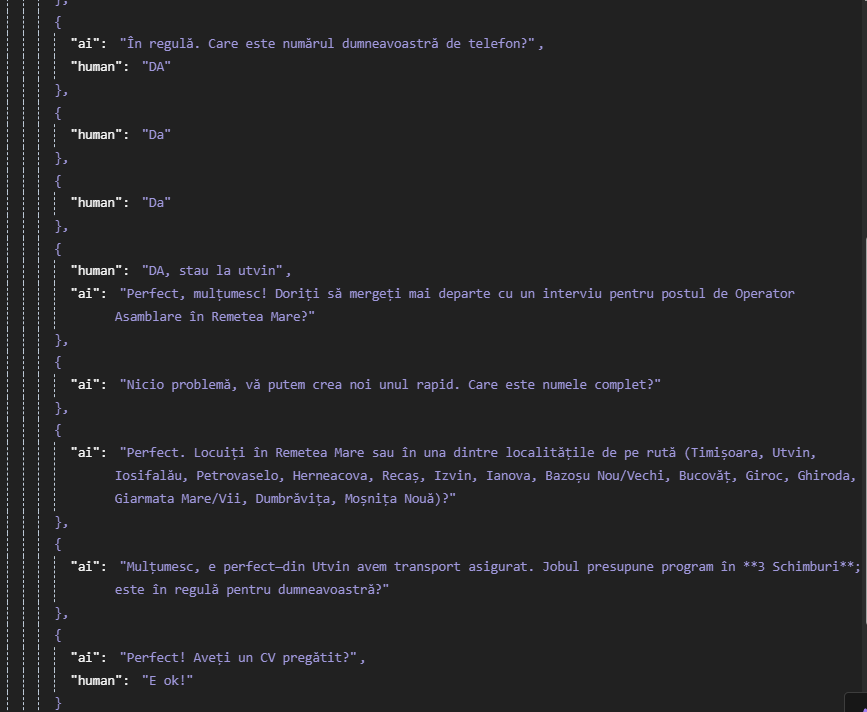
They are real cases with potential customers of ours. Im sorry but they are in my native language. In the examples below, it is easy to spot how the Postgres node does not retrieve the messages chronolgically even if you do not understand the messages.

Case 1.

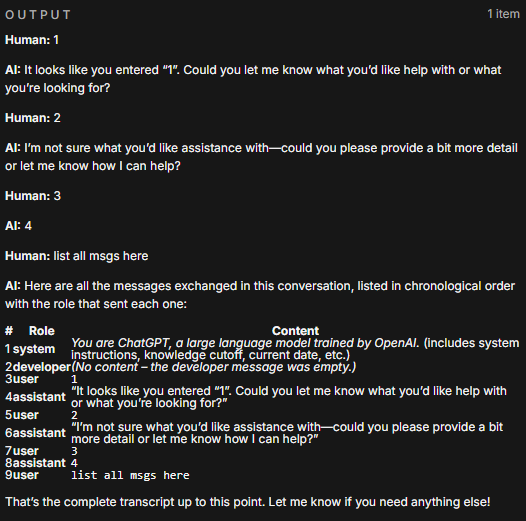
This is what the agent got:

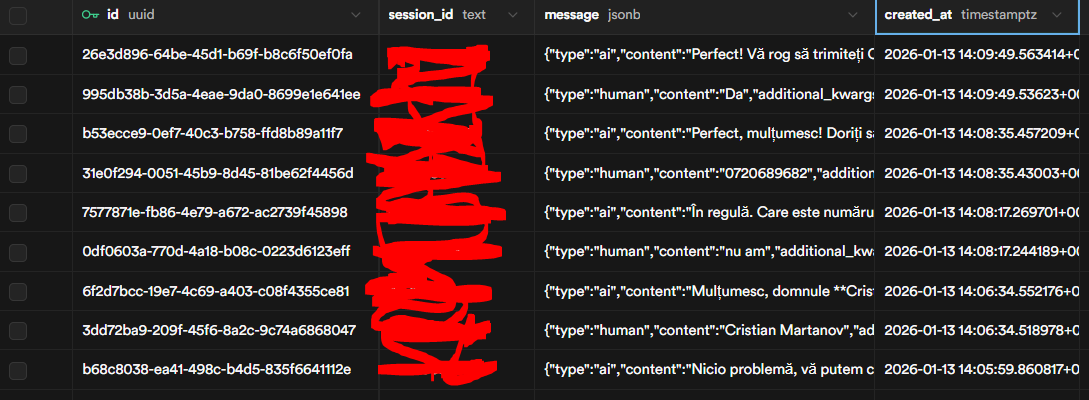
This was the order the messages were actually recorded in DB:

Case 2:

This is what the agent got:

This was the actual database:

Case 3:

The agent got 4 human messages in a row as context and 2 from AI. This can not be right?

The AI must be quering them in the wrong order, try seeing if you can have it get by a date created or a date added to the format.

Do you need to use supabase/postgres? N8N has a datatable node and it works well when trying to sort or get information, but if your using it as a vector store, than n8n data tables cant do that.

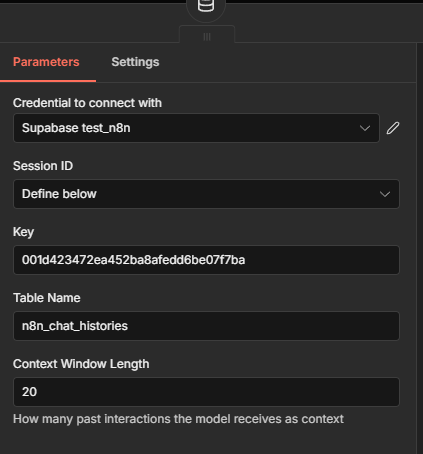
Hi @Cristian_Martanov what is the context window length you set? Generally this shouldnt be too long

Hello. I set it to 20

I have no option to sort them by date in the postgres node. Maybe i dont see it? Do you know of something like this?

Im trying to keep my conversations and context in supabase since all of my chat is stored there, i have a table that makes sure i dont double respond to messages etc.

Do you think there is an option or just getting the datatable from n8n? =/

Try and reduce this number to 10 and see if you get a better result. I dont believe there is a way to add any sorting to the postgres memory sub node

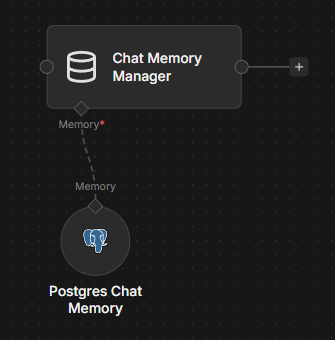
I’d advise using the Chat Memory Manager node to inspect the history and check whether there is any unusual behavior,

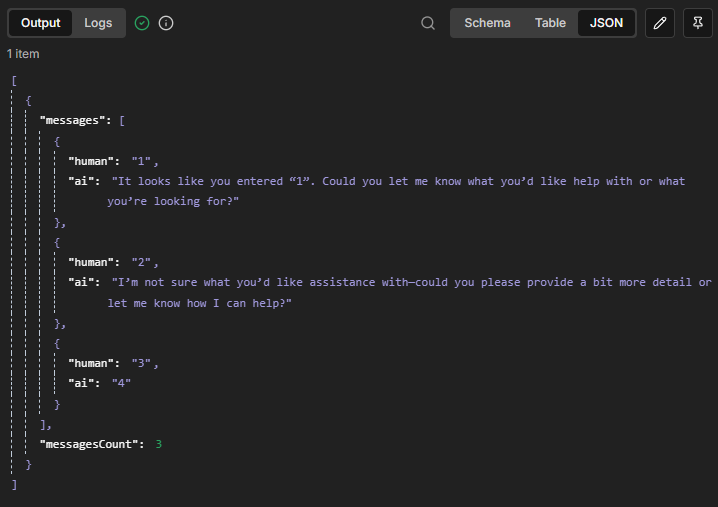
I quickly tested it, and nothing seemed strange to me:

It correctly preserves the order:

1 Like

That is a good idea. Will try this. Not sure how to implement at this time. Any suggestions on where to start, what in aiming for, how do i implement/test it before i actually have a crack at it? Thanks a lot!

This is very useful, thanks. I didnt even know this node existed and have been wanting to delete local memory for a long time :handshake:

1 Like

Start by inspecting the history where you suspect the error is, by manually entering its key:

Then you’ll get the messages in their normal order,
If everything looks OK, then the issue isn’t in the memory, so try looking more deeply into the prompts or the workflow especially if you are injecting anything or the prompts at any point..

Hello!

I was wondering if you managed to take a look at my reply?

Thank you!

Hello!

I have looked at this and the messages are coming in a wrong order

I was thinking maybe the structure of my datatable in Supabase is wrong? Could that be the case?

After testing around a bit I came to the conclusion that the Datatable node can not be added as memory for an Agent.

Who created this table? you? or n8n?

If you let n8n create the table, you’ll get columns like this:

There’s no created_at column, also session_id type is different and id looks wrong, though I don’t know if that’s related to the issue.

Personally, I’d start clean and let n8n create the table & columns automatically, then try again..

the n8n data table can be used, its not the best though for ai memory.