I tried to connect to Postgres, as I need advanced API access, that the normal supabase node does not provide. But when I try to connect with the correct host and db etc,
I only get: connect ENETUNREACH 2a05:d018:135e:1657:3dcd:10dd:6e40:d7e2:5432 - Local (:::0)
By the way, I could establish a connection using the session pooler with ssl off. But that is not possible for live production, as it is way too unsafe.
The error shows n8n is trying to reach an IPv6 address and failing, which is the ENETUNREACH on that 2a05:d018:... address. Supabase’s direct connection uses IPv6 but n8n Cloud probably doesn’t have IPv6 routing configured. The session pooler works because it’s IPv4, and honestly using the pooler with SSL set to “Require” in the postgres credentials should be fine for production, that’s what Supabase recommends anyway for serverless/cloud environments.
My only problem with this is, that I then get the “self-signed certificate in certificate chain” error. I challenged Supabase and it told me that this means I would have to somehow add the Supabase SSL CA to the connection, which n8n does not allow in the postgres credential.
BTW I don’t know if this helps but I use n8n cloud on version
The self-signed certificate error is a known thing with Supabase’s pooler, you can try setting SSL mode to “Allow” instead of “Require” or check the “Ignore SSL Issues” toggle in the postgres credentials if there is one. Supabase’s pooler uses their own CA which n8n doesn’t have in its trust store by default, so unless n8n adds a field to upload a custom CA cert you’re kind of stuck with either ignoring the SSL validation or self-hosting n8n where you could potentially add the cert to the container’s trust store.
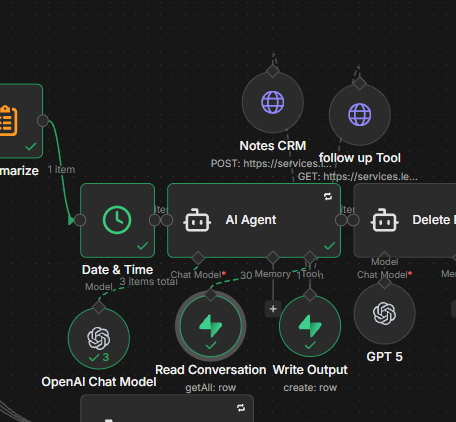
I had the same issue as you if you’re trying to use postgres as a memory for your AIs. My solution was to create two Supabase tools:
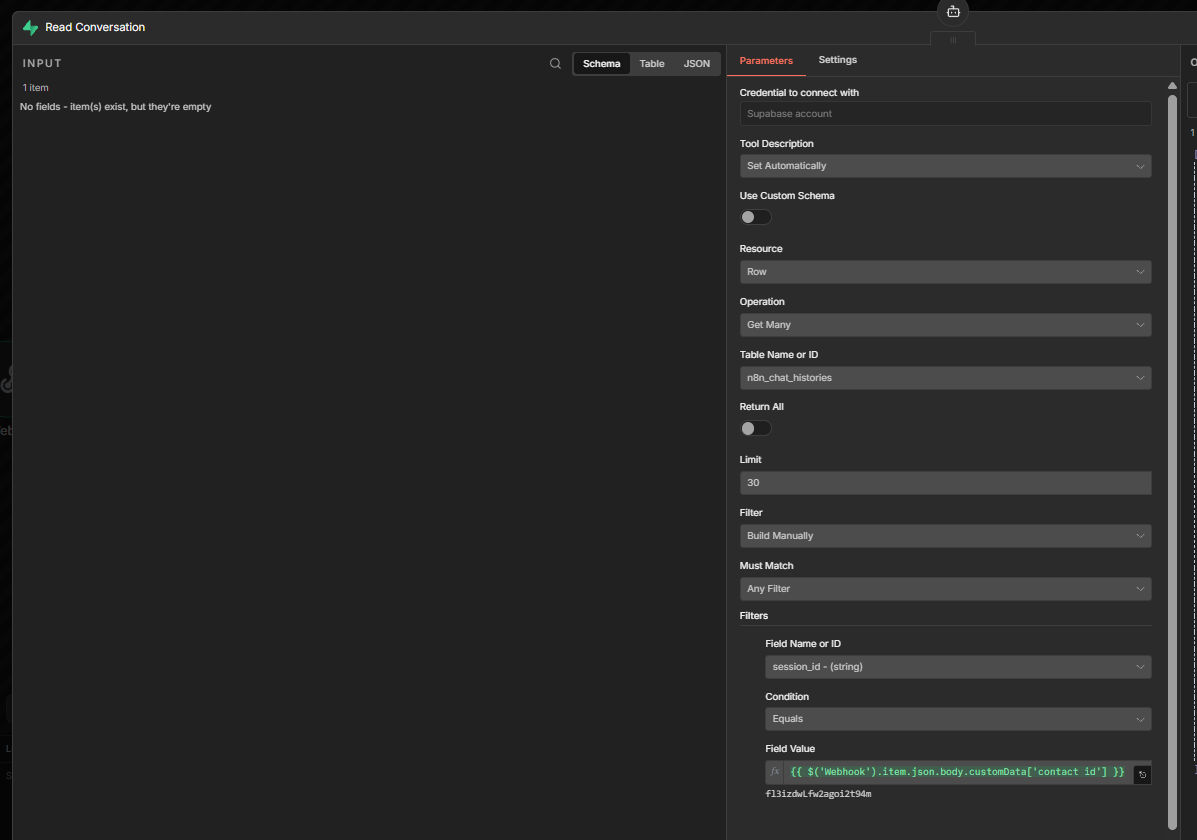
The read conversation: you retrieve the number at the limit number you want of the same session id.
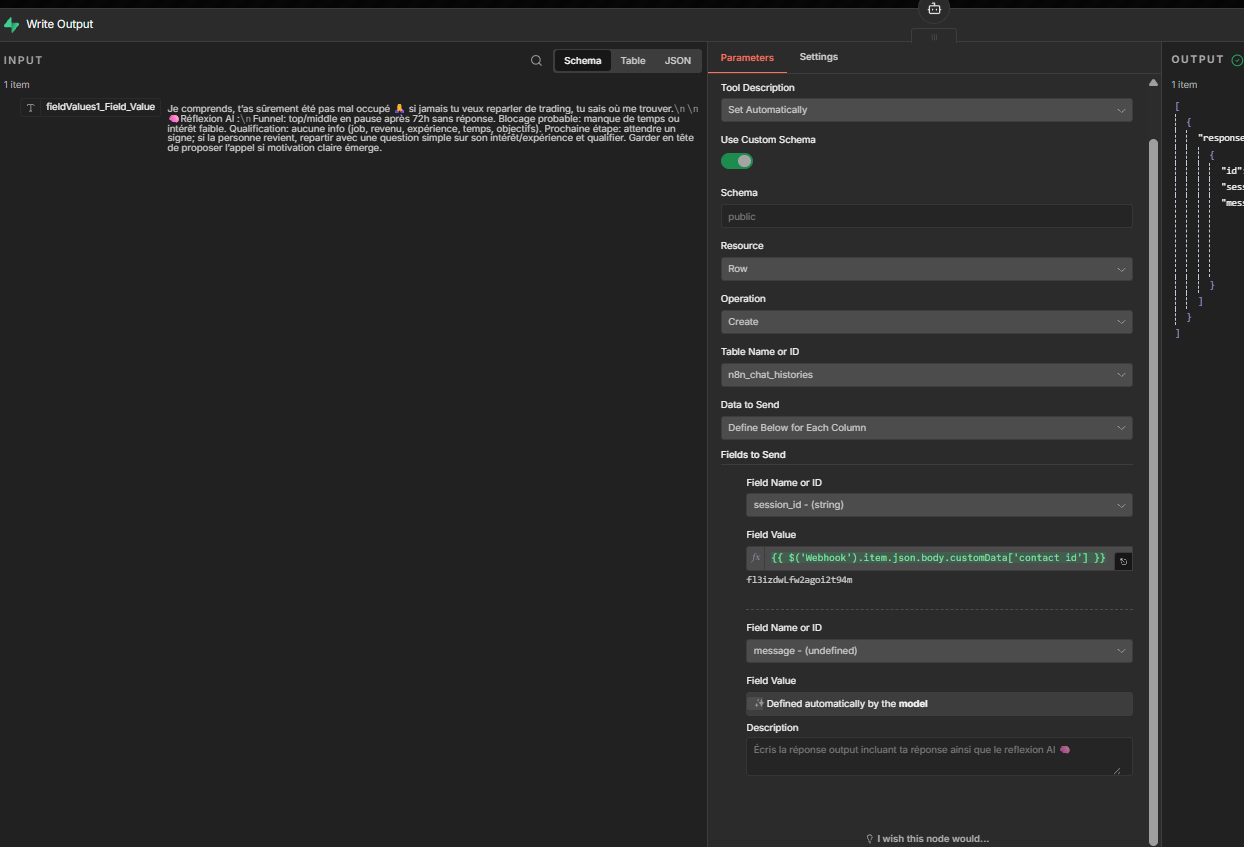
The write conversation: you save the session id and the output of the AI and you make sure that the AI is prompted to save his output in the field. You let the AI decide what it wants to put inside.
If you prompt it well it will work the same as the postgres memory and for me it ran faster because I had a lot of timeout connection issues. Now my workflow is faster like this.