Describe the problem/error/question
Hi! I am trying to send adaptive cards formatting to a teams channel via HTTP request node. So I have a code node to format the adaptive cards. Although the code always outputs as an array instead of JSON object so the HTTP request will not send to teams. I've tried using stringify and editing my return value to not include the [] array. Any ideas on what I can do?
What is the error message (if any)?
Error 400 Bad Request. Missing body content. Expecting JSON object
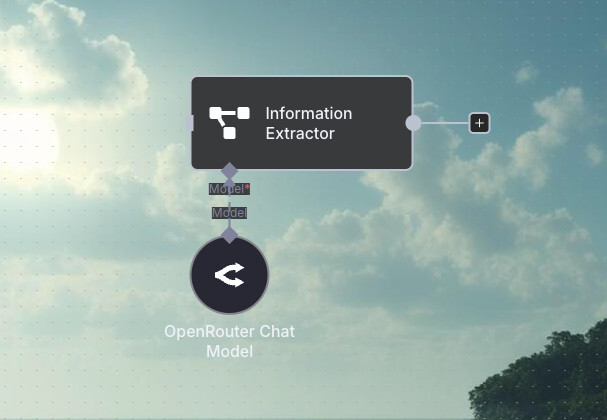
Workflow Screenshot:

Here is the Javascript I have in the code node to format the adaptive cards
// n8n Code node
const text = items[0].json.output || items[0].json.text || ‘’;
/* (same parsing code as above) /
const lines = text.split(‘\n’);
const sections = [];
let currentSection = null;
for (let line of lines) {
line = line.trim();
if (!line) continue;
const match = line.match(/^(#+)\s+(.)$/);
if (match) {
if (currentSection) sections.push(currentSection);
currentSection = { title: match[2].trim(), level: match[1].length, content: };
} else {
if (!currentSection) currentSection = { title: “Introduction”, level: 1, content: };
currentSection.content.push(line);
}
}
if (currentSection) sections.push(currentSection);
const cardBody = ;
const headingStyle = (level) => {
switch (level) {
case 1: return { size: “large”, weight: “bolder” };
case 2: return { size: “medium”, weight: “bolder” };
case 3: return { size: “default”, weight: “bolder” };
default: return { size: “default”, weight: “default” };
}
};
for (const section of sections) {
const container = { type: “Container”, items: };
if (section.title) {
const style = headingStyle(section.level);
container.items.push({
type: “TextBlock”,
text: section.title,
size: style.size,
weight: style.weight,
wrap: true,
spacing: “medium”
});
}
for (const para of section.content) {
container.items.push({ type: “TextBlock”, text: para, wrap: true, spacing: “small” });
}
cardBody.push(container);
}
const messagePayload = {
body: { contentType: “html”, content: “AI-Generated Security Strategy Summary” },
attachments: [
{
contentType: “application/vnd.microsoft.card.adaptive”,
content: {
$schema: “http://adaptivecards.io/schemas/adaptive-card.json”,
type: “AdaptiveCard”,
version: “1.2”,
body: cardBody
}
}
]
};
// n8n requires you return an array of items
return [
{
json: messagePayload
}
];
Share the output returned by the last node
[
{
“body”: {
“contentType”: “html”,
“content”: “AI-Generated Security Strategy Summary”
},
“attachments”: [
{
“contentType”: “application/vnd.microsoft.card.adaptive”,
“content”: {
“$schema”: “http://adaptivecards.io/schemas/adaptive-card.json”,
“type”: “AdaptiveCard”,
“version”: “1.2”,
“body”: [
{
“type”: “Container”,
“items”: [
{
“type”: “TextBlock”,
“text”: “Introduction”,
“size”: “large”,
“weight”: “bolder”,
“wrap”: true,
“spacing”: “medium”
},
{
“type”: “TextBlock”,
“text”: “Based on my research into Company’s database and understanding of Client’s requirements, here’s a comprehensive markdown document outlining their software supply chain security strategy:”,
“wrap”: true,
“spacing”: “small”
}
]
}
]
}
}
]
}
]
Information on your n8n setup
- n8n version: [email protected]
- Database (default: SQLite):
- n8n EXECUTIONS_PROCESS setting (default: own, main):
- Running n8n via (Docker, npm, n8n cloud, desktop app): Running on chrome
- Operating system: