You’re absolutely right about one specific thing, and it’s important to separate the two cases because they look similar in the UI but behave very differently.
What your V1 test proves is this:
• When a Code node is directly connected to a node that outputs multiple items,
• And it is set to Run once for all items,
• Then _input.all() / _items correctly contains all incoming items (length = 2 in your example).
That behavior is correct and expected — and no one is disputing that.
Where the confusion comes from (and where my earlier explanation applies) is not the Code node itself, but what actually reaches it at runtime.
Key distinction that matters here:
_input.all() returns all items that arrive at the Code node, not all items that ever existed upstream in the workflow.
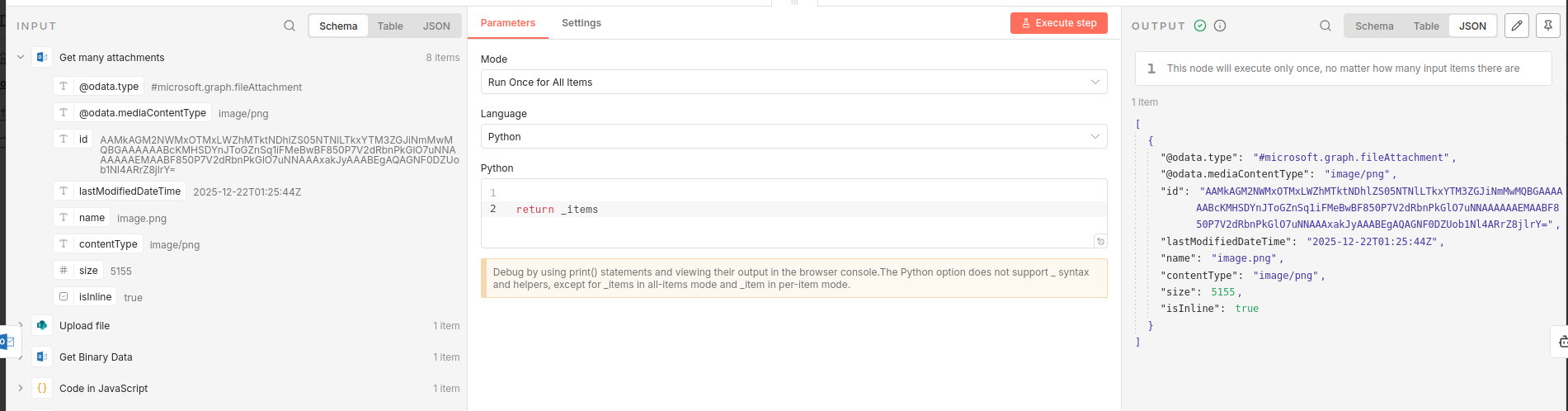
In your screenshot:
• The Code node is connected directly to the trigger
• That trigger outputs 2 items
• Therefore _input.all() correctly returns 2 items
In the original workflow being discussed:
• The Code node is not directly connected to the node that outputs 8 items
• One or more intermediate nodes collapse the stream to a single item
• By the time execution reaches the Code node, only 1 item exists
• _input.all() returning length 1 is therefore correct
So both observations are true at the same time:
• .all() absolutely exists to access all incoming items
• But it cannot access items that no longer exist in the incoming stream
On this point specifically:
“.all() doesn’t exist in ‘Run once for each item’, so it must be for accessing all inputs”
Yes — but “all inputs” means “all inputs to this node”, not “all items that ever flowed through the workflow”.
That’s why a Merge node is required whenever:
• Items are processed in parallel or per-item
• And you later need a downstream node to see the full collection again
This isn’t a regression or behavior change between versions — it’s a core execution-graph rule in n8n:
Nodes only receive what the immediately-previous node outputs.
So your V1 test is valid, and the original explanation still holds , they’re just demonstrating two different data-flow shapes.
If anything, this thread highlights how easy it is for the UI to imply “global item access” when the engine is actually strictly local per connection.