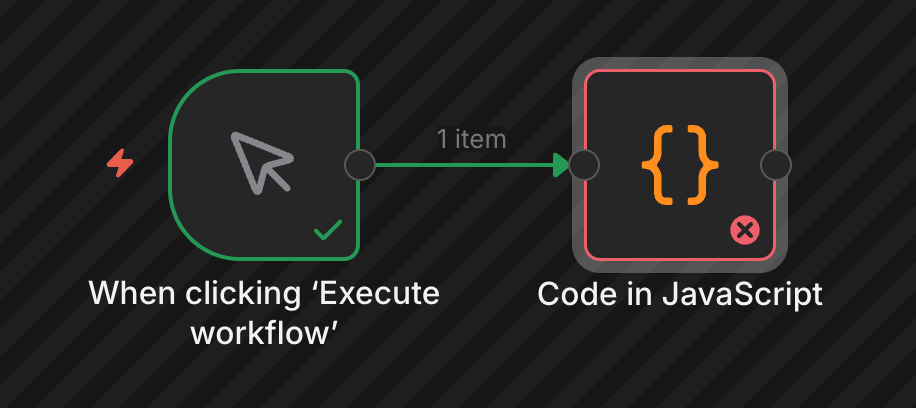
I’ve used the external task runners on self-hosted n8n. In my environment, connections between n8n main container and task runner container are something wrong, with the message Task runner connection attempt failed with status code 403 then code nodes are broken. Curiously the problem has sometimes occurred in the startup process so I guess it’ll has a race problem.
The environment details:
n8n version 2.0.2 (but I’ve encountered in v1.123.3 before)
Self-hosted in GKE
Run task runners as a sidecar container
Business Plan
Disabled Python runner
What is the error message (if any)?
main container:
Registered runner "launcher-javascript" (e0e77b101349c8dc)
...
Task runner connection attempt failed with status code 403
Task runner connection attempt failed with status code 403
Task request timed out Error: Task request timed out     at ErrorReporter.wrap ...
Task request timed out after 60 seconds
task runner container:
Starting launcher's health check server at port 5680e[0m
[launcher:js] Starting launcher goroutine...e[0m
[launcher:js] Waiting for task broker to be ready...e[0m
[launcher:js] Waiting for launcher's task offer to be accepted...e[0m
[launcher:js] Found runner unresponsive (1/6)e[0m
Please share your workflow
(Select the nodes on your canvas and use the keyboard shortcuts CMD+C/CTRL+C and CMD+V/CTRL+V to copy and paste the workflow.)
const now = new Date();

return [
  {
    json: {
      message: "Yo!",
      ts: now,
    }
  }
];
Share the output returned by the last node
Task request timed out after 60 seconds
Your Code node task was not matched to a runner within the timeout period. This indicates that the task runner is currently down, or not ready, or at capacity, so it cannot service your task.
If you are repeatedly executing Code nodes with long-running tasks across your instance, please space them apart to give the runner time to catch up. If this does not describe your use case, please open a GitHub issue or reach out to support.
If needed, you can increase the timeout using the N8N_RUNNERS_TASK_REQUEST_TIMEOUT environment variable.
I’ve found related logs probably, in this case, it takes 16s after the grant token.
INFO 2025-12-15T13:29:13.915672983Z [resource.labels.containerName: n8n-runners] 2025/12/15 13:29:13 e[36mDEBUG [launcher:js] Runner's task offer was acceptede[0m
...
INFO 2025-12-15T13:29:26.931732461Z [resource.labels.containerName: n8n-runners] 2025/12/15 13:29:26 e[33mWARN [launcher:js] Found runner unresponsive (1/6)e[0m
INFO 2025-12-15T13:29:29.323626925Z [resource.labels.containerName: n8n-runners] 2025/12/15 13:29:29 e[36mDEBUG [runner:js] Health check server listening on 0.0.0.0, port 5681e[0m
ERROR 2025-12-15T13:29:29.423847341Z [resource.labels.containerName: app] Task runner connection attempt failed with status code 403
In the another case, the worker works fine.
INFO 2025-12-15T13:40:06.013666098Z [resource.labels.containerName: n8n-runners] 2025/12/15 13:40:06 e[36mDEBUG [launcher:js] Fetched grant token for runnere[0m
...
INFO 2025-12-15T13:40:19.030845376Z [resource.labels.containerName: n8n-runners] 2025/12/15 13:40:19 e[33mWARN [launcher:js] Found runner unresponsive (1/6)e[0m
INFO 2025-12-15T13:40:19.304894352Z [resource.labels.containerName: n8n-runners] 2025/12/15 13:40:19 e[36mDEBUG [runner:js] Health check server listening on 0.0.0.0, port 5681e[0m
INFO 2025-12-15T13:40:19.599519456Z [resource.labels.containerName: app] Registered runner "JS Task Runner" (YaYqcYWYXtF3P73OLiVGY)
I’ve possibly found a mitigation; just scaling up a task runner container. In my case, any initialization step sometimes exceeds 15sec timeout. Allocating more cpu/mem resources make it stable.