What you can do with this node today
-
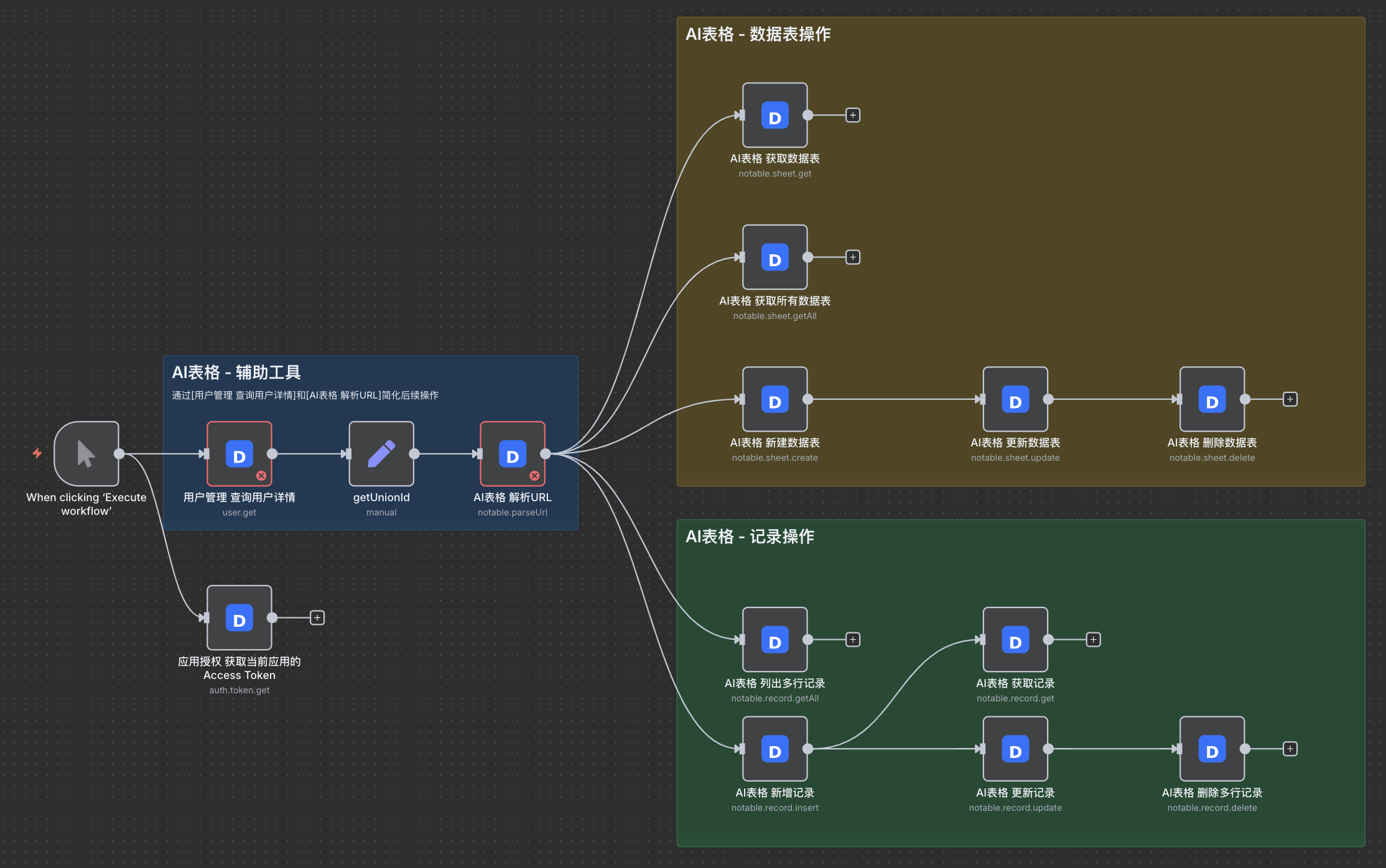
Auth
- Read current access token (handy while wiring flows)
-
AI Tables (Notable)
-
Parse URL → extract
baseId,sheetId,viewId -
Sheet management: create, get info, list, update, delete
-
Record operations: add, get one, list, update, delete
-
-
User
- Get user detail (e.g., retrieve
unionIdfor downstream steps)
- Get user detail (e.g., retrieve
I’m actively building more actions. If a specific DingTalk API would unlock your use case, please comment and I’ll prioritize it.
Install (Community Nodes)
-
In n8n: Settings → Community Nodes
-
Search:
@cryozerolabs/n8n-nodes-dingtalk→ Install, then reload the editor.
Quick start
-
Credentials
In DingTalk, create an Internal App and note Corp ID, Client ID, Client Secret. In n8n, create a Dingtalk API credential with these values. (Background on access tokens and how to call DingTalk APIs: official docs.) DingTalk Open Platform -
Build a simple flow
-
Add DingTalk Node → User: Get (enter a
userId) -
Add DingTalk Node → AI Tables: Add record (select baseId/sheetId, map fields; you can use the
unionIdfrom the previous step)
Run the workflow—your new record appears in AI Tables, and user data is available for next steps.
-
Need more DingTalk APIs right now? Use HTTP Request with your token
You can call any DingTalk OpenAPI endpoint directly from n8n using the HTTP Request node (official docs) n8n Docs. The only thing you must add is the standard DingTalk header:
x-acs-dingtalk-access-token: <your_access_token>
If you try it, I’d love your feedback, bug reports, and feature requests. Thanks!