I cant get gmail credential to authenticate.. How are you configuring Google Cloud to make this work? I cant get past the “Branding” and do not see or know what domains to enter. I do not own a domain, I just want n8n to access my gmail and Monday.com
I also do not have the “secret key fields when trying to create a credential.
Here is a guide to help you get past the branding screen and find your secret keys.
1. Handling the “Branding” & Domains
You do not need to own a website or a domain to make this work. Google asks for this primarily for “Production” apps, but since you are using this for yourself, you can use the domain of your n8n instance.
User Type: Choose External (this is the only option for personal @gmail.com accounts).
App Name: Just type “My n8n Integration”.
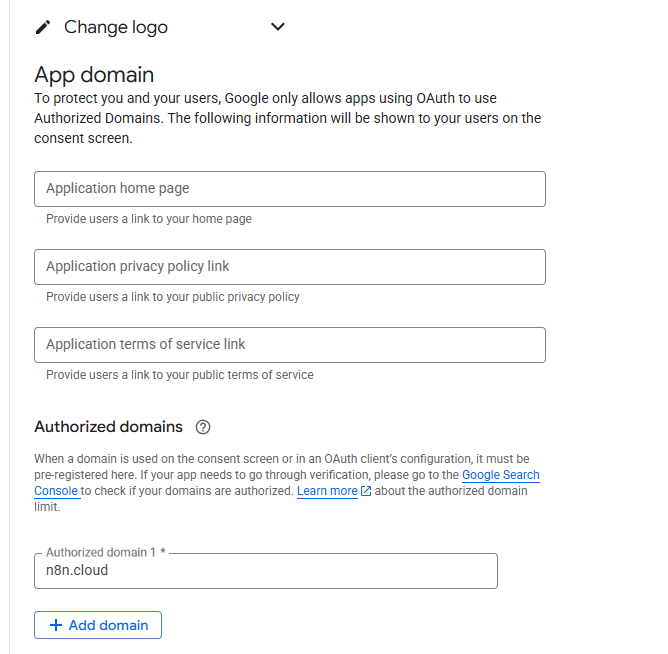
Authorized Domains: * If you are using n8n Cloud, enter: n8n.cloud
If you are running n8n locally (on your computer), you can usually leave this blank or enter localhost.
Developer Contact Info: Use your own Gmail address.
Privacy Policy/Terms: You can leave these blank or just put your n8n URL for now; Google won’t check them while your app is in “Testing” mode.
2. Finding the “Secret Key” (Client Secret)
If you don’t see the Client Secret field, it’s usually because the wrong Credential Type was selected.
Go to APIs & Services > Credentials.
Click + Create Credentials and select OAuth client ID.
Crucial Step: Under Application type, you must select Web application. (If you choose Desktop or Service Account, the secret key might be missing or in a different format).
Under Authorized redirect URIs, click Add URI and paste the OAuth Redirect URL provided inside your n8n credential window.
Click Create. A pop-up will appear immediately with your Client ID and Client Secret.
3. The “Test User” Requirement (Very Important)
Because your app is “External” and “Unverified,” Google will block you unless you tell it specifically who is allowed to log in.
Go back to the OAuth consent screen tab.
Find the Test users section.
Click Add Users and type in your own Gmail address.
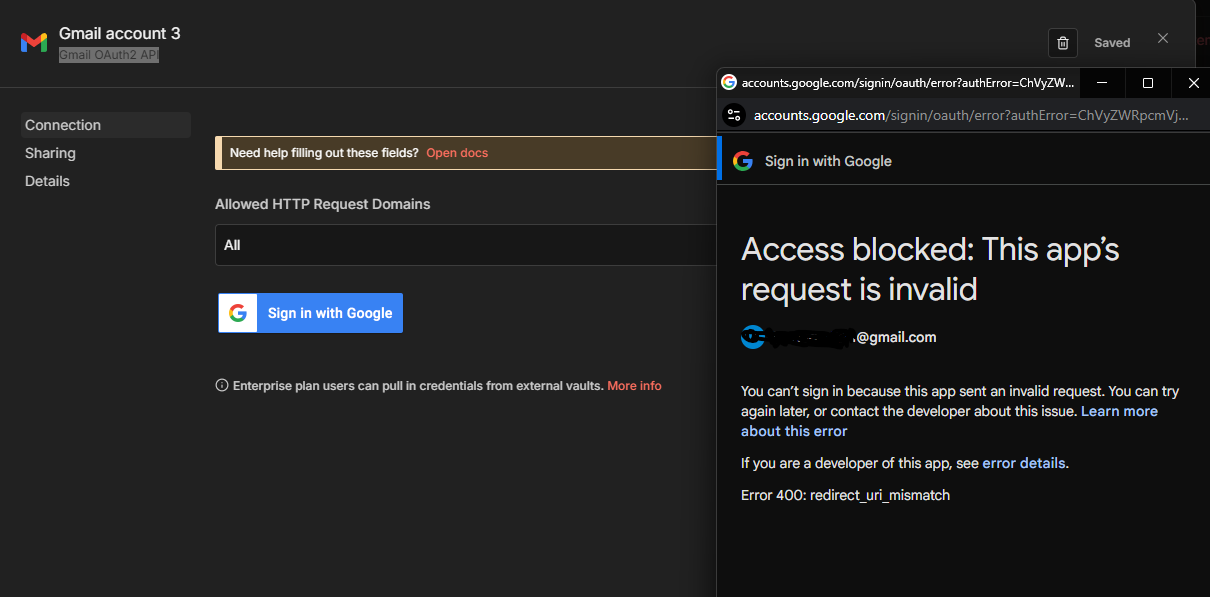
Without this, you will get an “Access Blocked” error when you try to sign in from n8n.
Hey @JD13, try updating the n8n version in your Admin panel to 2.1.4 or later. There was an issue with google OAuth, and it’s been fixed after that version. I hope this helps you Good luck!
 Good luck!