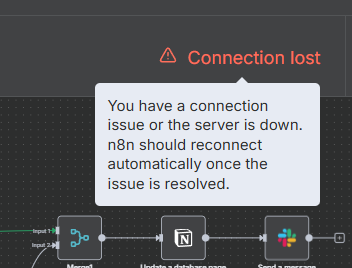
Connection lost - error

Hi there, I keep running into “Connection lost” when running a workflow. When I refresh the page, it says my workspace is offline. It’s happening at various different nodes so don’t think one particular node is the issue here. It’s usually later down the workflow where I have quite a lot of items (around 10K items), but I’m sure n8n should be able to handle this amount?

I’ve already tried running this flow for 20+ times over the past 2 days but it always disconnects. I’m on cloud version btw. Any advice would be much appreciated.

Describe the problem/error/question

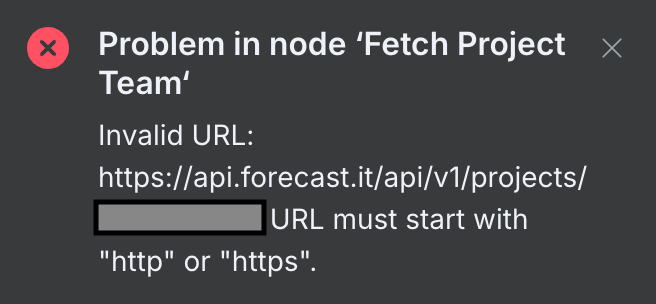
What is the error message (if any)?

Please share your workflow

(Select the nodes on your canvas and use the keyboard shortcuts CMD+C/CTRL+C and CMD+V/CTRL+V to copy and paste the workflow.)

Share the output returned by the last node

Information on your n8n setup

  • n8n version:
  • Database (default: SQLite):
  • n8n EXECUTIONS_PROCESS setting (default: own, main):
  • Running n8n via (Docker, npm, n8n cloud, desktop app):
  • Operating system:

Yes, n8n Cloud can usually handle large item counts, but the “Connection lost” issue you’re seeing is often due to:

  1. Browser timeout or memory overload from processing/displaying large data (like 10K items).

  2. Workflow executions taking too long and triggering frontend disconnects, even if the backend keeps running.

:white_check_mark: What you can do:

  • Avoid opening large nodes mid-run, use the Executions tab to review results after.

  • Consider splitting large batches using the SplitInBatches node to reduce memory load.

  • Add Wait nodes if many external requests are involved to pace execution.

  • If it’s still unstable, contact n8n Cloud support, they can check logs or increase resource limits if needed.

I’m getting this problem as well. I’ve updated the workspace. Restarted the workspace. Restarted the browser. Simple workflows with small data loads cause the “Connection Lost” issue and eventually crash. This has just started happening within the past hour, prior to which, everything was hunkydory.

Thanks for the update.
if this just started happening even with small workflows, and everything was fine before, it’s likely not related to your workflow size.

This could be a temporary n8n Cloud platform issue.

:white_check_mark: I’d recommend:

  • Reaching out directly to n8n Cloud Support.

  • they can check if there’s a platform-wide issue or degraded service.

  • Include your workspace name and recent execution timestamps to help them investigate faster.

You’re not alone in this, others are reporting similar behavior today, so it might be on their radar already.
1 Like

Will do. Thanks for the quick reply.

Just to add for anyone else reading this with similar issues, I’m getting spurious behaviour in other n8n Cloud workspaces as well:

This topic was automatically closed 90 days after the last reply. New replies are no longer allowed.