Here i’m using same flow for recursion but at final i want all the data as a array data that is to convert those as a csv file format. and once if the condition is true i want to convert all the data as a csv which i have received
If I understand your issue correctly, the problem is that you are retrieving the data but you cannot combine them into a single array. The looping is fine. The items are split across different runs and so cannot output a single csv file.
This is a good usecase for new data tables feature.
Simply split the workflow into two steps.
write all the urls into a single database
read all the urls and query them then convert
Here’s your workflow split into two such phases
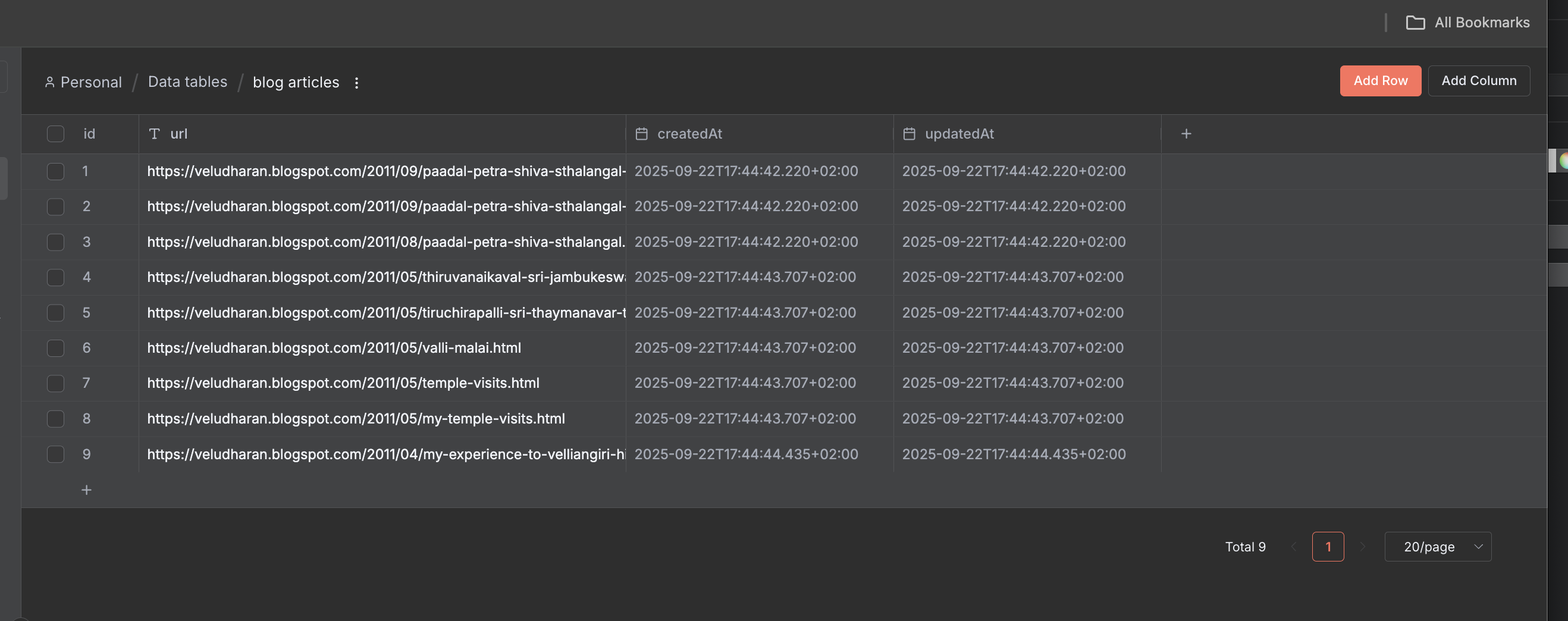
This is what it looks like in the Data Tables page
This uses the global workflowStaticData object to store the URLs within the workflow, not externally. Then they are used to scrape the contents. Please run it on your end and you will see that all 6-7 items get written to 1 single CSV file at the end.
Hey, the issue is generally that the nodes get overwritten with each loop - currently you will produce just 2 outputs - one for True (which is the latest one because it overwrote all previous ones) and one for False. Both of these get merged and will reach the end.
The problem to solve is how to not lose the outputs from the loops between the first and the last - check my flow to see how I ensure those persist
Hello @gabrielhmsantos ,
I doing good. Thanks for you response But your workflow is not working for me. Because the aggregate node at last is only returning the first set of values. But i need all the set if values till the condition is false
Make a note, that static data is generally the worst method for such a case. Because if you have a lot of data, you will easily overflow the database and your n8n instance will die. If that happens, the only way to restore n8n would be to manually remove the static data from the database.
Another issue is that on the next run it will grab the previous URLs, which may be not valid anymore.
Don’t open the CSV file directly in Excel. Instead, open Excel, choose Data > From Text/CSV, then select the desired CSV file and use the import button to properly load it into Excel
Your workflow with like “https://veludharan.blogspot.com/” is executing around 2hrs but still i haven’t get any output is there any other way to resolve this
@krisn0x No No your Workflow is working fine. But the problem is when i give a link “https://veludharan.blogspot.com/” (There is too many html pages than a older link) It is taking too many time and i haven’t get any result.