Hi @bally, I am not familiar with the data structure you’re using, but perhaps you can try disabling the “Simplify” option on your Gmail trigger? This should give you access to all mail headers.
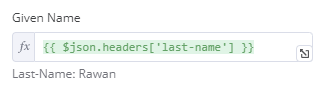
Actually I have a question about the headers because I have something like
Obs I want the value
“Rawan”
not
“Last-Name: Rawan”
I could say strip the 1st 10 letters of this field but I would have to do it for every single field which would be annoying to say the least. And later I’m going to have multiple of these nodes in different workflows.
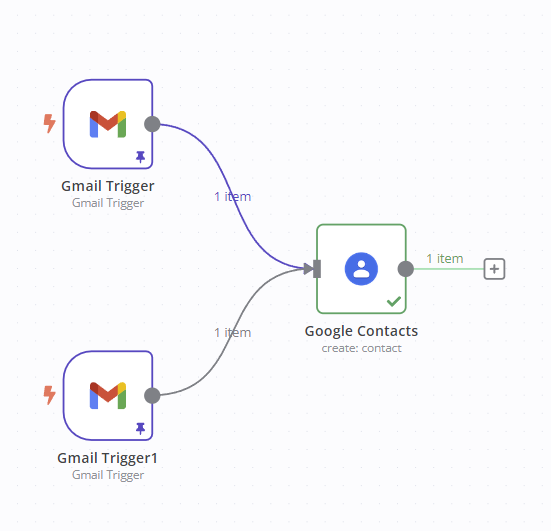
What I’m hoping for is that multiple emails come into these triggers and they all create contacts using the name email and phone numbers inside the email headers.
and the only difference is they would be put into different groups possibly and have a different text in the notes
Big power of n8n is you can use javascript inline to process the data. Con is that there is a learning curve, but it’s worth it!
You can use split here. I use it to get first names all the time. You can split text into a array (list) using a character of your choice. Then you can select the index (place in the list) to actually use. You would use this if you know your value will always be followed by the first space
So you would do {{ $json['last-name'].split(' ')[1] }}. The .split(' ') Cuts the text up at every space character a [1] returns the 2nd item in the array (since arrays start at 0).
.replaceAll('Last-Name: ', '') might also be usefull for you. {{ $json['last-name'].replaceAll('Last-Name: ', '') }} will also get you where you want to be
I am a little curious why this data is in the header?
Typically data like this would be passed in the body
The history of this workflow is that I have a form that sends an email to me.
I used to use zapier to create the contact.
I can’t simply split the name from the email because some people have two first names and some people have two last names. Also I need the phone number which is something that comes from the form.
So zapier had this feature where I could add headers to my email and it could extract them. It was easy enough to add headers from my form for every single field.
This often comes down to either a mix-up in URLs (test vs production - data from the latter only appears in the execution list rather than in the editor in real-time) or the wrong HTTP method (n8n defaults to GET, but many other services use POST). Perhaps you want to check this?
Thanks. I’ve tested with both test vs production inserted “just in case” and changed to GET. So I wonder if it’s some other Issue but since I’m using the synology of Docker I really can’t find the forum to get help for that specifically with n8n.
I tried calling the url using a browser on My mobile phone browser and it’s fine so I don’t think it’s a firewall or something blocking access. The Web Hook also calls other Urls Fine so I don’t think it is that side issue.
And it seems it’s not a combination used by many others here.