I’m automating the creation of n8n workflows via the API, I have to create workflows for each new client I onboard. I have two workflows: 1) an AI agent workflow that calls an MCP Server, 2) the MCP server itself. These communicate via header Auth.
What is the error message (if any)?
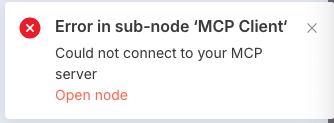
The credential name & id match in both workflows, but the AI Agent fails to call the MCP server:
This can be fixed by removing the credential from each workflow, saving it, then adding the credential back manually in the UI. Chatting with the n8n mcp server, it told me this is because the credential is not being reloaded from the n8n database, and when I remove and re-attach the credentials this syncs the credential values with the database.
This is preventing me from scaling our business, given that this required manual intervention.
I can think of 2 workarounds based on my quick research:
Use the Credentials API directly
Before creating workflows, ensure the credential exists by creating it via POST /rest/credentials.
Capture the id returned by the API.
Use that exact ID in the workflow JSON instead of copying from a prior workflow.
* This should force n8n to link to the DB-stored credential rather than a stale reference.
Re-save the workflow programmatically
After POST /rest/workflows, immediately call PUT /rest/workflows/:id with the same JSON.
This should trigger the same DB credential re-link that the UI does (haven’t tested this one myself)
I gave this a try. creating the auth header credential used to invoke the MCP server from the other AI workflow got me closer, but still not working entirely. The auth header no longer has to be removed and re-added to the AI workflow (the one using the MCP Server as a tool), but the workflow still fails to authenticate with the MCP server. I remove and re-add the Auth Credential to the MCP Server trigger, then it works.
Currently I’m doing the following in succession to create the workflows:
create all credentials
create the MCP Server workflow
activate MCP Server workflow
create the AI Workflow
activate AI Workflow
I’ve also attempted updating the workflow (using PUT /workflow/:id) after creating the workflow, all of these require me to manually re-sync the Auth Header of the MCP Server workflow.
I’m unsure if this is a bug in the implementation of the API, I do realize it is still in beta. Or on the contrary if this is the expected semantics of the API and there is no guarantee of idempotency. I’m open to more suggestions, I’m really scratching my head at this point.
After a great deal of time fighting the API, and writing a parser to template and generate workflows I’ve declared bankruptcy. The lack of idempotency in the N8N API has precluded me from generating workflows in an automated fashion via API call.
I love this product and it’s great for many uses that involve manually building workflows, unfortunately doing so in an automated fashion via N8N API integration is not currently possible. I hope one day this issue is fixed because I prefer using N8N for this.