Hey n8n community!
I’m excited to share my community node for DocuSign - the world’s leading eSignature platform for sending documents for signature and managing envelopes.
n8n-docusign-node
Go to Settings → Community Nodes → Install and enter the package name above.
DocuSign is the global standard for electronic signatures and digital transaction management. It’s popular for:
Sending contracts for signature
Managing document workflows
Template-based document generation
Real-time envelope tracking
Audit trails and compliance
Resource
Operations
Envelope Create, Create From Template, Get, Get Many, Send, Resend, Void, Download Document, Get Recipients, Update Recipients, Get Audit Events
Template Get, Get Many
Add multiple signers per envelope with routing order
Include multiple documents in a single envelope
Full recipient management (update email/name, resend notifications)
NA (North America)
EU (Europe)
AU (Australia)
CA (Canada)
Real-time events via DocuSign Connect:
envelope-sent / envelope-delivered / envelope-completed
envelope-declined / envelope-voided
recipient-sent / recipient-delivered / recipient-completed
recipient-declined / recipient-authenticationfailed
template-created / template-modified / template-deleted
Mandatory webhook signature verification (HMAC-SHA256)
SSRF protection - Blocks internal/private network URLs
Input validation - RFC 5322 email validation, UUID validation, base64 validation
Token security - JWT tokens cached in memory only, auto-refresh before expiration
Built-in rate limiting with automatic retry
Exponential backoff for failed requests
Pagination timeout protection (5 min default)
Full TypeScript support
61 tests with comprehensive coverage
HTTP Request (Get Contract) → DocuSign (Create Envelope) → Slack (Notify Team)
DocuSign Trigger (envelope-completed) → DocuSign (Download Document) → Google Drive (Upload)
Form Trigger → DocuSign (Create Envelope with Multiple Signers) → Wait for Completion
New Employee (Webhook) → DocuSign (Create From Template) → HR System (Update)
Schedule Trigger → DocuSign (Get Many, status=sent) → Google Sheets (Update)
Filter envelopes by status, fromDate, toDate, searchText, and more.
I’d love to hear your feedback, feature requests, or bug reports. Feel free to:
Open an issue on GitHub
Reply to this thread
Submit a PR!
Happy automating!
1 Like
Asad
February 4, 2026, 5:04pm
2
hi, while creating an envelope is there a way to send custom fields that dynamically populate in the document like {{ First_name }} ?
Yes! Just added this in v0.3.0.
How to use Merge Fields:
Put placeholders in your document (e.g., {{First_Name}}, {{Company}})
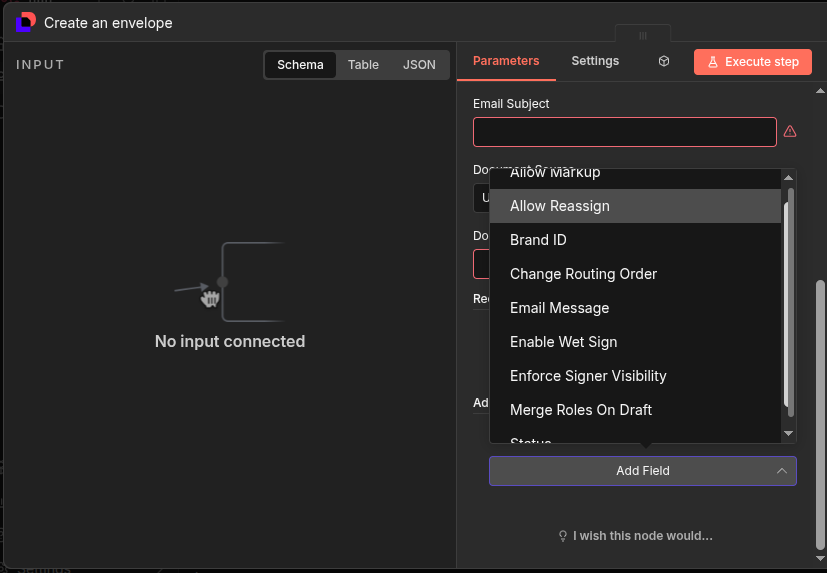
In the Create Envelope node, go to Additional Options → Merge Fields
Add your mappings:
DocuSign will find the placeholder text and overlay your value there. You can also set the font size for each field.
Works great for contracts, offer letters, invoices - anything where you need dynamic data.
2 Likes
Asad
February 4, 2026, 5:53pm
4
i am using Package version 0.0.3 (Latest) and cant seem to find it
That’s a different DocuSign node - not the community node with Merge Fields.
To use n8n-docusign-node (the one with Merge Fields):
Go to Settings → Community Nodes
Install n8n-docusign-node
After install, search for “DocuSign” - you’ll see two DocuSign nodes
Use the one from the community package
The community node’s Create Envelope has options like: Multiple Signers, Embedded Signing, Merge Fields , Custom Fields, Additional Tabs.
1 Like
Asad
February 4, 2026, 6:20pm
6
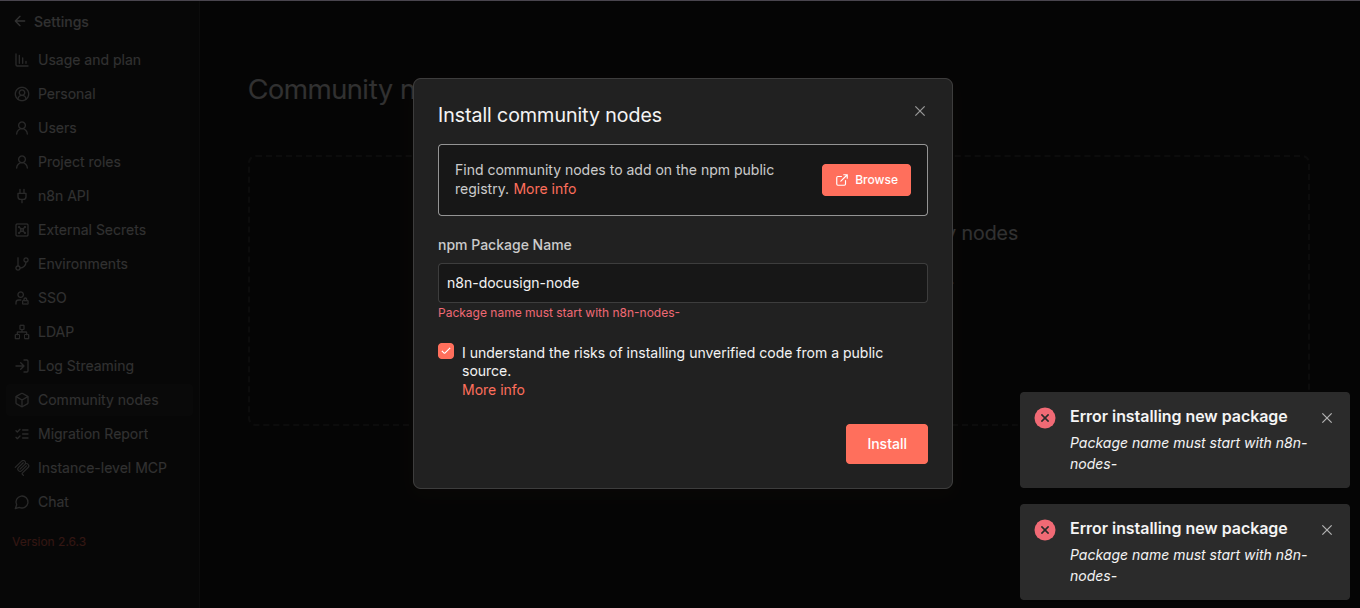
no i tried that before, it says “Package name must start with n8n-nodes-”
Thanks for reporting this! The original package name didn’t follow n8n’s Community Nodes naming convention (packages must start with n8n-nodes-).
I’ve renamed and republished it as n8n-nodes-docusign-esign
To install:
Go to Settings > Community Nodes
Click Install
Enter: n8n-nodes-docusign-esign
Click Install
Let me know if you run into any other issues!
1 Like
Asad
February 6, 2026, 2:32pm
10
it works, but the merge fields option is not present there for creating an envelope using a template, only for create an envelope.
marliaw
February 7, 2026, 2:50am
11
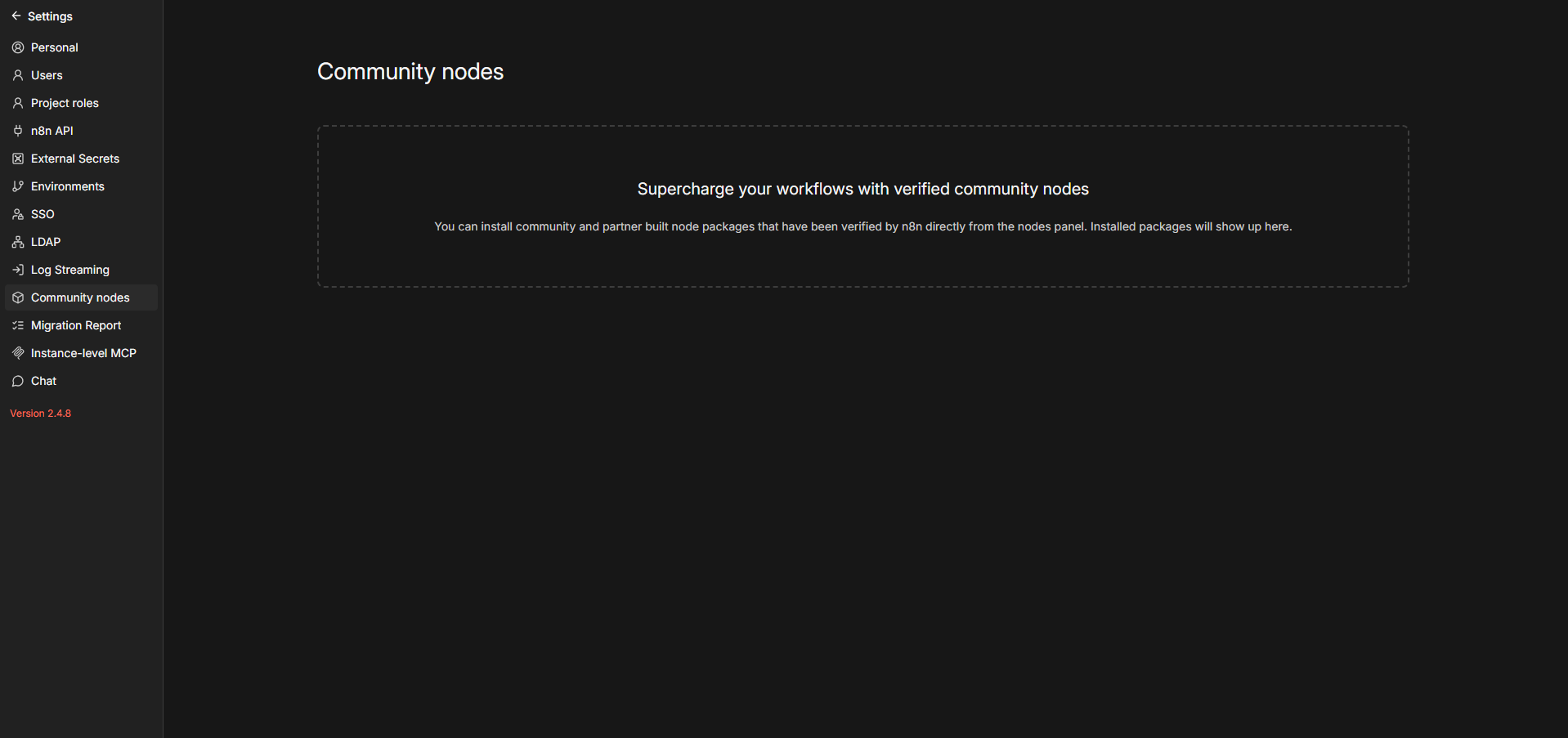
Hi I can’t see the install button in the community node, any help. Is it related to the plan. I have the starter montly plan.
Unfortunately, community nodes are not available on the n8n Starter plan. To install community nodes, you’ll need either:
Upgrade to the n8n Pro plan — this unlocks the community nodes feature in n8n Cloud
Use self-hosted n8n — you can run n8n locally or on your own server where there are no restrictions on community nodes. The quickest way is:
npx n8n
Or with Docker:
docker run -it --rm -p 5678:5678 n8nio/n8n
Once you have access, you can install the node by going to Settings > Community Nodes > Install and entering: n8n-nodes-docusign-esign
Just updated it! Merge Fields are now available under Additional Options when using Create From Template . Please update to v0.6.1 and give it a try.
1 Like
Nice work shipping this!
For anyone landing here who specifically needs a Brazilian e-sig flow (ICP-Brasil A1/A3 certificates, CPF/CNPJ signer fields, PT-BR locale, MP 2.200-2 legal compliance), I just published a related option: n8n-nodes-signdocs-brasil — wraps SignDocs Brasil . Different platform, same automation pattern (Sheets → sign → save evidence).
Announcement thread: SignDocs Brasil Community Node — ICP-Brasil A1/A3, biometric, OTP, and clickwrap signatures (MP 2.200-2)
Not trying to redirect traffic — DocuSign is the right call for most global flows. Just cross-referencing for BR-focused users who hit this thread first.

 Full API Coverage
 Multiple Signers & Documents
 Regional Support