I’m facing an issue with the MySQL node in my n8n workflow, where it throws an “Error: connect ETIMEDOUT” when attempting to connect to the database. The error occurs during the createConnection step, as shown in the stack trace below. I’ve checked the database credentials, host, and port, and they seem correct, but the issue persists. Could this be related to network connectivity, firewall settings, or MySQL server configuration? Any suggestions on how to troubleshoot or resolve this would be appreciated!
ERROR: connect ETIMEDOUT
Details
Stack
Error: connect ETIMEDOUT
at Object.createConnection (/usr/local/lib/node_modules/n8n/node_modules/mysql2/promise.js:242:31)
at createConnection (/usr/local/lib/node_modules/n8n/node_modules/n8n-nodes-base/dist/nodes/MySql/v1/GenericFunctions.js:20:30)
at Object.execute (/usr/local/lib/node_modules/n8n/node_modules/n8n-nodes-base/dist/nodes/MySql/v1/MySqlV1.node.js:257:74)
at processTicksAndRejections (node:internal/process/task_queues:95:5)
at Workflow.runNode (/usr/local/lib/node_modules/n8n/node_modules/n8n-workflow/dist/Workflow.js:696:19)
at /usr/local/lib/node_modules/n8n/node_modules/n8n-core/dist/WorkflowExecute.js:656:53
Thanks for the suggestion… But currently it is not feasible to upgrade the n8n version as another application is being dependent on this workflow. Is there any other way that this issue can be solved?
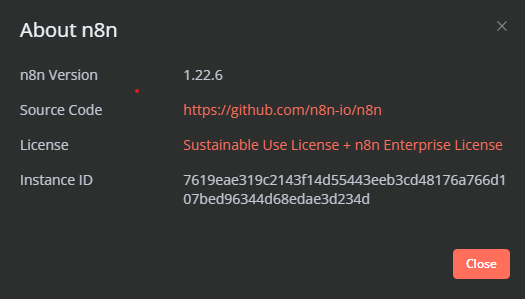
@cutecatcode Could you please let me know which version would be better to use as I have faced issue where the workflow was affecting the dependent application last time
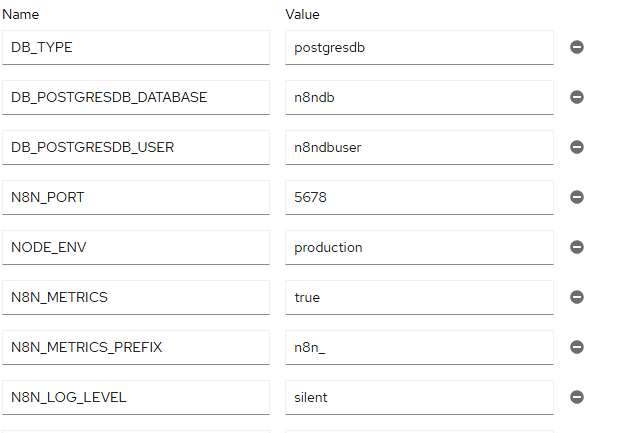
These are the environment variables … could you please look into this and help with any details that would resolve this issue… And could you please suggest how can we store the failed execution so that we dont loose the data