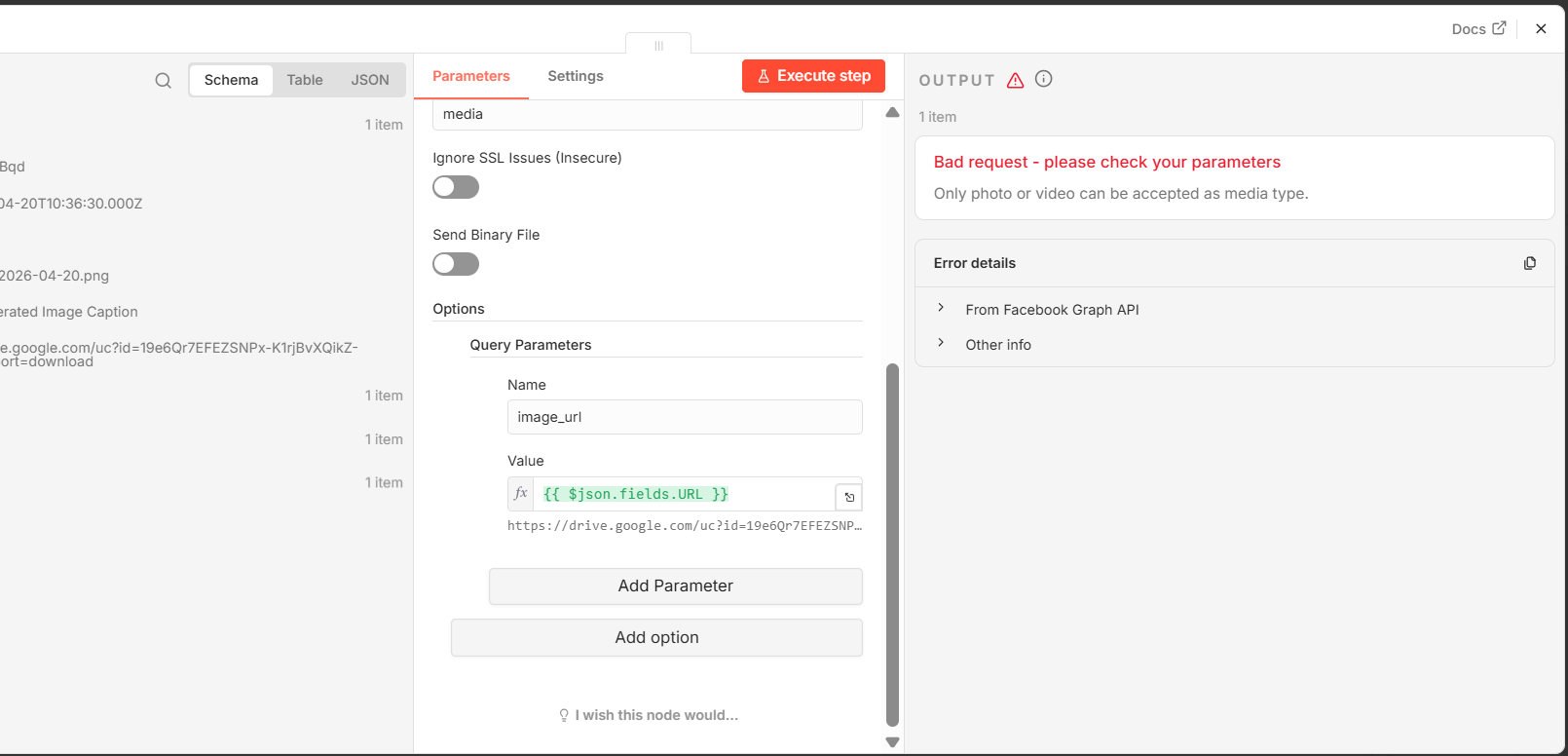
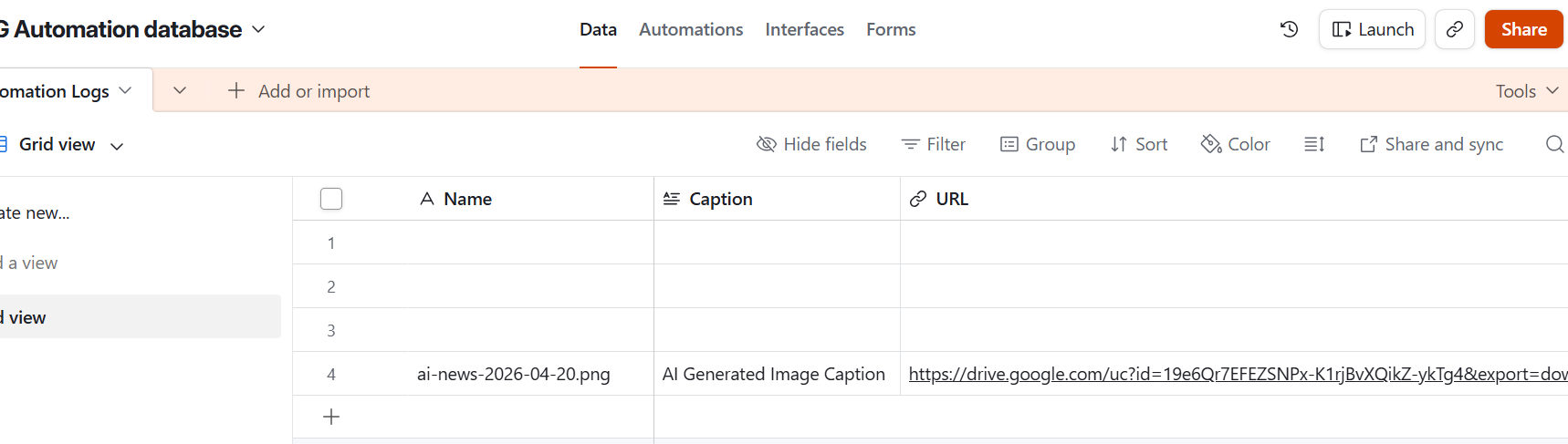
I have built , n8n workflow for Instagram post automation, everything is working fine if I give any random URL of image on internet, only problem arrives when I use my own google drive image, Is there is any issue with google drive and fakebook graph API ?
welcome to the n8n community @easy_online_course
I would first fetch the file in n8n and then upload/send the binary from there, or host the image on a storage/CDN URL that returns the actual image bytes with an image MIME type instead of a Drive sharing link.
I am thinking for the same, but I want to post image form google drive only, I am making path in airtable still its notworking.
1 Like
the Graph API needs a public image URL
use the Google Drive node to download the file first and then send the binary data from n8n, instead of passing the Drive share link directly to Instagram.
Thanks a lot for reply.
In which node I am suppose to make binary data ? Container Node or FB graphy node ? I have to write code for it ?
No code needed! Just use the Google Drive node to Download a File, which automatically outputs a binary object. Then, in your Instagram/FB node, set the request to Multipart and reference that binary property (usually called data) instead of using a URL.
Instagram needs a public URL for the image. Google Drive links are not accepted.
You can use the ‘Upload to URL’node to get a public CDN URL for the image and then send that to Instagram.
Here’s a similar workflow.

Hello, Thanks for reply. Facebook platform don’t accept binary Data, image has to be published to any hosting platform then we have to use URL of that published image. Please let me know if I am wrong.