Error HTTP Request Body

Describe the problem/error/question

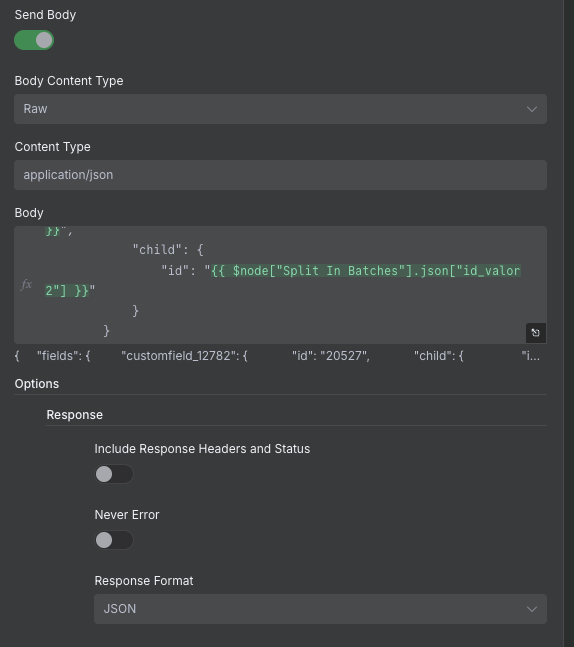
Hello, everyone! How are you doing? I wanted to ask you about something because I’m having a problem with the HTTP Request node that I didn’t have in previous versions. Here’s the JSON I’m using:

{
    "fields": {
        "customfield_12782": {
            "id": "2543",
            "child": {
                "id": "3455"
            }
        }
    }
}

and in the options, I’ve tried the response format in a thousand ways and I get the same error, and the body i send in format “Raw”

Thank you very much as always, have a great week!

What is the error message (if any)?

Converting circular structure to JSON → starting at object with constructor ‘IncomingMessage’ | property ‘socket’ → object with constructor ‘TLSSocket’ | property ‘_httpMessage’ → object with constructor ‘ClientRequest’ — property ‘res’ closes the circle

Information on your n8n setup

  • n8n version: 1.108.2
  • Database (default: SQLite): Postgres
  • n8n EXECUTIONS_PROCESS setting (default: own, main): own- queue
  • Running n8n via (Docker, npm, n8n cloud, desktop app): Self-Hosted
  • Operating system: Kubernetes - AWS

Hi @Internalit_Automatio

I tried with a test request and didn’t encounter any issues. Could you share more details?

Hi @mohamed3nan , how are you?
Images error:

Method: PUT in API Jira
URL: /rest/api/2/issue/id_jira

1 Like

Hi @Internalit_Automatio, I’m fine thanks,

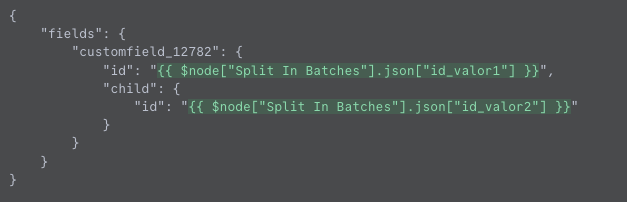
I noticed something with referencing nodes, It might be an old method, I’m not sure if it’s relevant to the issue, but I thought it was worth mentioning..

replace this:

with:

{
    "fields": {
        "customfield_12782": {
            "id": "{{ $('Split In Batches').item.json.id_valor1}}",
            "child": {
                "id": "{{ $('Split In Batches').item.json.id_valor2}}"
            }
        }
    }
}

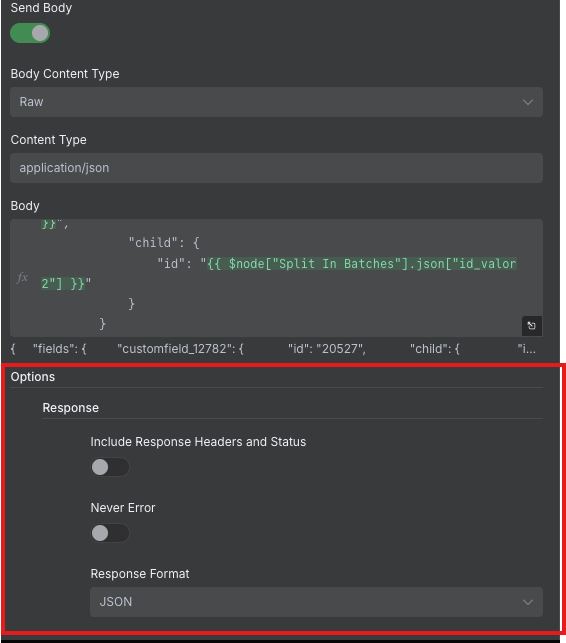
also remove the “Response” option here:

I modified it, but it still gives the same error. The strange thing is that Jira updates the field correctly, but it gives that error as a response.

And if I remove the response, it throws: Invalid JSON in response body. But it updates it anyway.

Nice, so it works!

Now, about the issue with the response,

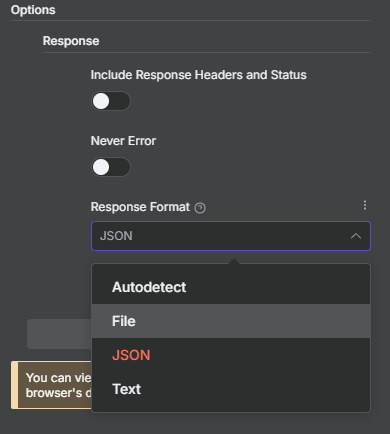
I suggest trying other options like “Autodetect” or “Text”

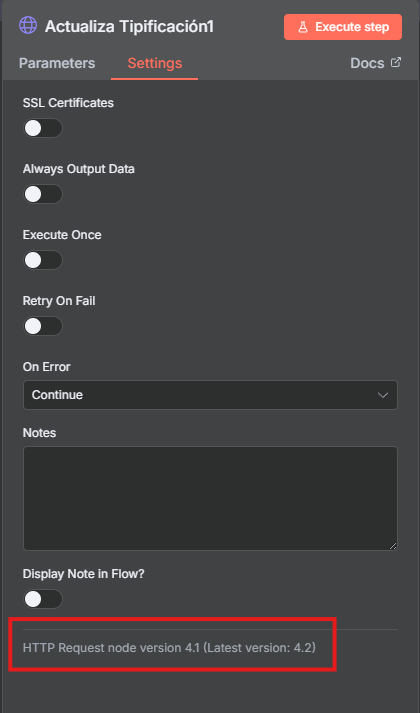
also try to use the latest HTTP node, i notice you’re use outdated version:

Update the HTTP Request version, set the response format to “AutoDetect,” and it gives me the error: Invalid JSON in response body. But it updates anyway. I wanted to set “Stop Workflow” as a node option since I don’t know if it can update correctly or incorrectly.

Did you try the “Text” response format?

It feels like a bug in parsing the response..

Not sure though, if you have the time, you can open a GitHub issue to report this behavior.

Same error :frowning:

Right now, I’m pretty convinced it’s a bug, since it has to do with the response.
You can open a GitHub issue to report this behavior.

1 Like

I created the request there: HTTP Request - Response bug · Issue #19153 · n8n-io/n8n · GitHub

Thank you!

1 Like

Hey @Internalit_Automatio
could you share your workflow too, please?

1 Like

Out of curiosity, if you make a separate manually triggered workflow with just HTTP Request node and try to update an issue in JIRA, does it work for you @Internalit_Automatio?
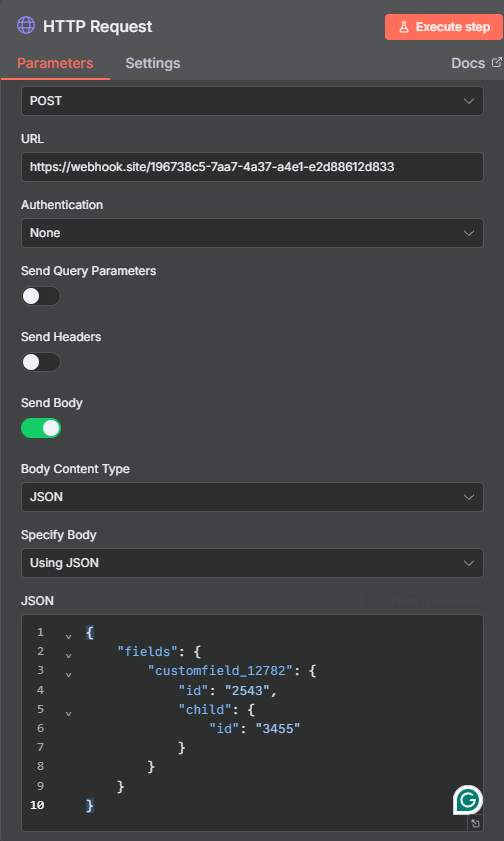
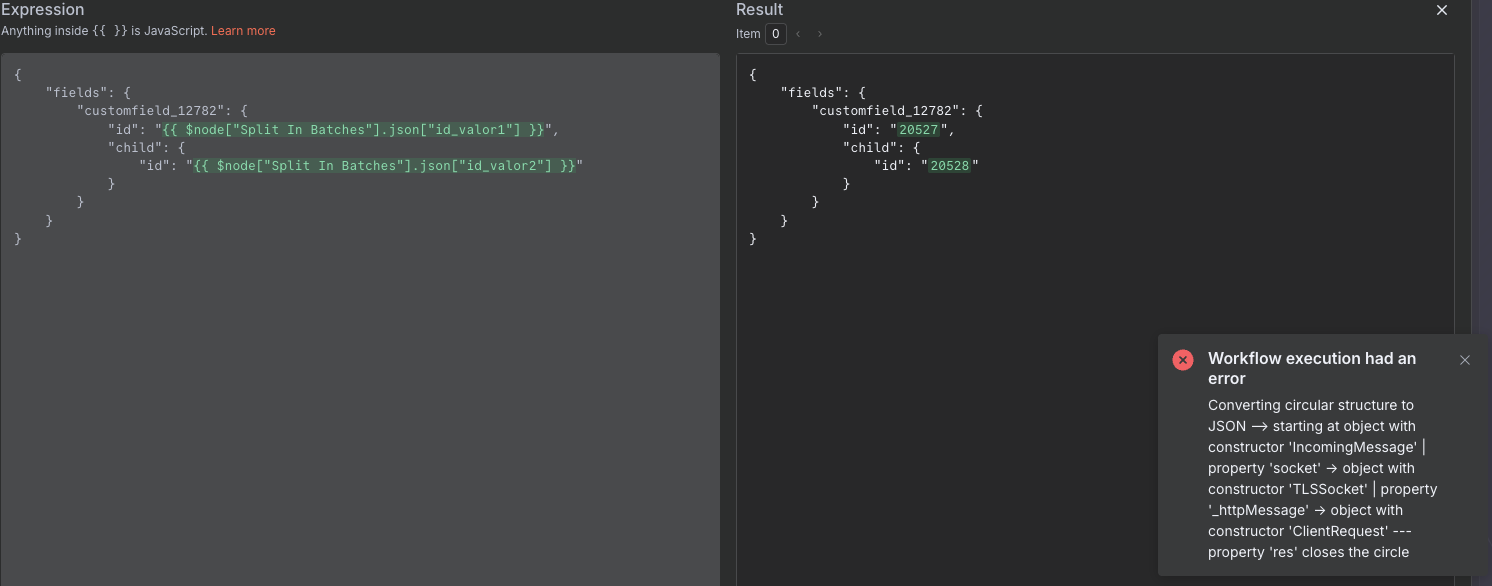
I tried it, and it doesn’t work. It throws the same error, but the ticket updates correctly.

Any news about what the error might be? Or is it a bug? I’ve already reported the issue on GitHub.

This topic was automatically closed 90 days after the last reply. New replies are no longer allowed.