Why does “Error Trigger” does not work in the local N8N workflow. I created the error workflow basic with Error Trigger and a Google sheet to enter error details. I included this to another flow where I added error generating text. Both these were published but the error trigger workflow is not getting triggered. All these done in local N8N with Docker container. Any help or suggestion.
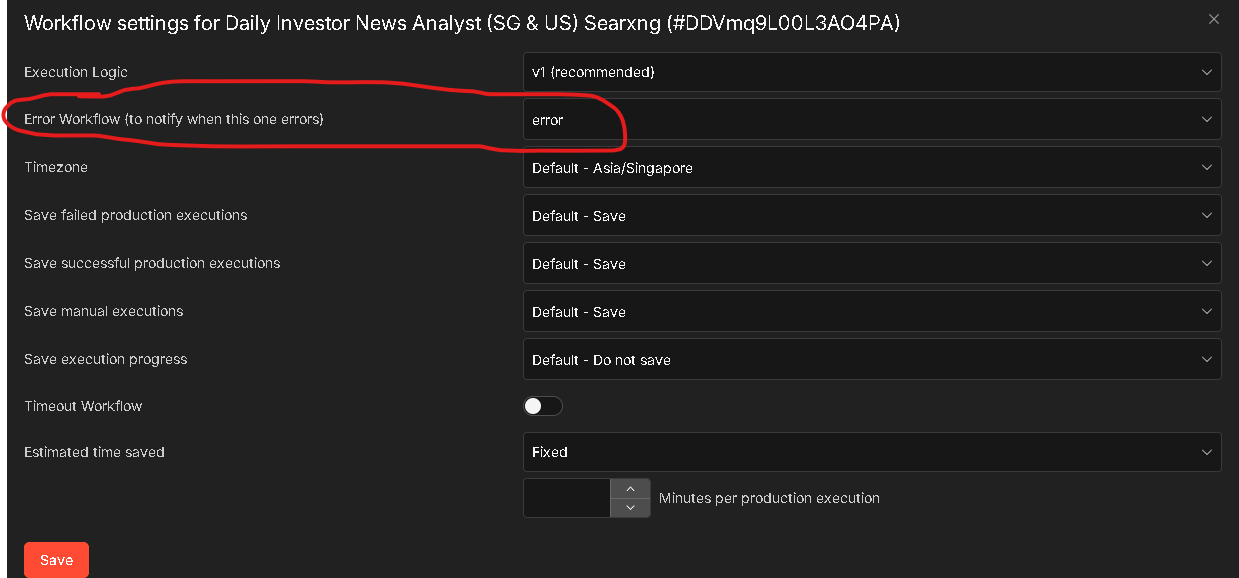
OP already stated
Yes already did that part
Thanks for all your advice, I did all that
- error workflow actually run if you trigger it manually first. Yes
- error trigger node is the basic, no filtering linked
- deactivating both workflows, multiple times
I think there is some minor aspect I am missing. Attaching both the workflows. Hope this helps to guide me further.
Note: The “Edit Field” node within the “Google Oath Connect” workflow has the error in JSON, which should initiate the ErrorWorkflow.
Google OAuth Connect.json (8.5 KB)
ErrorWorkflow.json (3.7 KB)
1 Like
I got this resolved.
I was using the Test URL and not the PROD URL of the Webhook. Now its working file and properly recording the error data. Thanks to all your help and support. Great team support.
1 Like