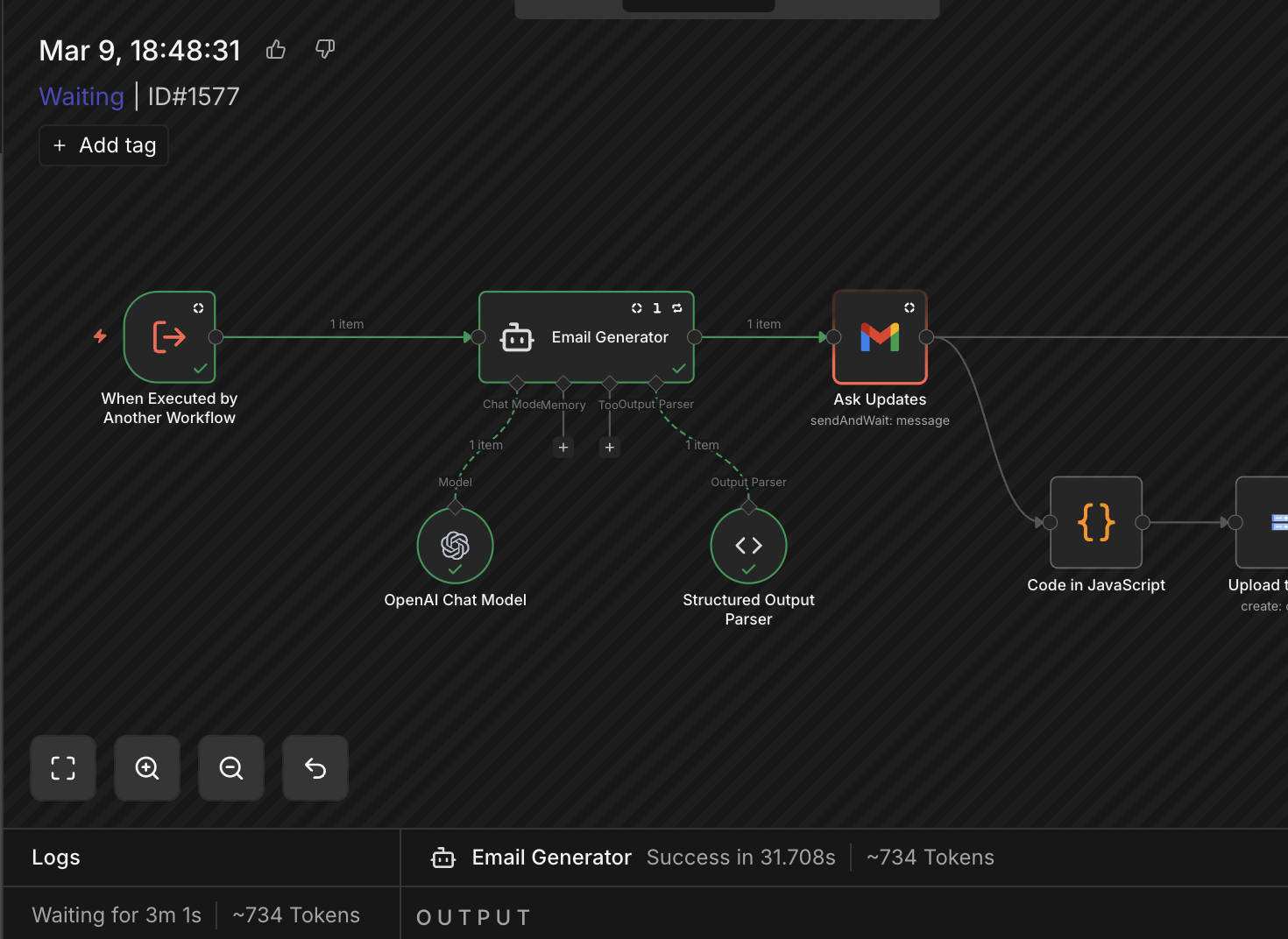
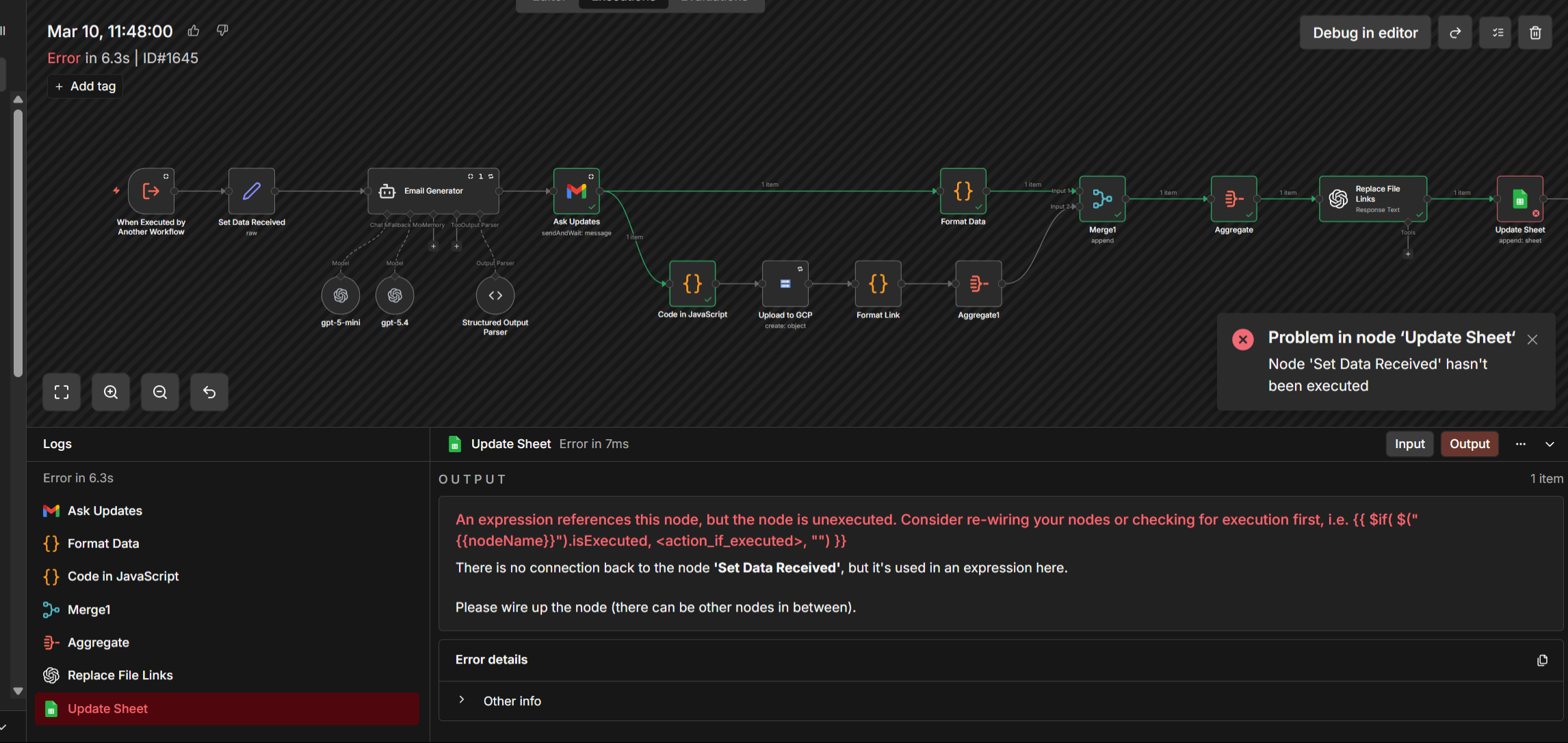
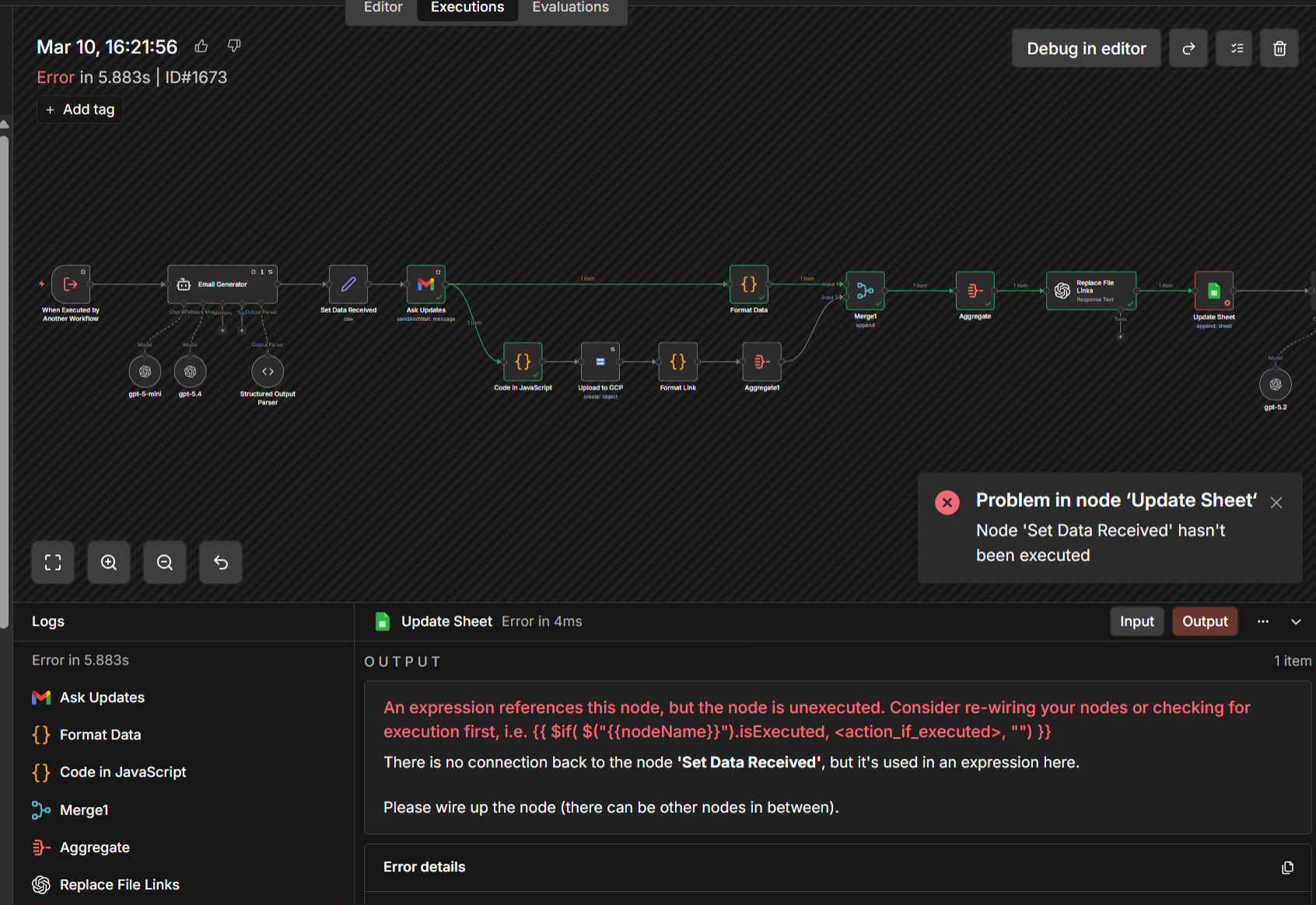
Looking at the executions, I see that the “When Executed by Another Workflow” is not executed and the workflow started from “Ask Updates” node which should not be possible.
What is the error message (if any)?
An expression references this node, but the node is unexecuted. Consider re-wiring your nodes or checking for execution first, i.e. {{ $if( $("{{nodeName}}").isExecuted, <action_if_executed>, "") }}
There is no connection back to the node 'When Executed by Another Workflow', but it's used in an expression here.

Please wire up the node (there can be other nodes in between).
Please share your workflow
Information on your n8n setup
n8n version: 2.9.4
Database : Postgres
Running n8n via (Docker, npm, n8n cloud, desktop app): Docker
HI @tushgaurav Your flow is good, although the approach you are using is a bit off, instead of the lower branch waiting for the complete flow to be done just use a AI agent to call a sub flow so that it will not run until that subflow is done and so the error would never appear that way.
Hey, this is happening because of the “Send and Wait” operation on your Gmail node. When the user responds to that form, n8n resumes the workflow from the Ask Updates node, not from the beginning, so the trigger node hasnt actually run in that resumed execution and any expression referencing it like $('When Executed by Another Workflow') breaks. You need to save the trigger data (name, email, sheetTitle) into a Set node before the wait node and then reference that Set node in everything after it.
@achamm had the right idea in post 4, but let me expand on why it keeps failing even after adding the Set node.
The root cause is how n8n handles “Send and Wait” resumes. When your Gmail node sends an email and waits for a response, n8n suspends the execution. When the user replies, n8n resumes that specific execution from the “Ask Updates” node — it does NOT re-run from the trigger. So any data that lived only in $('When Executed by Another Workflow') is gone from that resumed execution’s context.
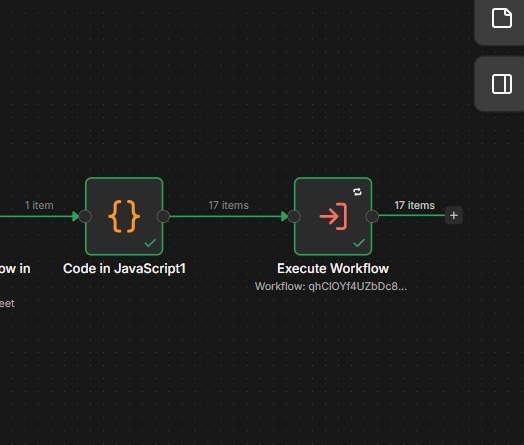
Running 17 sub-workflows in parallel makes this worse because each sub-workflow has its own suspended execution waiting for a response, and when they all resume, none of them have trigger data.
The fix that actually works:
Right after your “When Executed by Another Workflow” trigger, add a Set node that copies all the data you need into top-level fields:
name = {{ $('When Executed by Another Workflow').item.json.name }}
email = {{ $('When Executed by Another Workflow').item.json.email }}
sheetId = {{ $('When Executed by Another Workflow').item.json.sheetId }}
Then throughout the rest of the workflow, reference {{ $json.name }}, {{ $json.email }}, etc. — NOT $('When Executed by Another Workflow').item.json.anything.
The key insight: once you’re past the Send and Wait resume, your execution’s “current item” is the form response. If you saved the trigger data into the item JSON at the start, it travels forward with every node. If you kept referencing the trigger node by name, n8n looks for that node’s output in the current execution — and on resume, it wasn’t run in that execution.