Extract information from PDF with AI node

Describe the problem/error/question

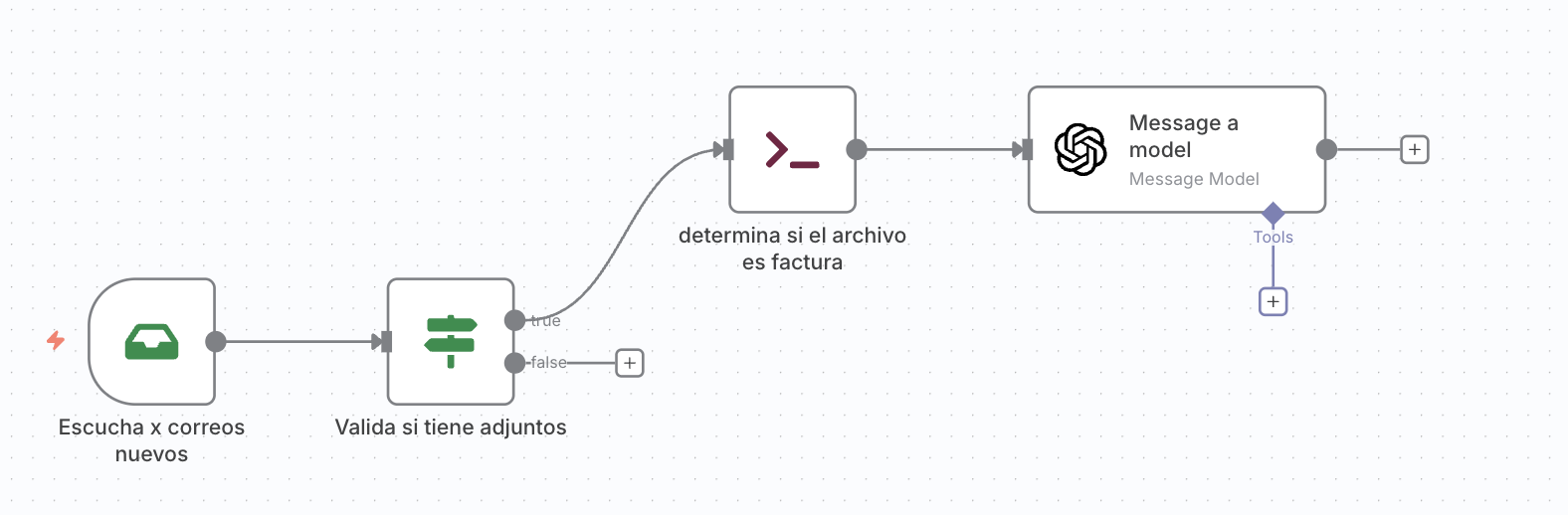
I’ve email trigger, and upon receiving a valid email with an attachment, I then validate that the attachment is a PDF and has a specific identifier. If it does, I want to pass this PDF to an AI node to extract information. In every case I’ve tried, when passing it, it tells me there’s no file to process. Could someone help me understand how I should pass it so the node can process it?
I’ve tried a read/write with a code node, but without the expected results.

What is the error message (if any)?

Please share your workflow

Share the output returned by the last node

Information on your n8n setup

  • n8n version: 1.107.4
  • Database (default: SQLite):
  • n8n EXECUTIONS_PROCESS setting (default: own, main):
  • Running n8n via (Docker, npm, n8n cloud, desktop app): Desktop
  • Operating system: MacOs Sequoia 15.6.1
2 Likes

Can you please send me the excecution output of the EMailtrigger? @Daniel_LS and what Emailprovider do you have. Cant you use the gmail or outlook node?

1 Like

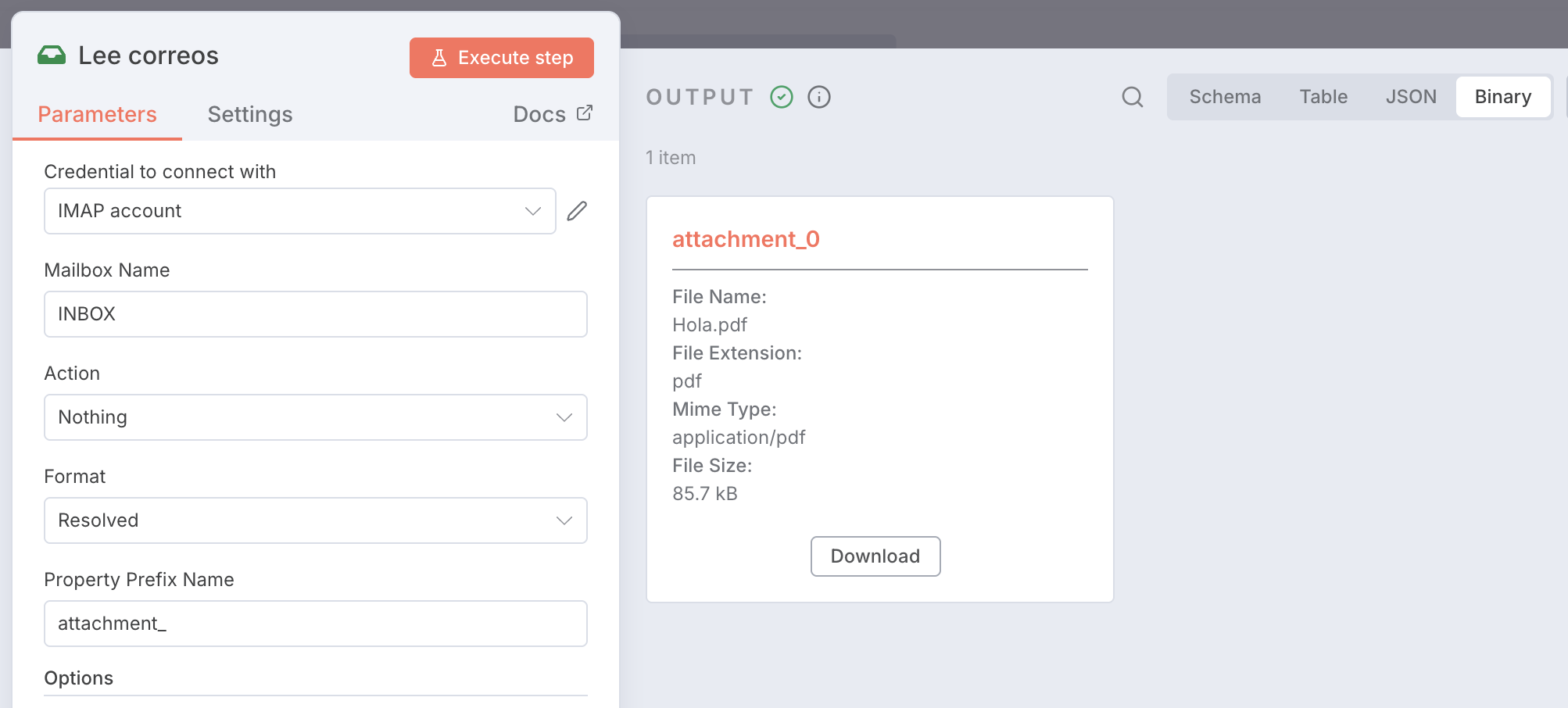
Activate the Download Attachement Option in the trigger and then you have to use the node extract from File to convert the binary Data into a JSON, you can use in the OpenAI Node @Daniel_LS hope that helps

I use Gmail.

1 Like

If I do this I have this error “The item has no binary field ‘attachment0’ [item 0]

Check that the parameter where you specified the input binary field name is correct, and that it matches a field in the binary input”

If I use a Execute node to download the file to my disk it work ok, so I can’t understand why if I pass it to other node it doesn’t work.

1 Like

Hey @Daniel_LS hope all is good. Welcome to the community.

The issue is that execute command node is not passing the binary through.
First you need to decide whether you even need that node. Tell us more about what that node is doing.
1 Like

Can you share your workflow here? Or maybe explain more about the execute command node.

1 Like

That’s because the default binary file name is set to data in the Extract Data Node

You just have to replace the “data” with the name “attachement_0”

1 Like

Thanks @Sulieman.said I changed the name and it work!

1 Like

This topic was automatically closed 7 days after the last reply. New replies are no longer allowed.