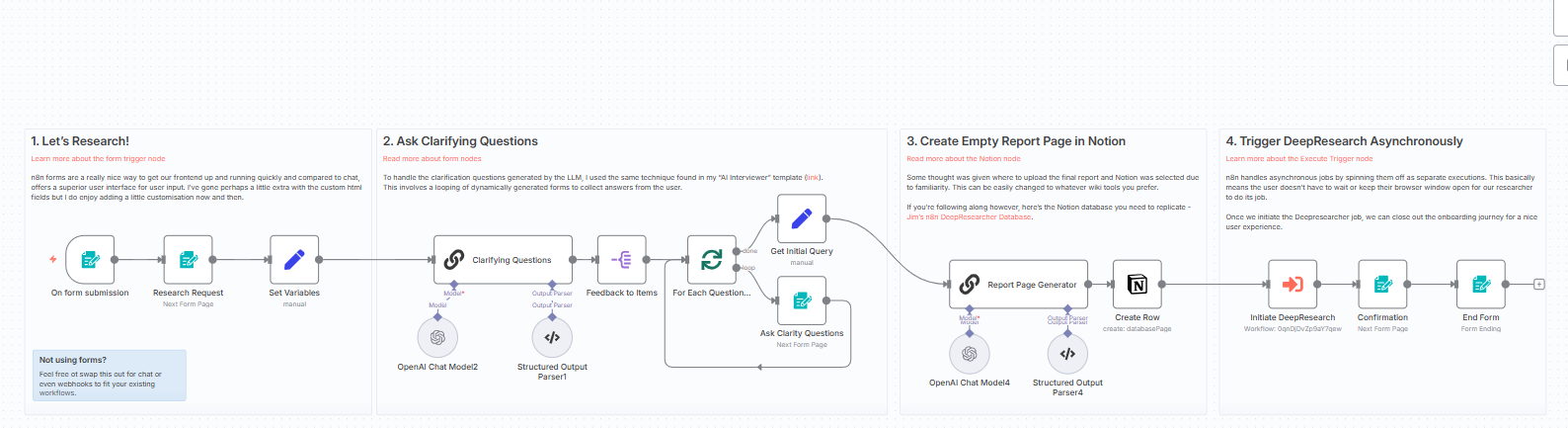
I’m trying to create a working form trigger in n8n but encountering multiple issues:
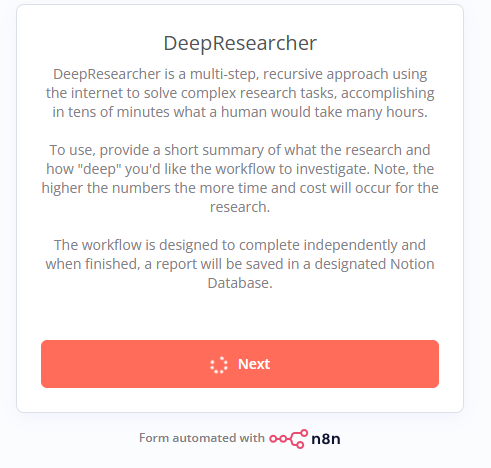
Form displays only description text and “Next” button, but no input fields - even after adding Text Input elements in the Form Elements section
Custom HTML elements don’t render properly - only shows placeholder comments
Form submissions hang indefinitely - clicking “Next” causes endless loading without progressing
The workflow is active, the form URL is accessible (https://mypublicdomain/form/deep_research), but the actual form elements are not displaying correctly. I’ve tried both Text Input elements and Custom HTML approaches.
What is the error message (if any)?
“Problem loading form - This usually occurs if the n8n workflow serving this form is deactivated or no longer exist” (initially when workflow was inactive)
No console errors, but form submission hangs with infinite loading
Previously encountered “Custom data values must be a string (key ‘requestId’)” in Execution Data node
Looks like the form trigger is getting stuck at the rendering stage and never reaches the submission handler. A quick framework I have found helpful is:
Validate the Form Trigger node in isolation. Clone the workflow, keep only the form trigger and a single no-op node, then activate and open the public URL. This confirms whether the issue is inside the form config or downstream nodes.
Check each field definition for required properties. In recent versions every element needs a unique key and the Text Input type must have a default label; missing values can cause the form not to build.
Inspect the browser network tab while loading the form. If you see a 404 against /rest/workflows/ID or a 502 from your reverse proxy, the frontend never receives the schema and will show an empty page.
A couple of questions to narrow it down:
– Which n8n version and deployment method are you running?
– Are you using any custom reverse proxy rules that might strip headers like Content-Type or Cache-Control?
Next steps that usually fix this:
– Update to the latest 1.46.x build, then rebuild and restart containers.
– Clear the form trigger cache by duplicating the node or changing its path; this forces n8n to regenerate the schema.
This is general guidance based on my experience with similar projects.