On the ‘Get Workflow List’ Node ‘URL’ field , I am entering my n8n directory URL by replacing the template’s URL (I am entering: https://hook.mydomain.com/rest/workflows) which is my n8n installation URL and where I login.
On the basic auth credentials , I set up my admin login which I use to login on my self hosted n8n. But still it shows ‘Unauthorized’
What am I doing wrong?
@nahidz3 , that post state “Temporary solution using the undocumented REST API”. However, the n8n API is well documented. I would advise to follow the documentation and make the adjustments to that workflow (if you still want to use it).
Thanks a Lot ihotom, for making things easier for a person like me. You could share it as a template as it will help many users like me.
One thing I would like to ask, is that possible to add a feature for versioning? For now, it just adds many json files (1 for each workflows) inside a folder. so when it takes backup next time, those will be again uploaded to the same folder with same names which can be a little mess.
Google Drive is not a version control system. I cannot see such a functionality in the Google Drive node. What could be done, however, is the older version deleted and new uploaded. Does that work for you?
If your goal is to keep all the versions of the same workflow, you need a real version control system such as Git, for example. You can get a free account on GitHub and upload the workflows there instead.
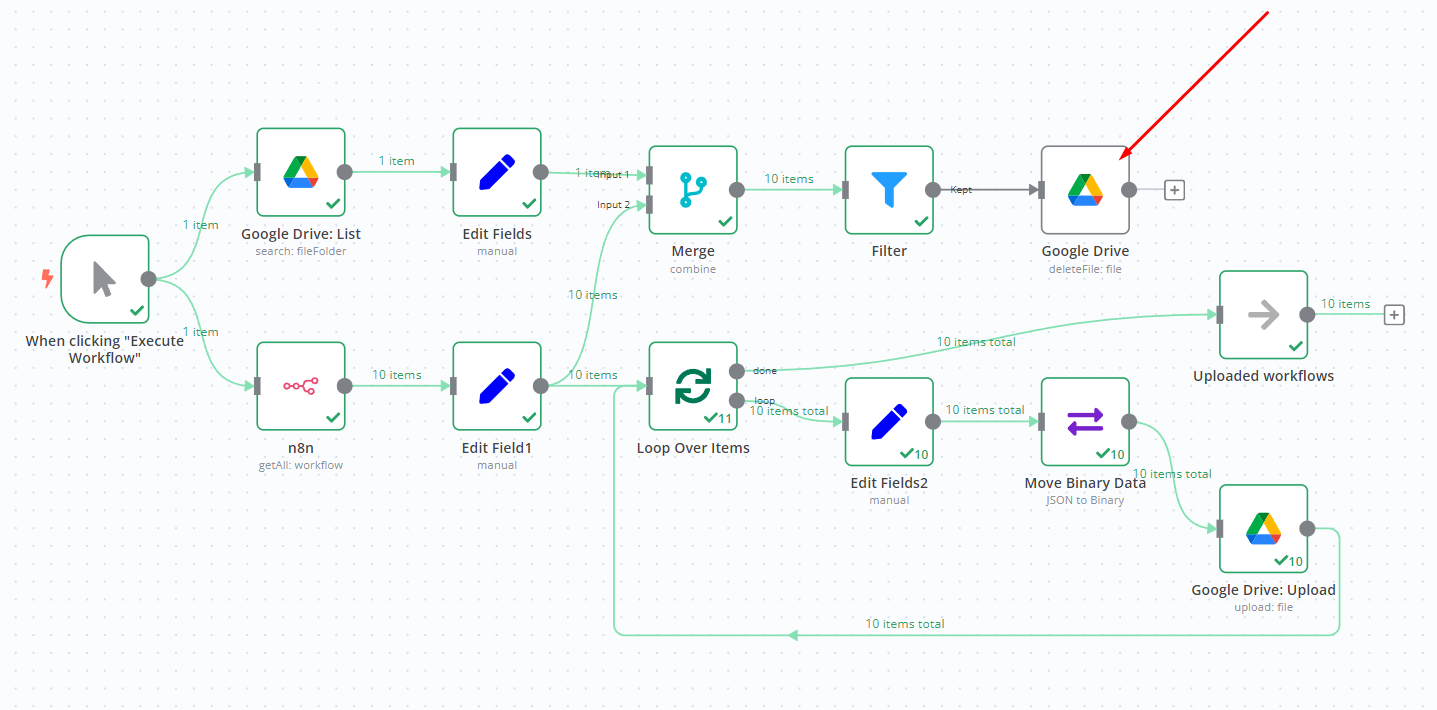
@nahidz3 , here’s the updated workflow. However, you need to upgrade n8n to the latest version for it to work. The reason being the latest version has the Google Drive node functionality that allows pulling the files in dedicated folder. Without it, unintended files could be deleted.
@nahidz3 , sorry, I have a typo in the Filter node. Replace the expression {{ $json.drive_name }} with {{ $json.drive_id }}. Updated in the workflow of the previous comment as well.
@nahidz3 , my guess is that only file in the Google Drive does not represent any of the current workflows. The filter did not let it through meaning there is no match for it amongst the current n8n workflows (match is done by the name of the workflows).
Check what that file is, and ensure that the folder holds only workflows. Perhaps you have renamed one of your workflows. There is nothing wrong if you keep other files too but that means they will not be deleted either, which is quite sensible to me.
Try to start from a “clean sheet”. Delete all the files in the dedicated folder and see how it the workflow behaves when you run it a few times. I see no problem when I run the workflow.
Another solution to cater for the workflow rename is to store workflow ID rather than the name. However, I still prefer to use names rather than IDs as it is easier to locate the file you need.