Describe the problem/error/question
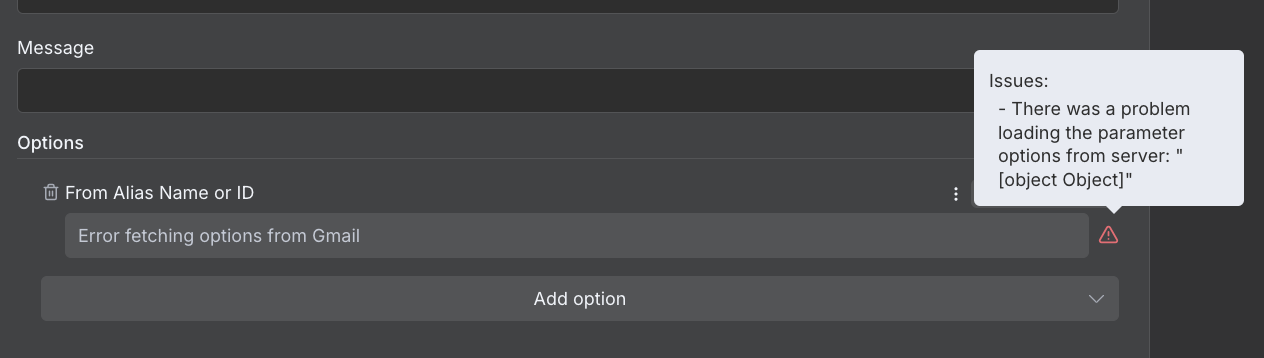
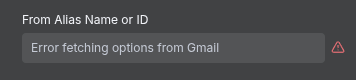
I am trying to create an email draft through gmail node(afaik send email, read drafts, etc. give the same error) and i get the error. The api is connected through Service Account and is working fine for docs, sheets, etc., but just gmail seems to not be working. Also when i want to add From Alias Name or ID it says “Error fetching options from Gmail“
What is the error message (if any)?
Bad request - please check your parameters (item 0)
Precondition check failed.
Please share your workflow
Share the output returned by the last node
Bad request - please check your parameters (item 0)
Precondition check failed.
From Gmail:
Full message
{ “error”: { “code”: 400, “message”: “Precondition check failed.”, “errors”: [ { “message”: “Precondition check failed.”, “domain”: “global”, “reason”: “failedPrecondition” } ], “status”: “FAILED_PRECONDITION” } }
Other Info:
Item Index
0
Node type
n8n-nodes-base.gmail
Node version
2.1 (Latest)
n8n version
1.109.2 (Self Hosted)
Time
11/1/2025, 8:55:55 PM
Stack trace
NodeOperationError: Bad request - please check your parameters (item 0) at ExecuteContext.execute (/usr/local/lib/node_modules/n8n/node_modules/.pnpm/n8n-nodes-base@file+packages+nodes-base_@[email protected]_asn1.js@5_1af219c3f47f2a1223ec4ccec249a974/node_modules/n8n-nodes-base/nodes/Google/Gmail/v2/GmailV2.node.ts:834:11) at processTicksAndRejections (node:internal/process/task_queues:105:5) at WorkflowExecute.executeNode (/usr/local/lib/node_modules/n8n/node_modules/.pnpm/n8n-core@file+packages+core_@[email protected]_@[email protected]_5aee33ef851c7de341eb325c6a25e0ff/node_modules/n8n-core/src/execution-engine/workflow-execute.ts:1253:8) at WorkflowExecute.runNode (/usr/local/lib/node_modules/n8n/node_modules/.pnpm/n8n-core@file+packages+core_@[email protected]_@[email protected]_5aee33ef851c7de341eb325c6a25e0ff/node_modules/n8n-core/src/execution-engine/workflow-execute.ts:1427:11) at /usr/local/lib/node_modules/n8n/node_modules/.pnpm/n8n-core@file+packages+core_@[email protected]_@[email protected]_5aee33ef851c7de341eb325c6a25e0ff/node_modules/n8n-core/src/execution-engine/workflow-execute.ts:1727:27 at /usr/local/lib/node_modules/n8n/node_modules/.pnpm/n8n-core@file+packages+core_@[email protected]_@[email protected]_5aee33ef851c7de341eb325c6a25e0ff/node_modules/n8n-core/src/execution-engine/workflow-execute.ts:2303:11
Information on your n8n setup
- n8n version: 1.109.2
- Running n8n via: locally hosted through docker destkop
- Operating system: Linux Mint