GRL
1
Hi
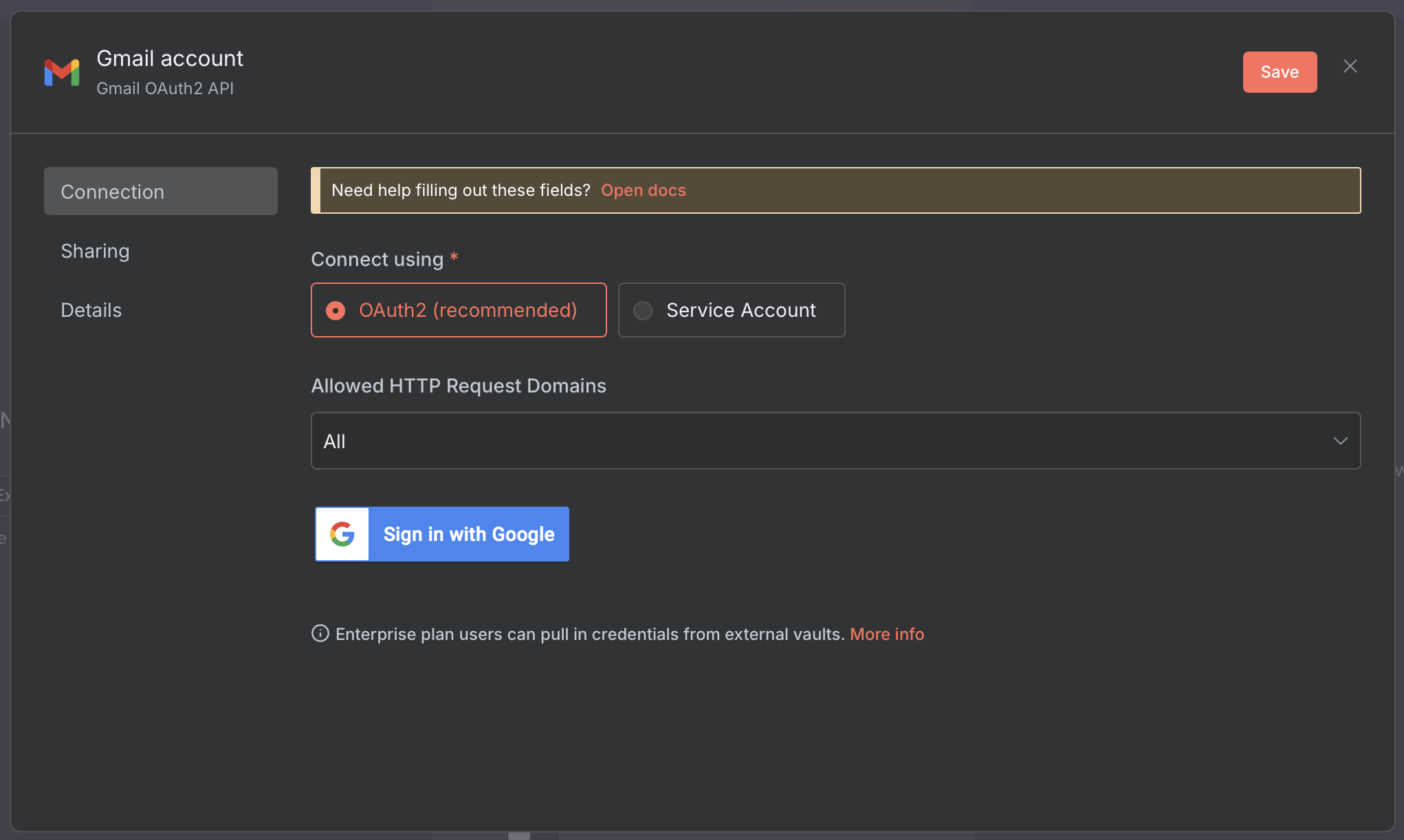
I’m trying to connect the gmail OAuth2 credentials and from some videos I’ve watched it looks like there are some mandatory fields required.
However on my screen, below, the option to add the fields does not show.
Is it a bug with the node… or me!
Information on your n8n setup
- Running n8n via (Docker, npm, n8n cloud, desktop app): n8n cloud
- Operating system: MacOS 15.4.1
jabbson
2
Hey @GRL, hope all is well.
Have you tried just to Sign in with the button on your screen and go through the auth process? If so, were there any errors?
The videos you’ve watched probably explain the process for self-hosted setup, which could be a bit different. No need for IDs here.
krisn0x
3
It’s expected in the cloud hosted n8n, simply go through the Sign up button and make sure you have setup as much as possible from this:
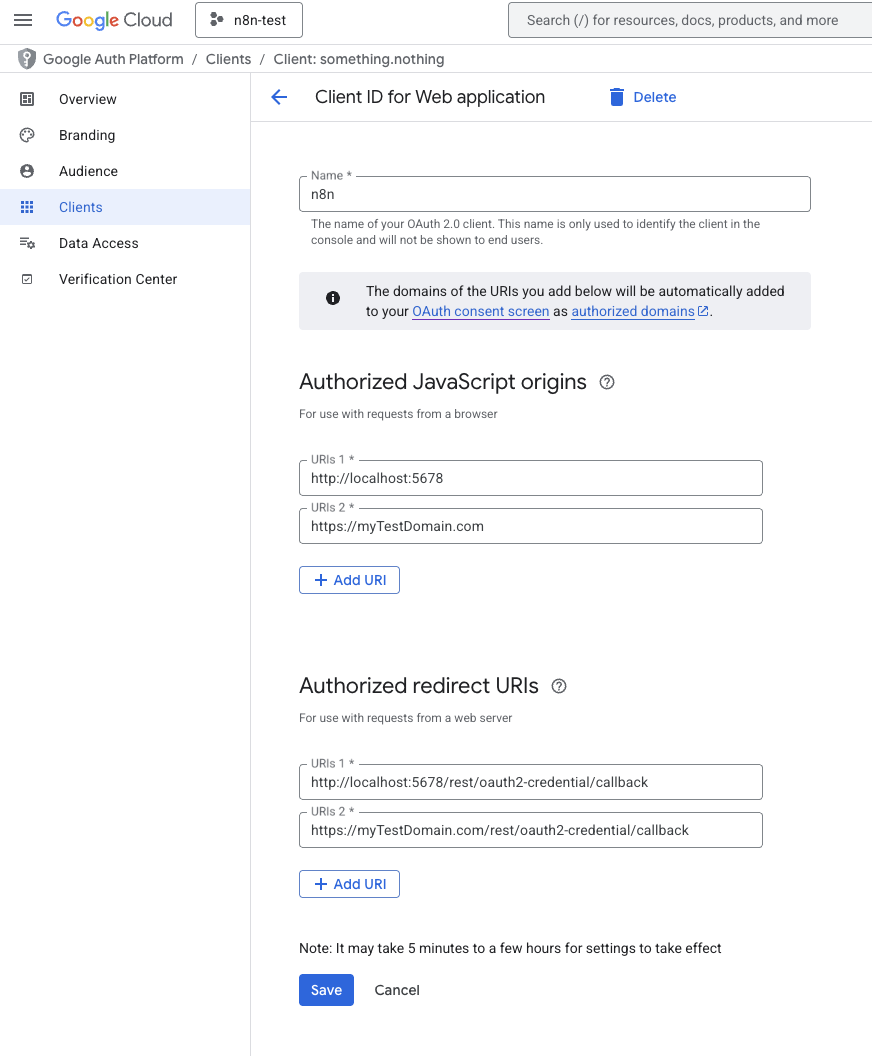
After setting up the Oauth consent screen (from the left side panel in the Google API Console), please check these steps:
-
Make sure the n8n redirect URL is correctly set:
-
Make sure you copy-pasted the client secret and client ID into n8n without spaces or typos
-
While at it, also make sure you enabled the respective Google app API:
Google Cloud Library
Feel free to mark me as Solution if I helped
GRL
4
When I click sign in I get a toast saying, connected.
But when I try to go back to the flow I get a modal asking for other info
For the below steps, where are they supposed to go?
“Make sure you copy-pasted the client secret and client ID into n8n without spaces or typos“
jabbson
5
Try clicking Save button first and then Sign in.
krisn0x
6
Sorry, forgot to remove that one, it doesn’t apply in your case so all good 
system
Closed
7
This topic was automatically closed 90 days after the last reply. New replies are no longer allowed.