nkhwaja
September 17, 2025, 11:19pm
1
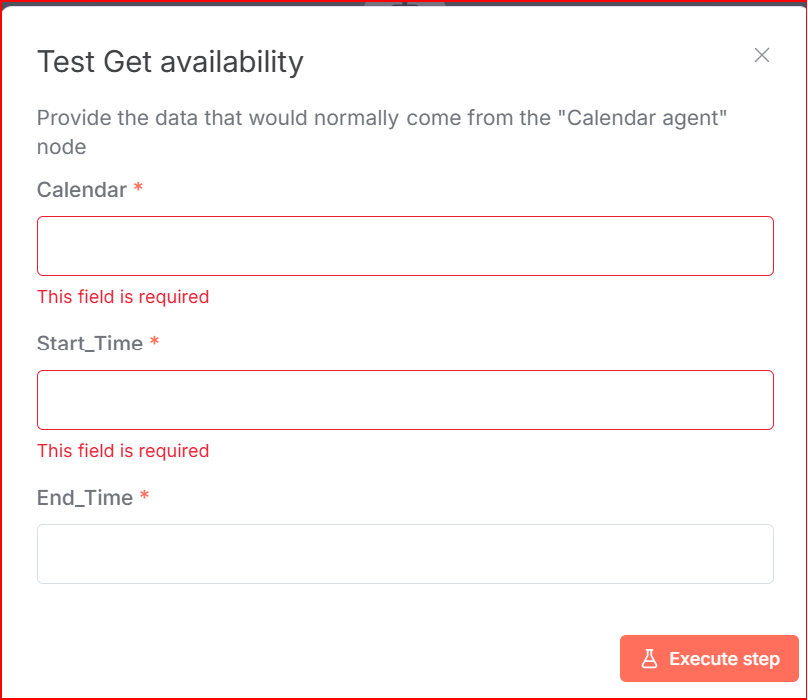
I am trying to read google calendar in an AI agent. Defined ceredentails successfully but then the next screen in N8N has blank fields to fill in with what?
(Select the nodes on your canvas and use the keyboard shortcuts CMD+C/CTRL+C and CMD+V/CTRL+V to copy and paste the workflow.)
n8n version: Database (default: SQLite): n8n EXECUTIONS_PROCESS setting (default: own, main): Running n8n via (Docker, npm, n8n cloud, desktop app): Operating system:
jabbson
September 17, 2025, 11:21pm
2
Hey @nkhwaja hope all is well.
Would you like to share a screenshot maybe to make sure we are talking about the same things?
nkhwaja
September 17, 2025, 11:24pm
4
what needs to be filled in?? I am defining google calendar access. Previous screen was:
nkhwaja
September 17, 2025, 11:29pm
5
I m running N8N locally. Installed it by NPM
jabbson
September 17, 2025, 11:33pm
8
It looks like your OAuth app is in testing mode and you haven’t added yourself to the list of testers?
jabbson
September 17, 2025, 11:45pm
10
Under Audience - find the Test Users and add your own email to testers.
jabbson
September 17, 2025, 11:47pm
11
Check out this video
Here they go with publishing the app at around 3:46.
Also see this page about this:
nkhwaja
September 18, 2025, 12:48am
12
perfect!! worked. You are great!
1 Like
jabbson
September 18, 2025, 12:56am
13
Amazing! Great job!
Kindly mark my answer as Solution, please and thank you!
Cheers!
Thank you for sharing such information.
system
December 17, 2025, 7:00am
15
This topic was automatically closed 90 days after the last reply. New replies are no longer allowed.