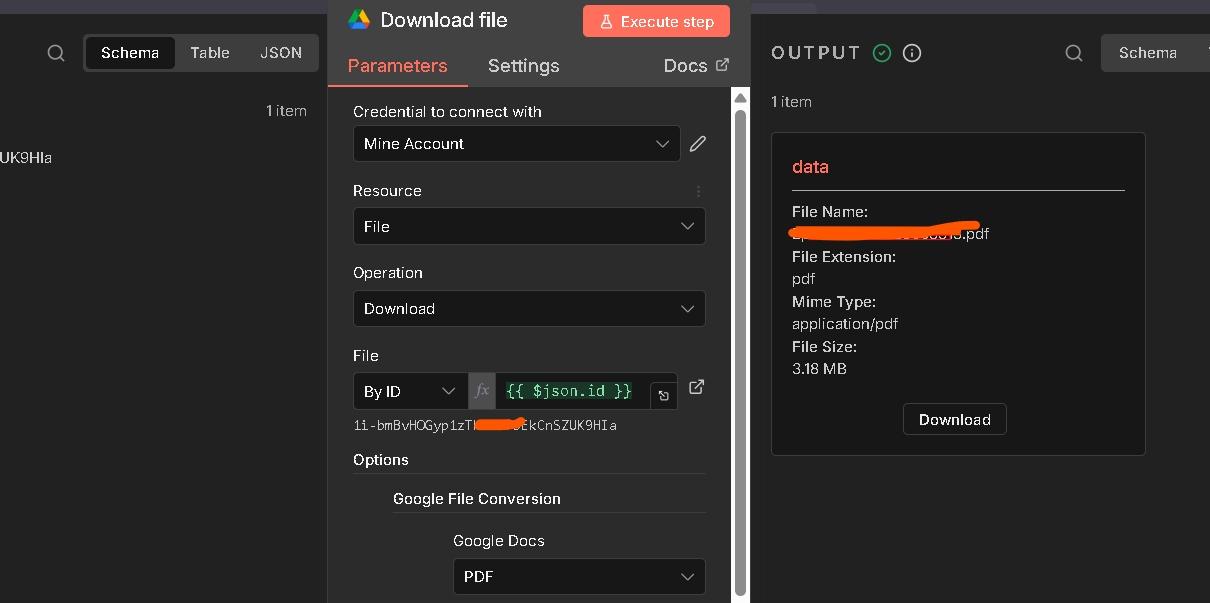
Unable to download files with the Google Drive node.
No error message, but no files getting downloaded in the Output section.
Please share your workflow
{
“nodes”: [
{
“parameters”: {
“jsCode”: “const applicantData = $input.first().json;\nconst fileIds = applicantData.fileIds || ;\n\nconst items = fileIds.map(fileId => ({\n json: {\n fileId: fileId,\n applicantData: applicantData\n }\n}));\n\nreturn items.length > 0 ? items : [{ json: { fileId: null, applicantData: applicantData } }];”
},
“id”: “6c0f7a64-268f-4d3d-86c4-bea321d14f9c”,
“name”: “Split File IDs”,
“type”: “n8n-nodes-base.code”,
“typeVersion”: 2,
“position”: [1536, -48]
},
{
“parameters”: {
“operation”: “download”,
“fileId”: {
“_rl": true,
“value”: “={{ $json.fileId }}”,
“mode”: “id”
},
“options”: {
“googleFileConversion”: {
“conversion”: {
“docsToFormat”: “text/plain”,
“drawingsToFormat”: “application/pdf”,
“slidesToFormat”: “application/pdf”,
“sheetsToFormat”: “application/pdf”
}
},
“fileName”: "=file{{ $json.fileId }}”
}
},
“id”: “1406a72e-1f47-428d-87bd-aefaa33d6cbf”,
“name”: “Download File”,
“type”: “n8n-nodes-base.googleDrive”,
“typeVersion”: 3,
“position”: [1760, -48],
“alwaysOutputData”: false,
“credentials”: {
“googleDriveOAuth2Api”: {
“id”: “YOUR_CREDENTIAL_ID”,
“name”: “Google Drive account”
}
},
“onError”: “continueRegularOutput”
},
{
“parameters”: {
“jsCode”: “const items = $input.all();\nconst results = ;\n\nfor (const item of items) {\n const fileData = {\n fileId: item.json.fileId,\n fileName: item.json.name || item.json.fileName || ‘Unknown’,\n mimeType: item.json.mimeType || ‘’,\n content: ‘’,\n error: null\n };\n \n if (item.binary) {\n for (const key of Object.keys(item.binary)) {\n const binaryData = item.binary[key];\n if (binaryData.data) {\n try {\n const decoded = Buffer.from(binaryData.data, ‘base64’).toString(‘utf-8’);\n fileData.content = decoded.substring(0, 15000);\n fileData.mimeType = binaryData.mimeType || fileData.mimeType;\n fileData.fileName = binaryData.fileName || fileData.fileName;\n } catch (e) {\n fileData.content = ‘[Binary file - could not extract text]’;\n }\n }\n }\n }\n \n if (item.json.data) {\n try {\n fileData.content = item.json.data.toString().substring(0, 15000);\n } catch (e) {\n fileData.content = ‘[Could not read file content]’;\n }\n }\n \n results.push({ json: fileData });\n}\n\nreturn results;”
},
“id”: “66b30e00-75fe-4c52-a695-5511fd1b1e43”,
“name”: “Extract File Content”,
“type”: “n8n-nodes-base.code”,
“typeVersion”: 2,
“position”: [1984, -48]
}
],
“connections”: {
“Split File IDs”: {
“main”: [
[
{
“node”: “Download File”,
“type”: “main”,
“index”: 0
}
]
]
},
“Download File”: {
“main”: [
[
{
“node”: “Extract File Content”,
“type”: “main”,
“index”: 0
}
]
]
},
“Extract File Content”: {
“main”:
}
},
“pinData”: {}
}
Nothing getting generated. Gets stuck spinning and then says nothing outputted.
Information on your n8n setup
- n8n version: 1.122.3
- Database (default: SQLite):
- n8n EXECUTIONS_PROCESS setting (default: own, main): default
- Running n8n via (Docker, npm, n8n cloud, desktop app): Docker
- Operating system: MacOs Sequoia 15.7.2 on Brave Browser