the unauthorized error usually means your oauth credentials in google cloud console don’t match what n8n is using. make sure the callback url in your google app settings matches your n8n instance exactly (including http vs https), and try deleting the credential in n8n and creating a new one from scratch — sometimes they just get corrupted. if you’re self-hosted, you might also need to set the WEBHOOK_URL env var correctly. saw this same issue when testing on localhost before, was the redirect uri mismatch.
if you’re still stuck, feel free to share the exact error message you’re seeing — sometimes there’s something subtle in the setup (like a missing scope in the google app). happy to help troubleshoot further.
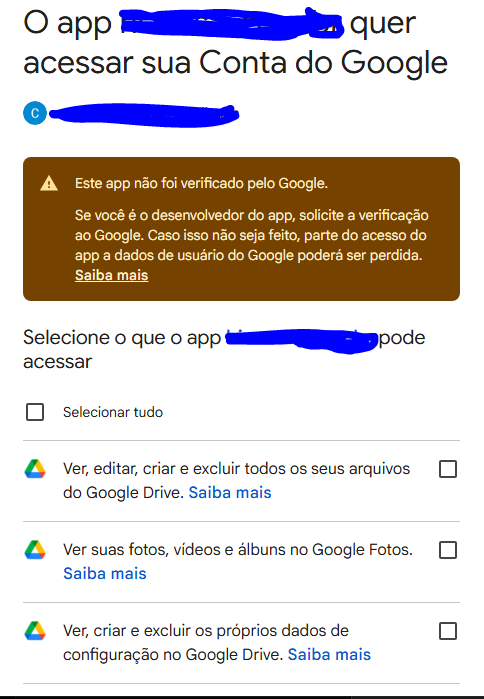
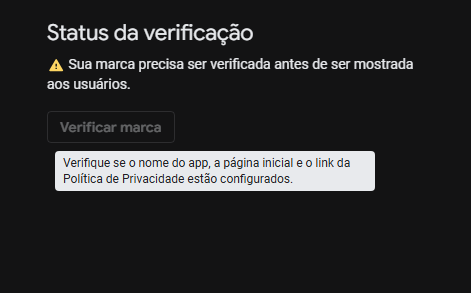
still hitting it at the same step, or has anything changed since? one thing worth checking — if your google cloud oauth app is still in Testing mode, you need to add your google account as a test user in the consent screen settings. apps in testing mode block everyone except listed test users.
Even after putting it in test mode and adding my email as the only user with access, the error persists. I even deleted and recreated the project to see if it would work, but the error continues.
the login error is a new symptom — sounds like something might have gone wrong with the credential itself when you recreated the project. try this:
in n8n, go to your google drive credential and click “test connection” — what’s the exact error message it shows?
in your google cloud console, check that the OAuth app’s redirect URI still matches exactly what n8n shows in the credential setup (copy-paste to compare, no typos)
if you’re on n8n cloud, make sure you’re using the cloud oauth app credentials, not testing/localhost ones
if step 1 shows a specific error, share that message and we can narrow it down — sometimes the error text gives away what’s actually misconfigured. the recreating the project part should have reset things, so if testing mode + test user didn’t help, it’s likely something with the uri or credential corruption.