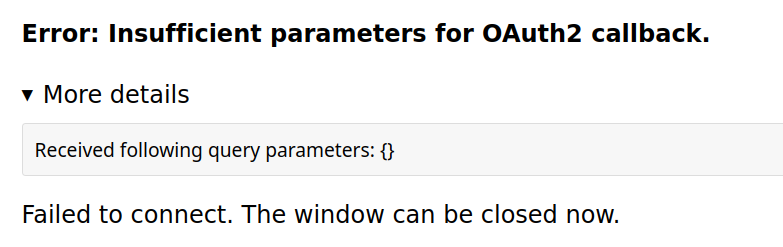
I moved the app from testing to published. I did this before and no joy, but this time I deleted the Oauth credentials and recreated them after publishing the app.
Then I reconnected the Google drive Oauth API in n8n.
When I ran the workflow, I got a new error saying the prject was not yet enabled The error gave me a URL to visit to enable the project which I did. The url took to me a google api screen and with the option ot enable.
Once I enabled I ran the work flow again and success!
Feel like I solved this one by just banging and clicking until something worked…
It’s not working for me, tried to delete and re-enable OAuth from Google and I always get Error 400: redirect_uri_mismatch
I figured out that I was using a n8n.cloud.VERYLONGID redirect uri before but in the recent verisons of N8N that was changed to a friendly address related to my own instance.
That could be related to this issue?
Tried to move to Budibase but integration lacks of docs so I’m impossibilited to use my workflows at this time.
That error means the url set in your google app is not the same as the url n8n is configured to use, can you make sure they are both the same.
If you are using the tunnel option restart n8n and check the url to see if it has changed, if you are using your own domain make sure the webhook_url includes the protocol
Thanks for your reply! I tried https://subdomain.mywebsite.com as webhook_url and it didn’t work (the 5678 port is not exposed so I understand that’s not the correct URL to set).
By the way, the redirect is working when I try to enter from the URL that workflow config shows:
So that looks like it could be a different idea and it isn’t the redirect_uri_mismatch, is this the google sheet credential or the google sheet trigger credential?
Are you still getting the redirect_uri_mismatch message? If you are can you share what your redirect URI is set to in Google and what n8n shows it as in the credential?
Hello,
I have created a project in GCP as a userType: Internal. I dont see any option to publish this project to production so that the refresh token does not expire and how many time I can use refresh token to get access token?
You would need to set it to external then use the publish option, for internal there may be another approach to take. We don’t really have any control over this as it is all managed by Google but they may have some documentation around internal apps that could help.
I’m encountering a recurring issue with the Google Sheets node where my authentication token expires every week, causing my workflows to fail. Since the thread is still open despite being created in 2021 and last updated in 2023, I assume a solution has not been found yet.
Error Details:
“The provided authorization grant (e.g., authorization code, resource owner credentials) or refresh token is invalid, expired, revoked, does not match the redirection URI used in the authorization request, or was issued to another client.”
Error code: EAUTH
Node type: n8n-nodes-base.googleSheets
Node version: 4.4 (Latest)
n8n version: 1.54.4 (Self Hosted)
Steps to Reproduce:
Connect Google Sheets node with valid credentials.
Workflow runs successfully for approximately one week.
Workflow fails with the EAUTH error.
Reconnecting the Google Account temporarily resolves the issue.
Additional Information:
My Google App is currently in “Testing” status.
Has anyone else experienced this issue or found a permanent solution? Any guidance would be greatly appreciated!
Hi,
I’m having the same issue with the app being in testing. I couldn’t find any info on what happens when the app moves to production. In the console, it says:
“In production:
Once you set your app status as “In production”, your app will be available to anyone with a Google Account.”
I really don’t want anyone to be able to access my drive, Gmail, and so on.
Is that what happens?
It’s also frustrating that the workflow doesn’t throw an error. It just sits there. I only notice it when I try to run the workflow manually — then an error occurs.
If it’d throw an error, I could capture it in time and act. Sometimes the workflow stops for hours without me realizing. Any ideas on how to solve this?
“In production:
Once you set your app status as “In production”, your app will be available to anyone with a Google Account.”
Thats exactly what I am also concerned about. Maybe I just don’t get what this Google App really is, but I am not willing to turn it to production without understandig what that means.
I did not find any other solution on how to fix this expiring token..its super anoying.