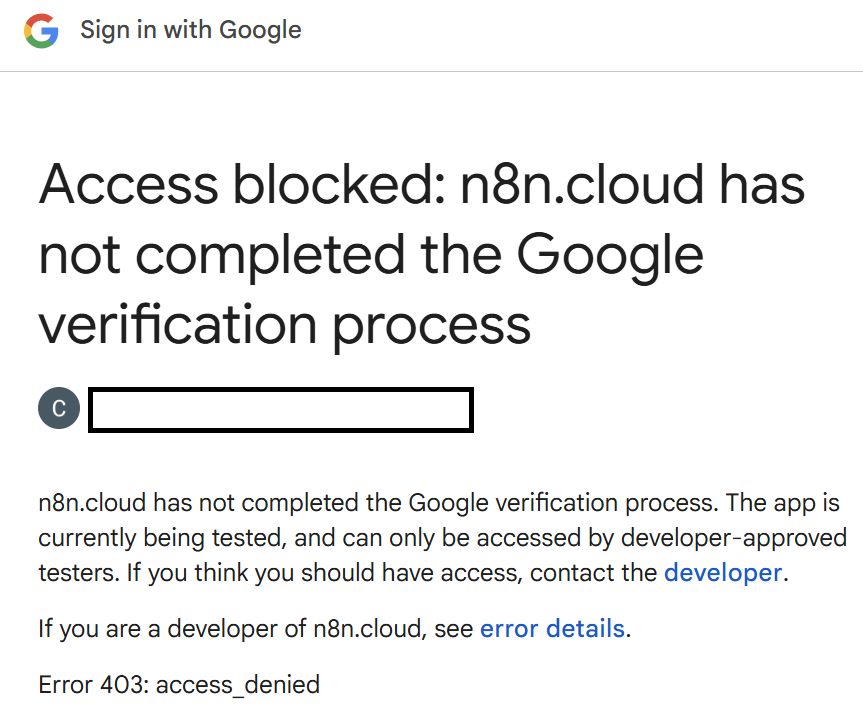
I am trying to connect a Google Translate node to Twillio so the agent can detect English or Spanish upon message received. I went through all the steps one-by-one with the OAuth2 callback and such.
Twillio Trigger > Get A Message > Translate
n8n version: 1.102.4Database (default: SQLite): n8n EXECUTIONS_PROCESS setting (default: own, main): ownRunning n8n via (Docker, npm, n8n cloud, desktop app): n8n cloudOperating system: Win11
Dear @CandiAnne How’s everything going on with you !
Regarding the problem you are facing, it’s happening because you have forget to add your email id inside audience section of Google Console.
So, when to generate Client ID and Secre, you have autheticate inside Google Console, you have done everything right.
But forget to add the Email Id inside audience section.
Solution,
Please go and add your Email ID inside audience section and it will start working.
Rememdation :- If possible please create the new OAuth.
Happy to help.
(If this solve the problem, then please mark it as solution, because this will help others too.)
1 Like
Thank you so much!!! LOL that part wasn’t in the instructions but thankfully @Muhammad_Ashar helped me out. I appreciate you Kuldip
1 Like
Dear @CandiAnne , In future if you need any help, or would like to build any custom workflow, I would love to help you in this pursuit too…
Happy to help buddy…
system
July 28, 2025, 4:40am
5
This topic was automatically closed 7 days after the last reply. New replies are no longer allowed.