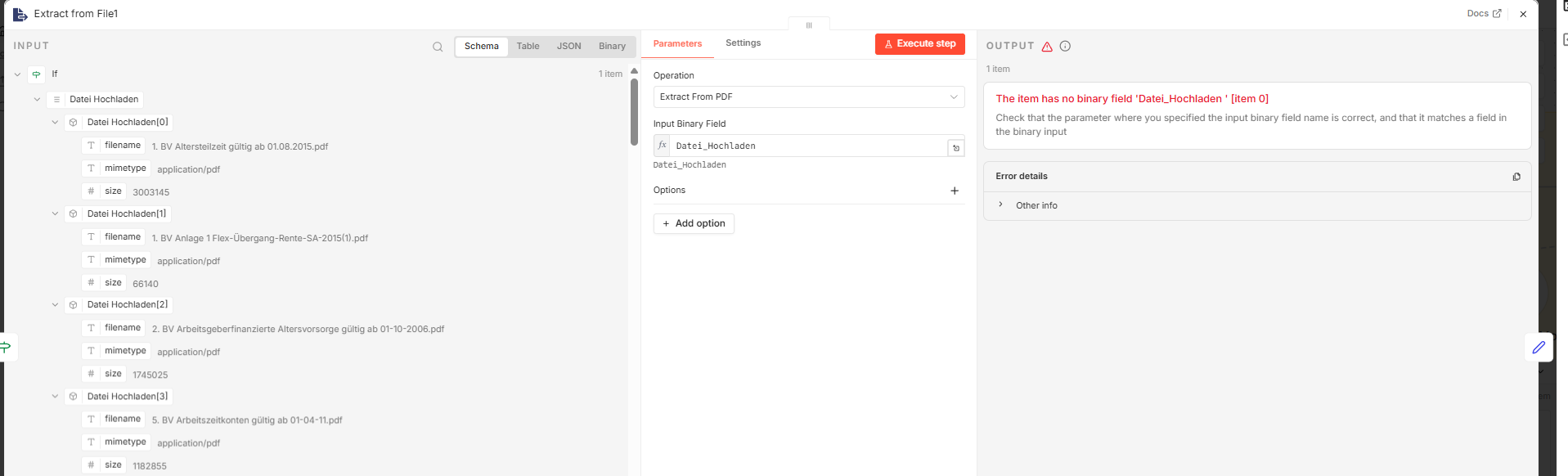
I’m trying to upload multiple files at once using the On Form Submission node.
This works in general, but I run into problems in the Extract from PDF node.
Problem
The issue is that the Input Binary Field changes depending on how many files are uploaded.
For a single file → no problem (e.g. Datei_Hochladen)
For multiple files → n8n seems to increment the field name:
Datei_Hochladen
Datei_Hochladen_1
Datei_Hochladen_2
etc.
Because of that, the Extract from PDF node can’t reliably process the input anymore.
Hi @Leon22 understood!
Just use a code node right after your form submission is completed, to iterate over all those binary keys and one item per time in file, and everything standardized with data key, so what would happen is that when you will place a code like this after your form submission node:
thanks again, your solution worked perfectly right away — really appreciate it!
I’m running into a follow-up issue though:
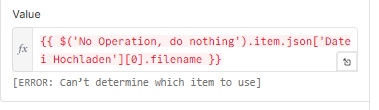
Now all entries in my database have the same filename in the metadata. It always takes the filename of the first uploaded document and assigns it to all others.
I’m currently passing the filename through the Default Data Loader, but it doesn’t seem to differentiate between the files after splitting them.
I also get a warning in the Default Data Loader related to this.
Is there a way to make sure each item keeps its correct filename from the original binary data?
Or do I need to explicitly map the filename in the Code node when splitting the files?
Also wondering: would this work if I introduce a loop (e.g. Split in Batches) so the files are uploaded one by one — would that ensure the filenames are correctly assigned? Or is that not necessary here?
Would really appreciate any hints — thanks again for your help!
Leon22’s Code node approach works fine for the split, but to preserve individual filenames you need to extract them in the Code node before splitting. try wrapping each file with metadata: { file: binaryData[b], filename: b } where b is the original form field name. Then after Extract PDF, use a Function node to tag each result with its filename before writing to the db. thats what stops all rows from picking up the first file’s name.