Help Needed: Auto-Fill Dynamic Content into DOCX/PPT Using Docxtemplater

Describe the problem/error/question

Hi everyone,

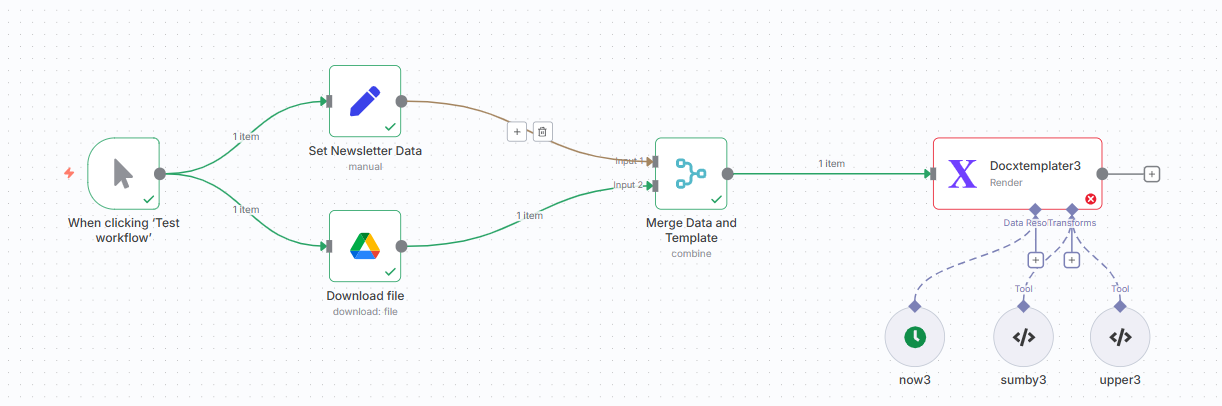
I’m new to both n8n and Docxtemplater. I’m trying to build a workflow that can automatically fill dynamic content into a DOCX or PPT file using a provided template. I believe Docxtemplater is the right tool for this, and I’ve attempted to build the workflow, but it’s not working as expected.

I’m getting error messages from the Docxtemplater node, and I’m not sure whether the issue is with my logic or the overall design direction.

I don’t have a programming background, so I’d really appreciate any guidance or suggestions on how to approach this properly and troubleshoot the errors.

Thanks in advance for your help!

What is the error message (if any)?

Parameter ‘context’ could not be parsed

Expected property name or ‘}’ in JSON at position 2 (line 2 column 1)

Please share your workflow

Share the output returned by the last node

Information on your n8n setup

  • n8n version: Version 1.107.3
  • Database (default: SQLite):
  • n8n EXECUTIONS_PROCESS setting (default: own, main):
  • Running n8n via (Docker, npm, n8n cloud, desktop app): Docker local host
  • Operating system: Win11

The workflow

Please share access to the sample template as well.

thank @jabbson

Below are the file link in google

Please let me know if you encounter any accessibility issues, or suggest an alternative way to share the content if needed.

Many thanks

What is missing in your posted workflow is you never passed the name to the template node, this is how it should look like

See if this works for you.

Thanks @jabbson

I copied and pasted it into my local n8n setup, but I’m still getting an error. Could you please let me know if the Docxtemplater settings are correct? Is there anything else I might have set up incorrectly
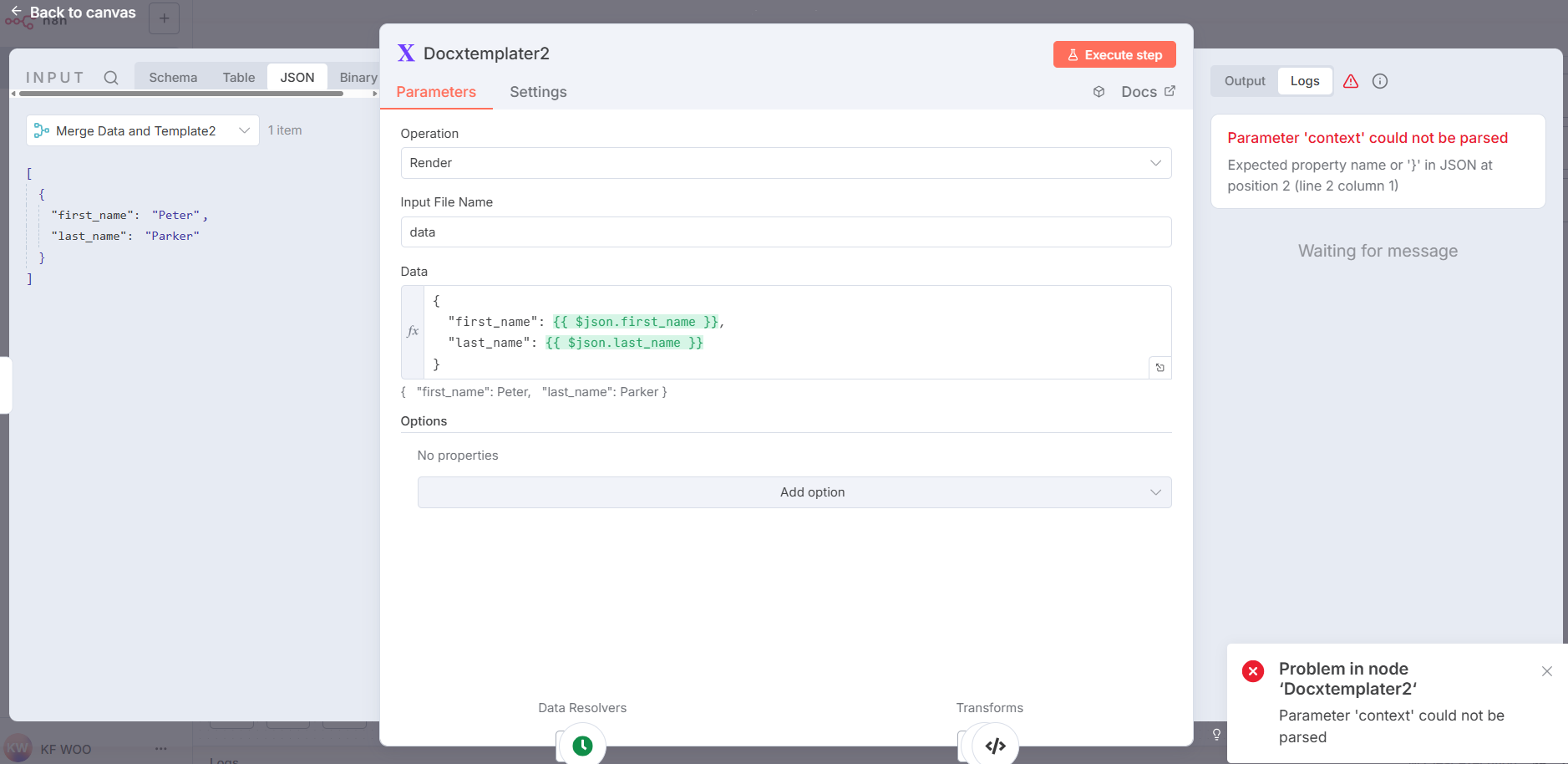
error in Docxtemplater

Thanks

Make sure the content of the data field in the template node is

{{ $json.toJsonString() }}

and the field is in the expression mode.

I know you’ve deleted that post, but the reason for that error was probably an extra pair of curly brackets.

1 Like

Yes, thank you @jabbson !

I finally realized what the problem was, which is why I quickly deleted it—I didn’t want to bother you. Thanks again, and sorry for the trouble!

1 Like

This topic was automatically closed 7 days after the last reply. New replies are no longer allowed.