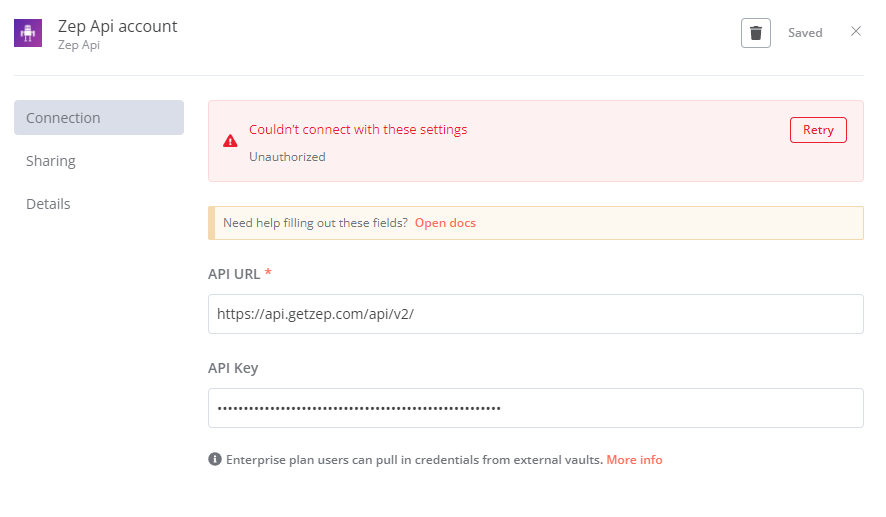
I’ve been trying to configure Zep Cloud in n8n, but I’m running into issues with the API URL. According to this FAQ link, the API URL for Zep Cloud is https://api.getzep.com.
So, I used the URL https://api.getzep.com, but I got the error message “Couldn’t connect with these settings. Not Found.” I also tried the API documentation URLs https://api.getzep.com/api/ and https://api.getzep.com/api/v2, but this resulted in the error “Couldn’t connect with these settings. Unauthorized.”
It’s worth mentioning that I generated the Project Keys from the Zep console and used this key in the connection configuration on n8n. I even tried regenerating it three times to ensure that there was no error in the process.
So, to summarize:
The Project Key is correctly generated (I assume this is the API key as I couldn’t find separate information for an API key).
I used the URL provided in the official FAQ.
I’m not sure what I’m missing. Any help or suggestions would be greatly appreciated. Thank you!
Error message
“Couldn’t connect with these settings. Not Found.” or “Couldn’t connect with these settings. Unauthorized.”
Try without the slash in the end https://api.getzep.com/api/v2
But maybe the n8n credential is intended for the Zep Client, not Zep Cloud. Because I see that it tries to test the connection against the uri/api/v1/collection that is not valid for the cloud Zep