Hello community! I am really stuck with a workflow. I am trying to send several images into n8n through Telegram to feed into Google Gemini Flash 2.5 (nanobanana) and to combine them to create new photos. The problem I seem to have is that I am only fetching 1 photo out of all of them. I need to fetch all of them to process them through NanoBanana and spit out back to Telegram the new image(s). I am quite stuck and I have a delivery deadline with my client… would someone be willing to hop on a call to help me finish this workflow? I appreciate it!
This is a limitation as far as I know with the way Telegram works with multiple attachments. If you have 3 image attachments for example, it will fire the trigger 3 times one for each image, so you end up with an execution where you dont have all the images in one place. There is a media group id which gets sent in the payload which you could use to then get all images, however there are a few caveats with this as well with timing etc of when the last image arrived. You might need to do a work around using the Telegram APIs direct if you want to get this to work.
Do you absolutely need to use telegram to get this done or are you open to explore alternative options if timeline is a factor?
Hello Wouter! My client wants this to be in Telegram so I would prefer to try it in this manner as best as possible. Otherwise, if its too combersome, I can explore another idea but sticking to Telegram would be preferable.
Here is a workflow to demonstrate how you can get all files in a single workflow by using Data Tables to keep track of the files.
If you send a text message the workflow goes to the End node which you can change to process normal messages.
If a single photo is uploaded the workflow will process the single file
If multiple files are uploaded, we store them all in a data table (or normal db if you want) for later processing. We then wait 5 seconds for all workflows (remember one execution per image) to be stored. After 5 seconds we then retrieve all records for each file in the media group and compare the last id we received. For the workflows which is not the last one we simply ignore. When we find the last workflow which was executed, we proceed to download all files. This is the execution you want to not carry forward into uploading your files to gemini and doing what you need
1 Like
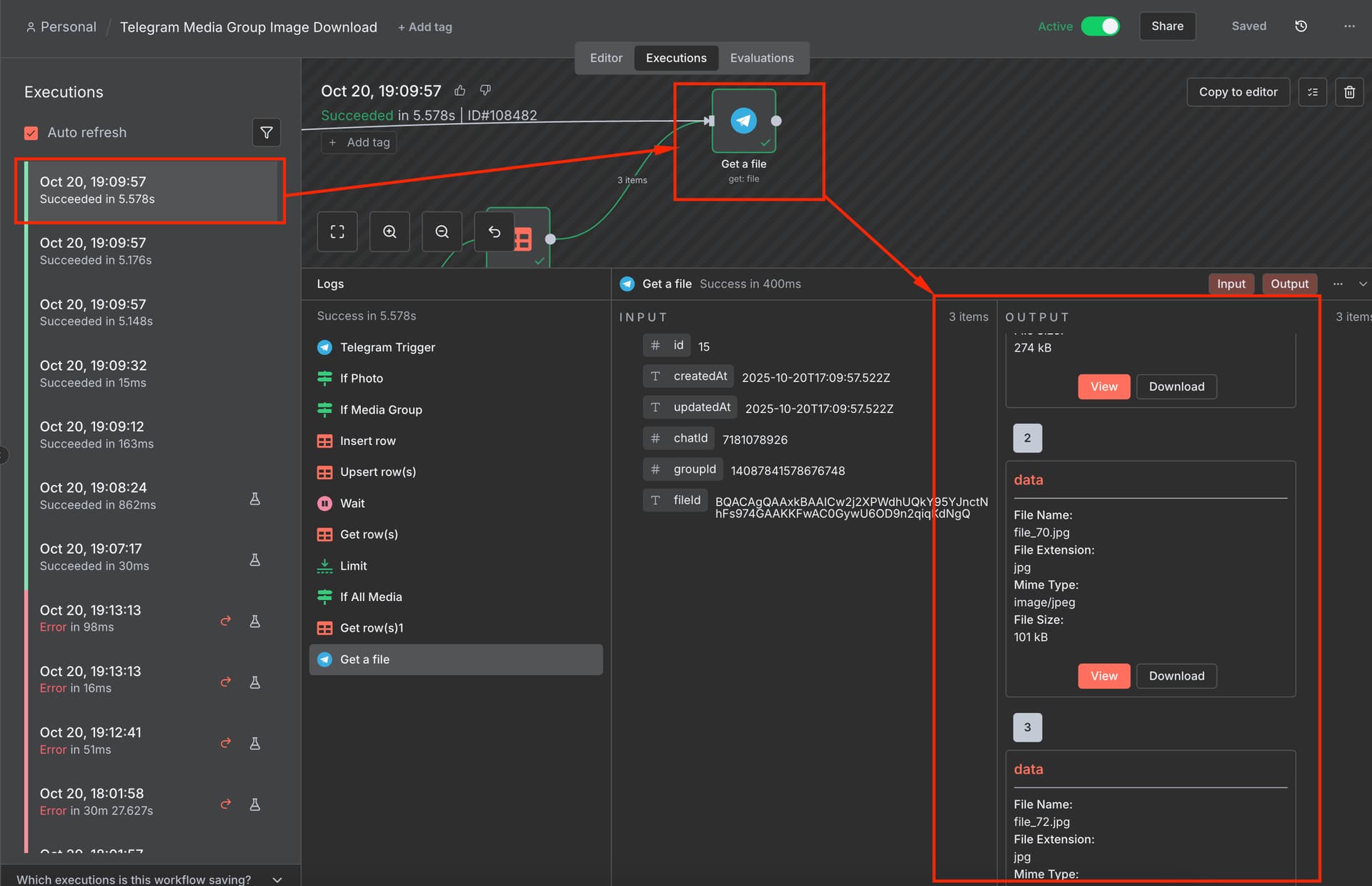
So I sent a message with 3 photos attached. As you can see there were 3 workflow executions, each writing a record to a data table for the chat, media_group_id and file_id. Only the last execution will actually go on to download all files and process them
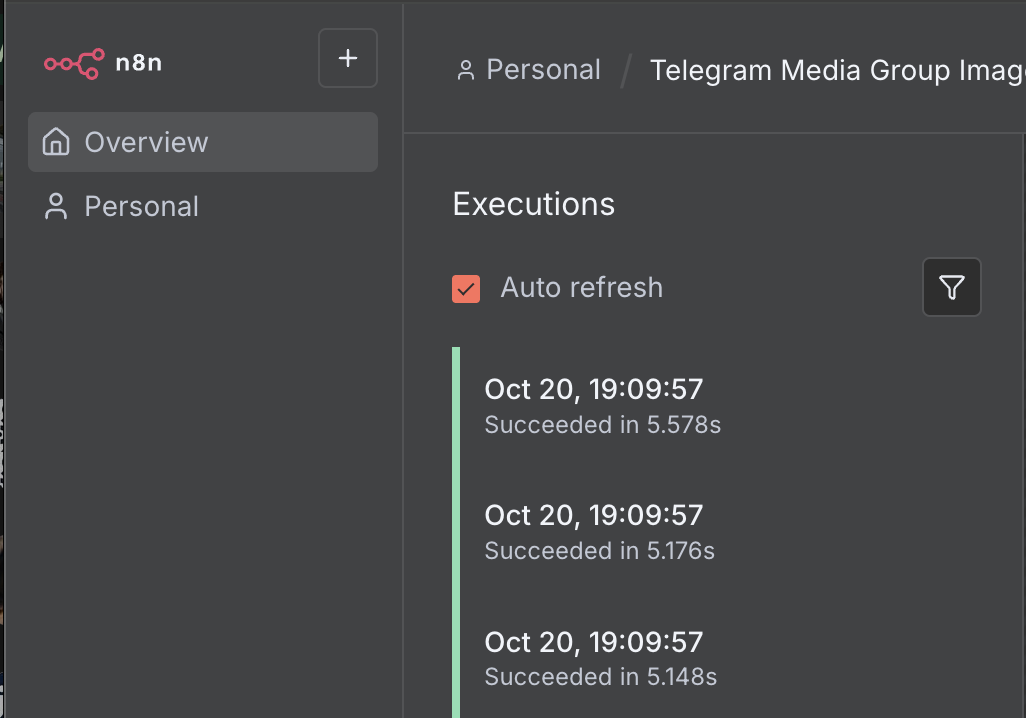
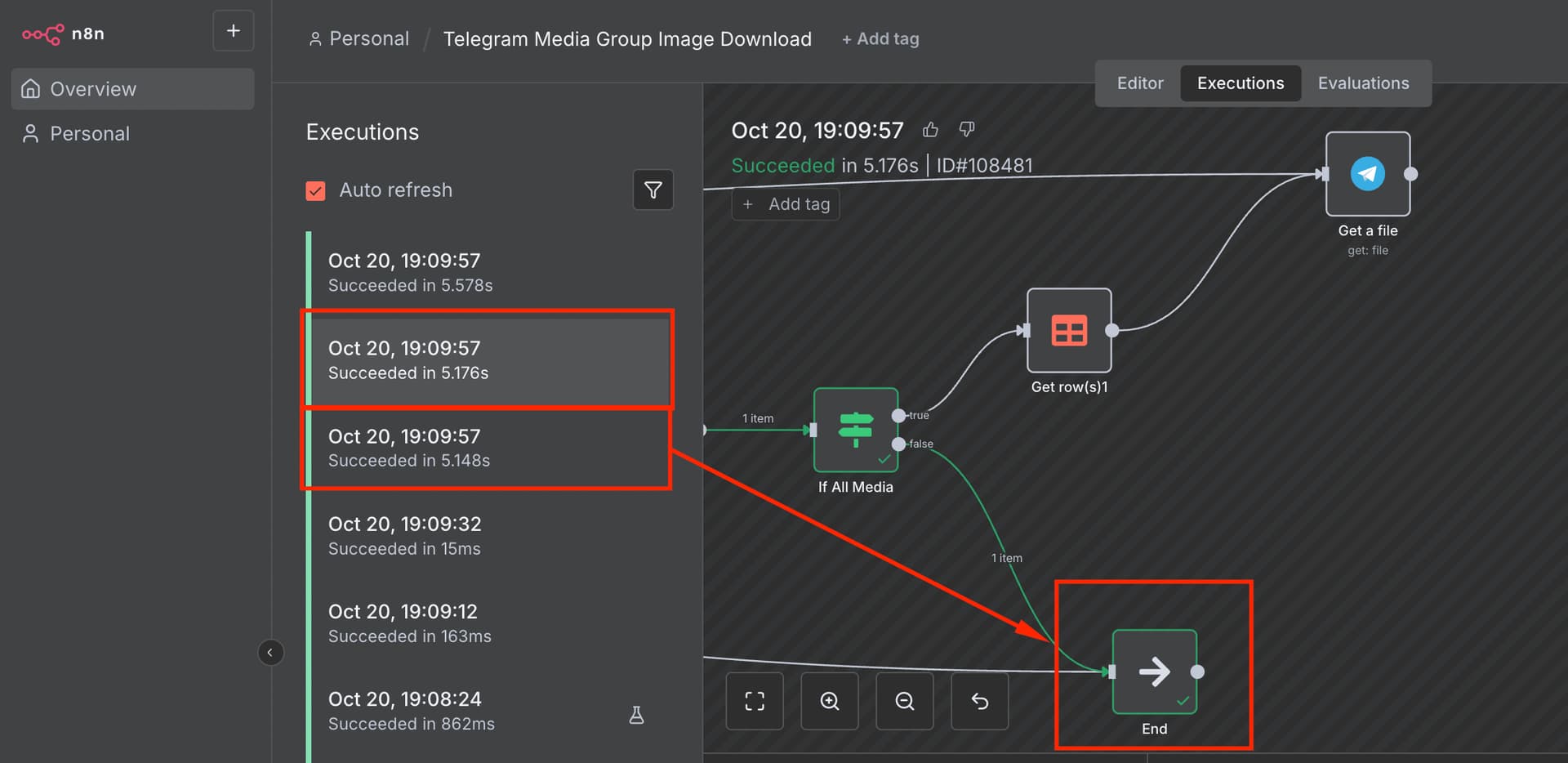
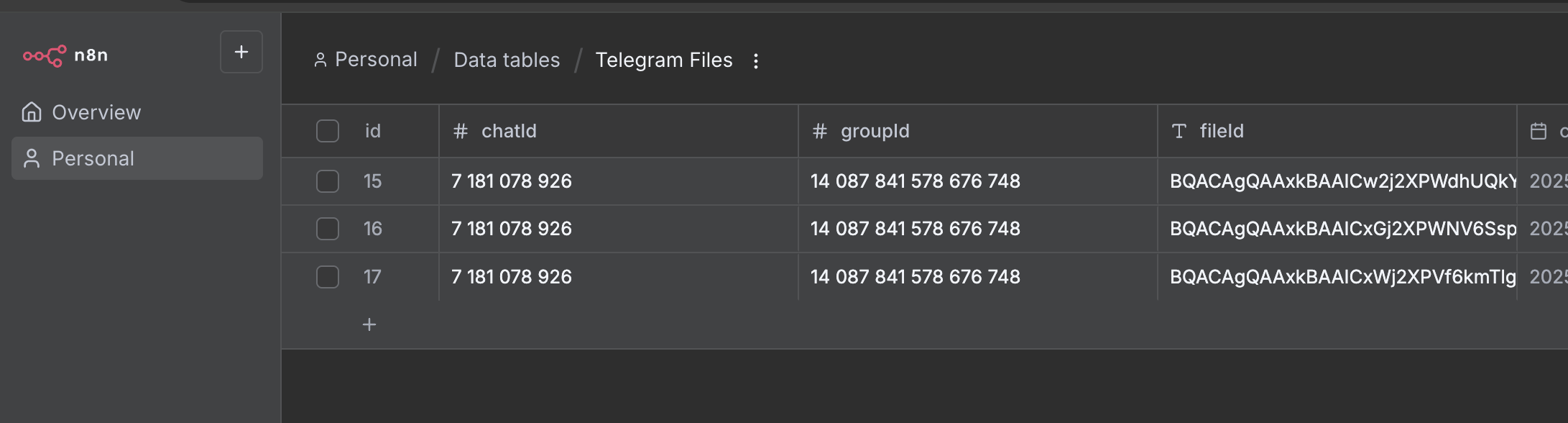
ONLY the final execution went on to download all files based on the media group id
I see the code block broke the workflow. You can download it here:
https://drive.google.com/file/d/1Xy6mqMei74885hHs-M0i7h4G_ndUFsik/view?usp=sharing
Wouter, you cannot image how much you have helped me. Thats the solution I needed!! I have impleted it into my workflow. But now I am getting stuck on the very last step. I managed to get all photos into n8n, recover their binary (as you showed me above) and even feed them into Google Gemini Flash 2.5 image preview (nanobanana) API endpoint through HTTP request. However, I am really struggling to convert the output (base64) back to binary (through Convert to file node). I am not sure what is the error and how to fix it. I have been sending only 2 images into this n8n workflow through Telegram with a simple prompt (in the caption) as “Combine these two images (as example). Could you help me from here so I can Convert the Base64 data from the Nanobanana API call into binary to send back to Telegram?
The specific error is: “The value in {{base64data}} is not set”
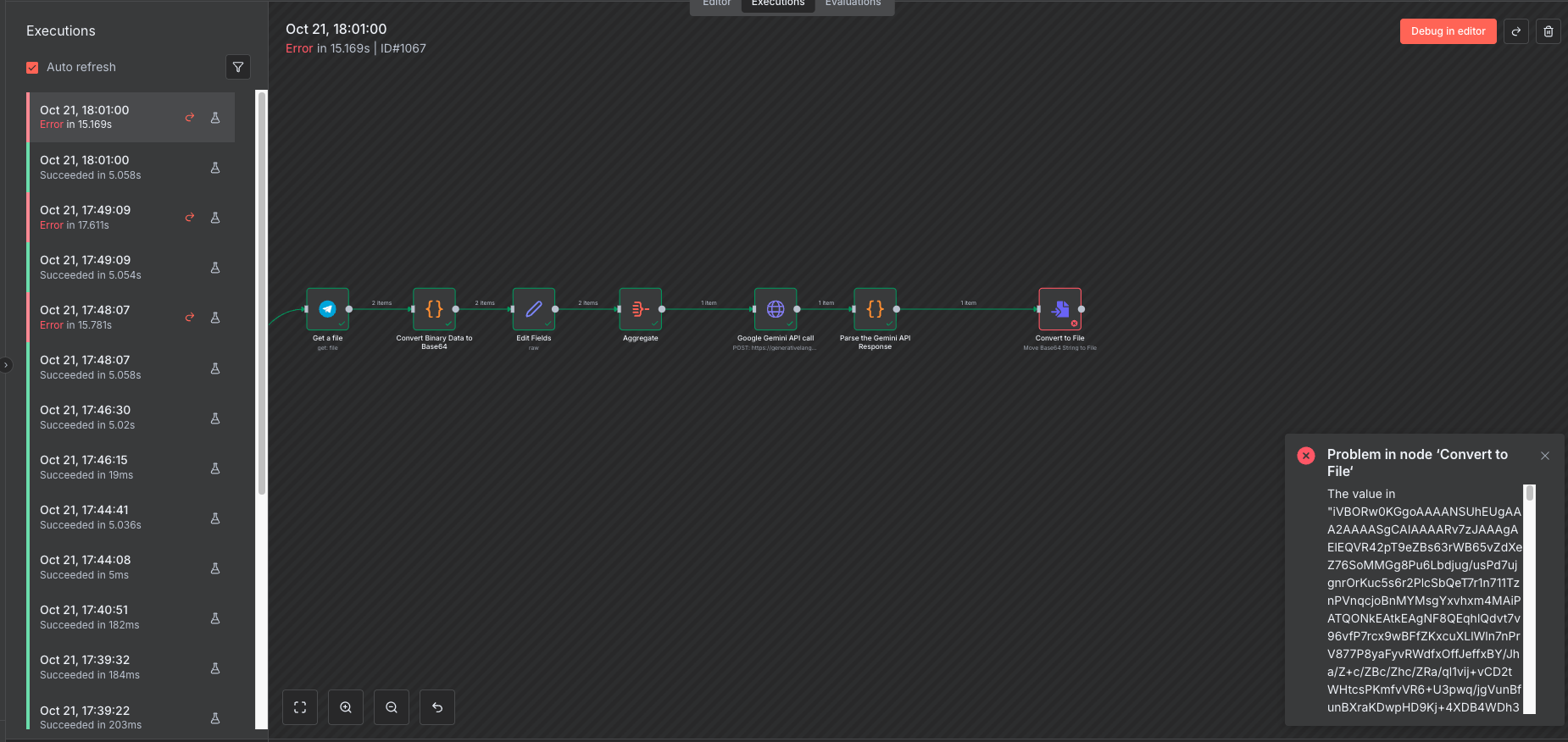
Here is the workflow:
Just to close this off, based on our call now, you just had to map out the data from the Gemini response so the base64 to file node could look at the correct data.
2 Likes
Thank you so much for your help @Wouter_Nigrini !
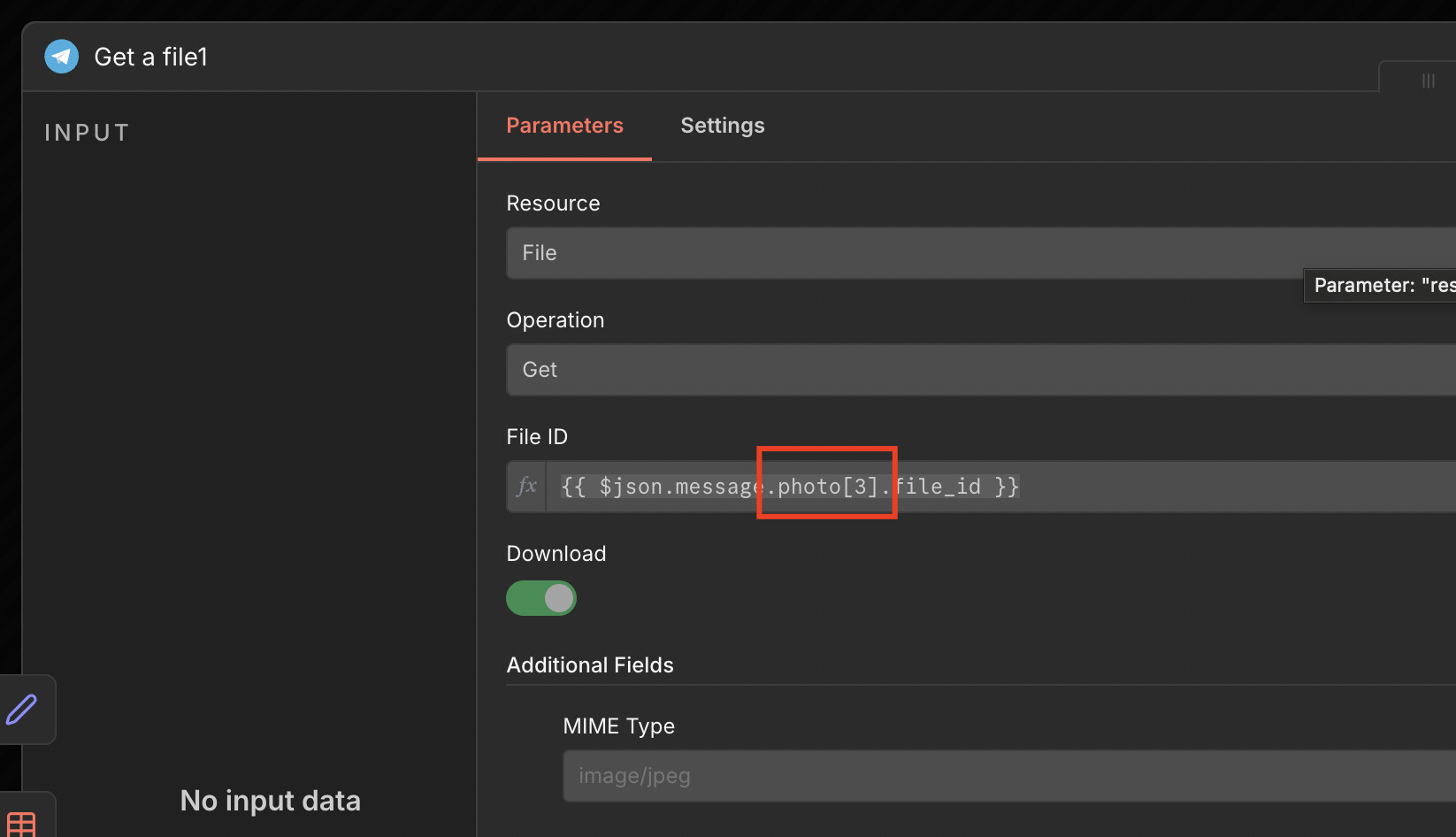
i am havin an issue with the workflow i dont understan why i am getting a diffrent result compared to the one above plese help
@Nehemiah_Workflows in the last node “Get a file1” you’re mapping the data to photo[3] which is not the same as to my original example. This will cause you to only get one file
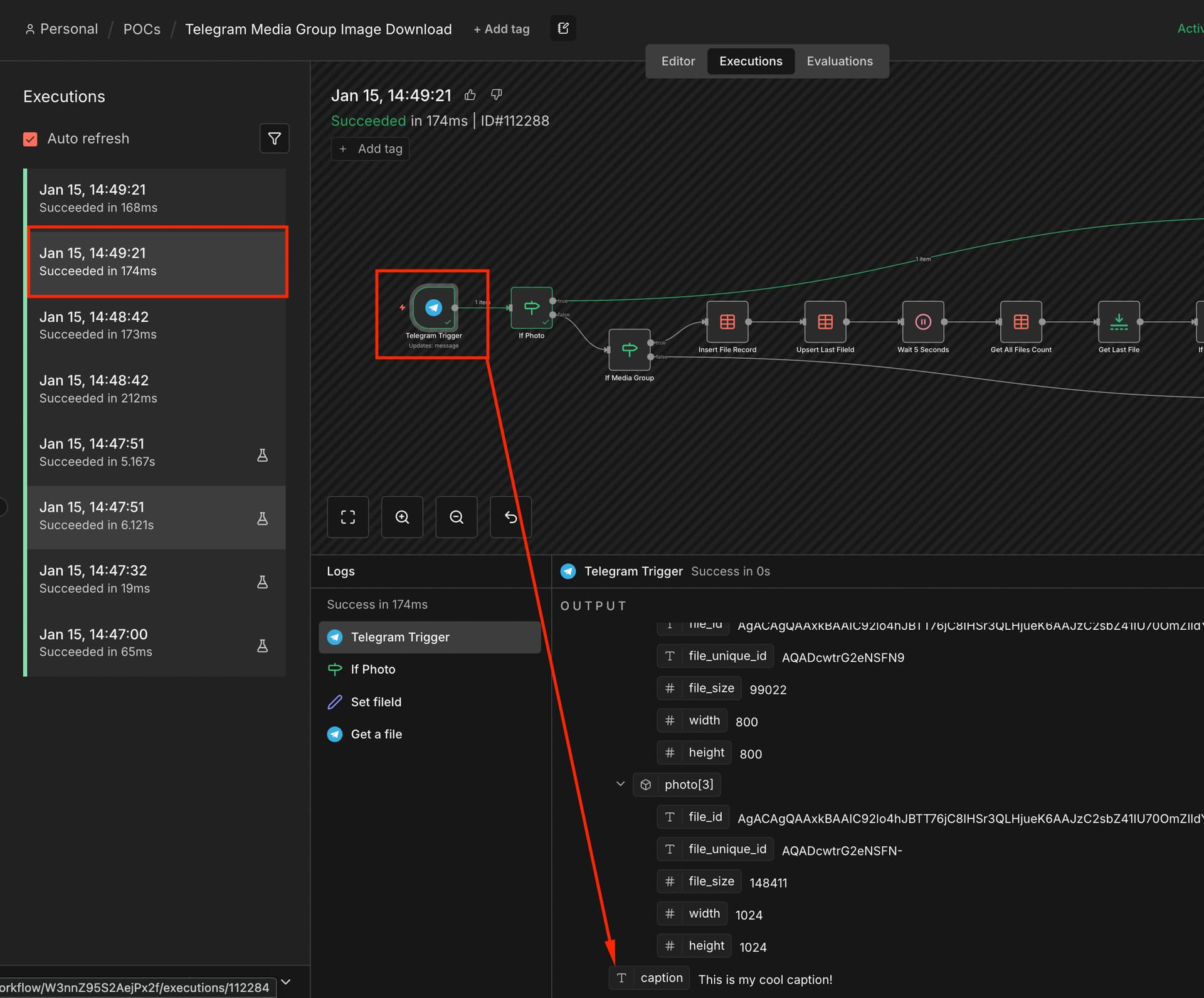
Hi Wouter, I’m having a similar issue with sending multiple images. In my case, I need to use the caption as the name for a new Google Drive folder. However, every time I send multiple images at once, the caption doesn’t seem to come through. Do you have any advice on how to fix this? @Wouter_Nigrini
The workflow is exactly the same. You’ll just need to capture the caption from the first call which came through and then store it in the data table, the same way you store the image ids. Then use it on the last call when all images got triggered.
I would add the additional column to the Data Table “Telegram File Count“ as this caption is then stored once for the media group. I would probably now rename this table to something like “Telegram File Metadata”
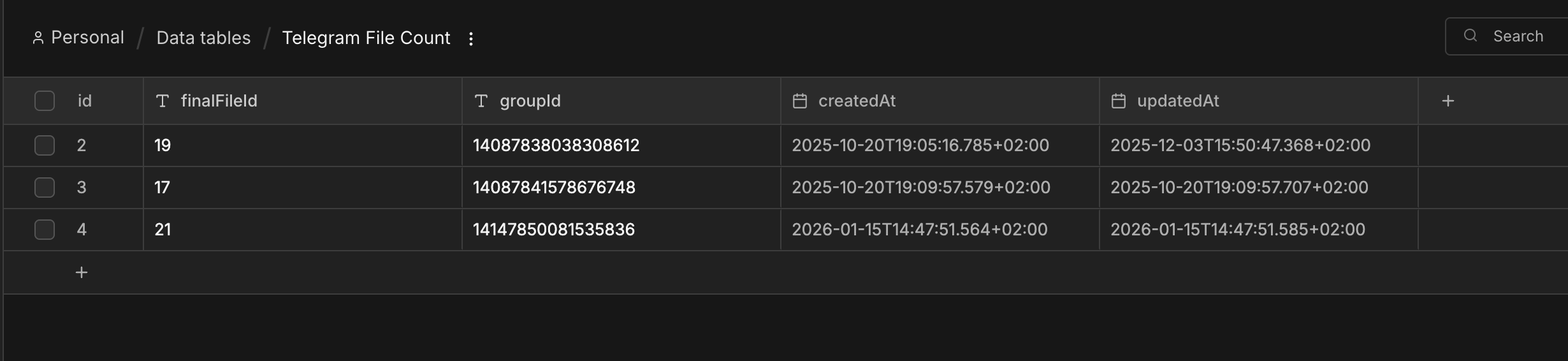
You’ll just need to do another lookup from this “metadata” data table to get the caption. I could also at this point just store a json stringified object of any important data I want to store for the group