Hi everyone,
I’m facing a weird permission issue on my Self-hosted n8n (Docker Compose) VPS instance. I hope someone can shed some light on this.
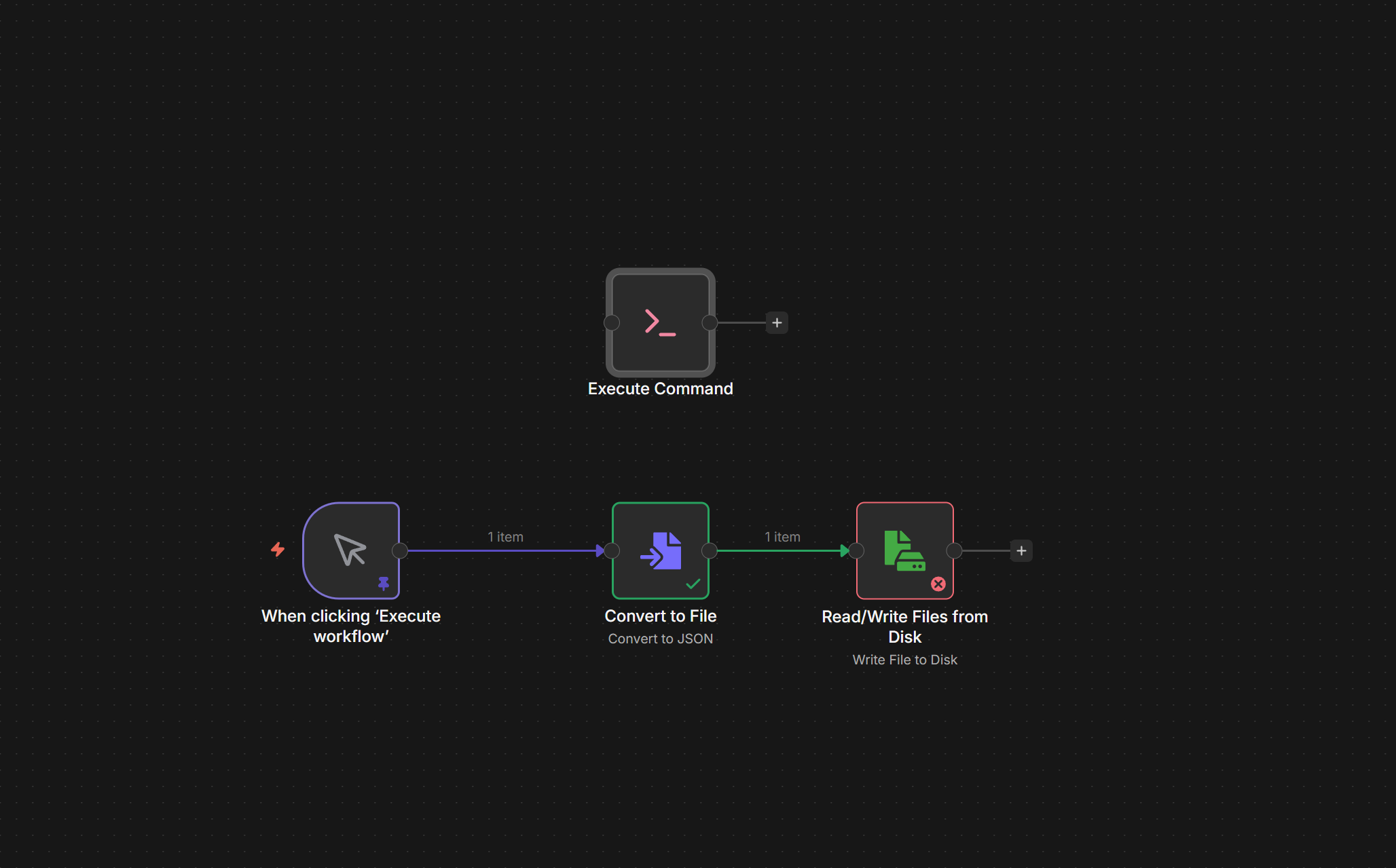
The Problem: I cannot use the “Read/Write Files from Disk” node to save a binary file. It always returns:
Error: The file "/home/node/video/myjsonfile.json" is not writable.
The Strange Part (Debugging):
-
OS Permissions are fine: I verified this by using the “Execute Command” node with
touch /home/node/video/test.txt. This works successfully! The file is created. -
Ownership is correct: The folder is owned by
node:node(UID 1000). -
Path: I have mapped the volume correctly in
docker-compose.yml.
My Setup:
-
n8n Version: 2.1.4
-
Installation: Docker Compose (VPS-hosted)
-
OS: Ubuntu
-
User:
node(UID 1000)
What I have tried:
-
Volume Mapping: I tried mapping to both
/home/node/videoand/home/node/.n8n/video. Both result in the same error. -
Permissions: I ran
chown -R 1000:1000on the host folder. Inside the container,ls -ldshowsdrwxr-xr-x node node. -
Environment Variables:
-
I tried setting
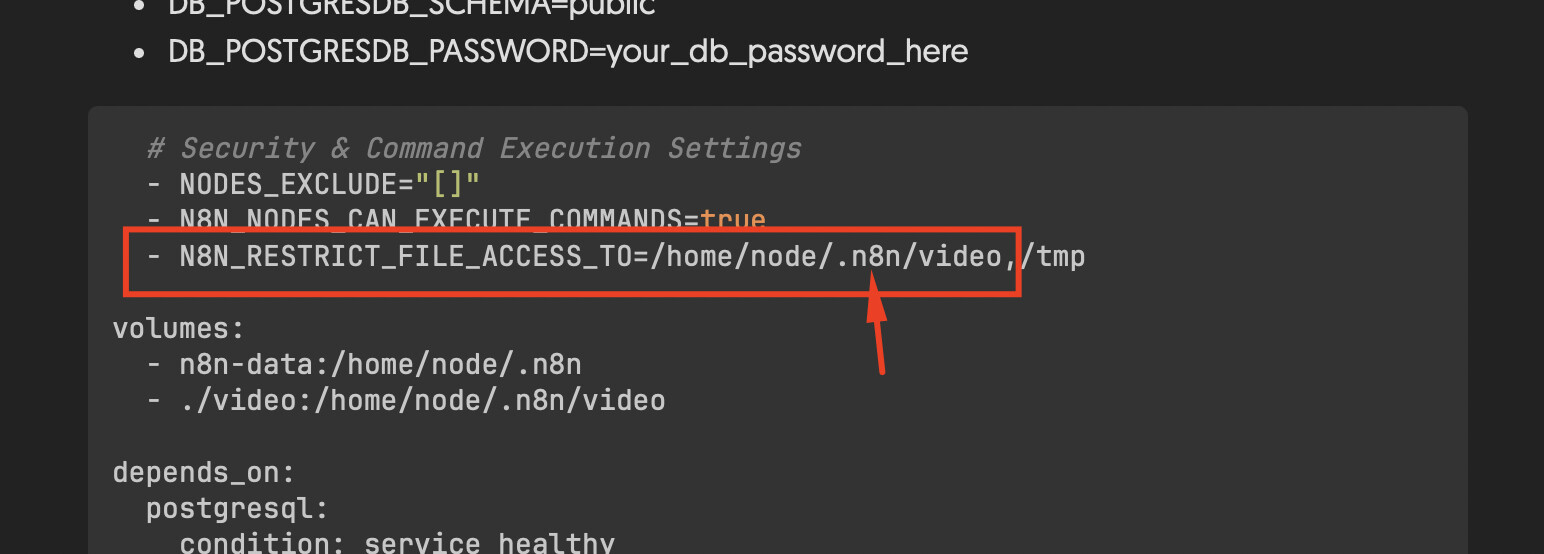
N8N_RESTRICT_FILE_ACCESS_TO=/home/node/video,/tmp -
I also tried commenting it out completely (to disable restriction).
-
I ran
docker compose downandup -dafter every change.
-
Question: If the OS permission allows the n8n user to touch a file via the “Execute Command” node, why does the “Write to Disk” node block the operation? Is there a hidden security restriction in v2.1.4 preventing writes to specific mapped volumes?
my docker compose here:
services:
n8n:
image: docker.n8n.io/n8nio/n8n
restart: always
environment:
- N8N_HOST=your-domain.com
- N8N_EDITOR_BASE_URL=https://your-domain.com/
- WEBHOOK_URL=https://your-domain.com/
- N8N_SECURE_COOKIE=false
- GENERIC_TIMEZONE=Asia/Bangkok
- TZ=Asia/Bangkok
- DB_TYPE=postgresdb
- DB_POSTGRESDB_DATABASE=n8n
- DB_POSTGRESDB_HOST=postgresql
- DB_POSTGRESDB_PORT=5432
- DB_POSTGRESDB_USER=n8n_user
- DB_POSTGRESDB_SCHEMA=public
- DB_POSTGRESDB_PASSWORD=your_db_password_here
  # Security & Command Execution Settings
  - NODES_EXCLUDE="[]"
  - N8N_NODES_CAN_EXECUTE_COMMANDS=true
  - N8N_RESTRICT_FILE_ACCESS_TO=/home/node/.n8n/video,/tmp

volumes:
  - n8n-data:/home/node/.n8n
  - ./video:/home/node/.n8n/video

depends_on:
  postgresql:
    condition: service_healthy
healthcheck:
  test: ["CMD-SHELL", "wget -qO- http://127.0.0.1:5678/healthz"]
  interval: 5s
  timeout: 20s
  retries: 10
ports:
  - "5678:5678"
postgresql:
image: postgres:16-alpine
restart: always
volumes:
- postgresql-data:/var/lib/postgresql/data
environment: - POSTGRES_USER=n8n_user
- POSTGRES_PASSWORD=your_db_password_here
- POSTGRES_DB=n8n
healthcheck:
test: [“CMD-SHELL”, “pg_isready -U n8n_user -d n8n”]
interval: 5s
timeout: 20s
retries: 10
tunnel:
image: cloudflare/cloudflared:latest
restart: always
Hided sensitive token
command: tunnel --no-autoupdate run --token <YOUR_CLOUDFLARE_TOKEN_HERE>
volumes:
n8n-data:
postgresql-data:
Any help would be greatly appreciated!