Describe the problem/error/question
Hello n8n community. I try to install Jogg AI community node, but it always error.
What is the error message (if any)?
When I try to install from settings, it shows error :
Error installing new package
Error loading package “n8n-nodes-jogg-ai” :Failed to check package version existence
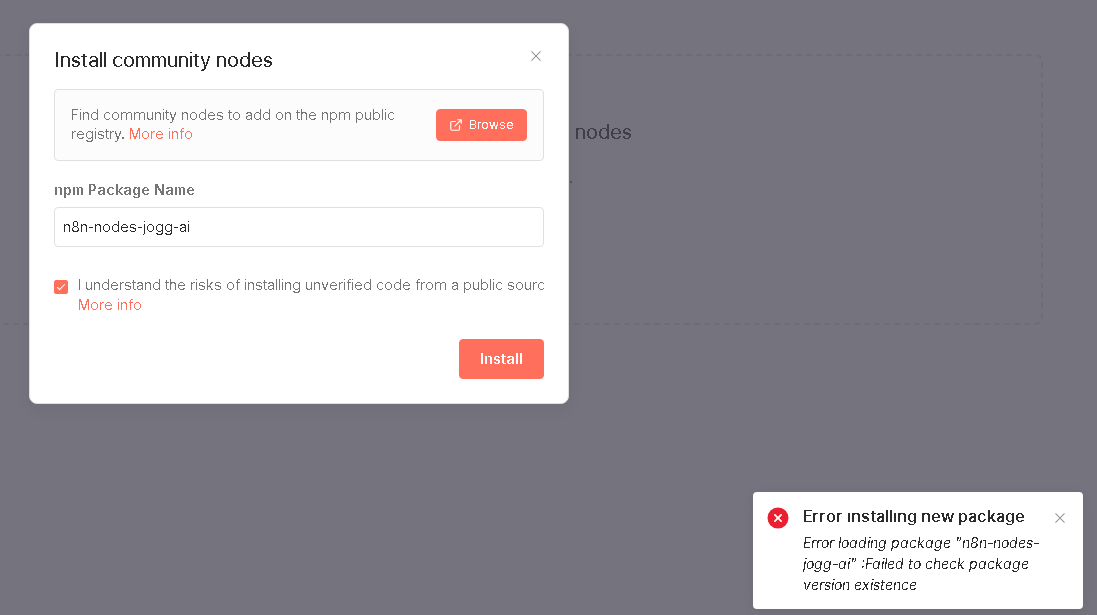
When I try to install from workflow, it shows error:
Error installing new package
Error loading package “n8n-nodes-joggai” :spawn npm ENOENT

Please share your workflow
(Select the nodes on your canvas and use the keyboard shortcuts CMD+C/CTRL+C and CMD+V/CTRL+V to copy and paste the workflow.)
Share the output returned by the last node
Information on your n8n setup
- n8n version: 1.122.4
- Database (default: SQLite):
- n8n EXECUTIONS_PROCESS setting (default: own, main):
- Running n8n via (Docker, npm, n8n cloud, desktop app): command prompt without Docker
- Operating system: Windows Server 2016 Datacenter

