Hello everyone,
I need some help with an HTTP Request node I’m using to upload a binary file (.docx) to Google Drive and convert it. I’m getting the following error and haven’t been able to figure it out.
Problem Description
The workflow is as follows:
- A
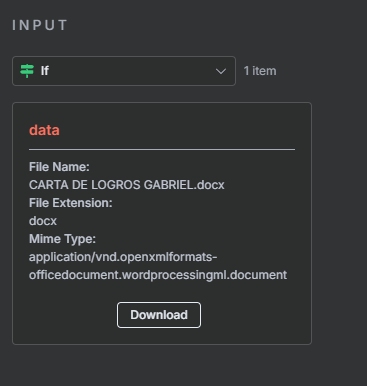
Read Binary Filenode reads a.docxfile. - A
Setnode creates a JSON object withbaseFileNameandfolderid. - An
HTTP Requestnode attempts to make aPOSTrequest to the Google Drive API.
The error I am receiving is:
The item has no binary field '[object Object]' [item 0]
Check that the parameter where you specified the input binary field name is correct, and that it matches a field in the binary input.
It seems the HTTP Request node isn’t recognizing the binary input coming from the Read Binary File node. I’m trying to reference the binary data with ={{$binary.data}}, but it’s not working.
HTTP Request Node JSON
Here is the JSON for my HTTP Request node. I would appreciate any help in identifying what’s wrong.
{
  "parameters": {
    "method": "POST",
    "url": "https://www.googleapis.com/upload/drive/v2/files?uploadType=multipart&convert=true",
    "authentication": "predefinedCredentialType",
    "nodeCredentialType": "googleDriveOAuth2Api",
    "sendBody": true,
    "contentType": "multipart-form-data",
    "bodyParameters": {
      "parameters": [
        {
          "name": "metadata",
          "value": "={ \"name\": \"{{ $json.baseFileName }}.doc\", \"mimeType\": \"application/vnd.google-apps.document\", \"parents\": [\"{{ $json.folderid }}\"]}"
        },
        {
          "parameterType": "formBinaryData",
          "name": "file",
          "inputDataFieldName": "={{$binary.data}}"
        }
      ]
    },
    "options": {}
  },
  "type": "n8n-nodes-base.httpRequest",
  "typeVersion": 4.2,
  "position": [
    448,
    112
  ],
  "id": "accdf3a1-3159-4633-87ac-72fb25e2b97f",
  "name": "HTTP Request",
  "credentials": {
    "googleDriveOAuth2Api": {
      "id": "pXoyLTwz2vw7YA2U",
      "name": "Google Drive account"
    }
  }
}
Thank you in advance for any help.
Describe the problem/error/question
What is the error message (if any)?
Please share your workflow
Share the output returned by the last node
The item has no binary field ‘[object Object]’ [item 0]
Check that the parameter where you specified the input binary field name is correct, and that it matches a field in the binary input.
Information on your n8n setup
- n8n version:
- Database (default: SQLite):
- n8n EXECUTIONS_PROCESS setting (default: own, main):
- Running n8n via (Docker, npm, n8n cloud, desktop app):
- Operating system: