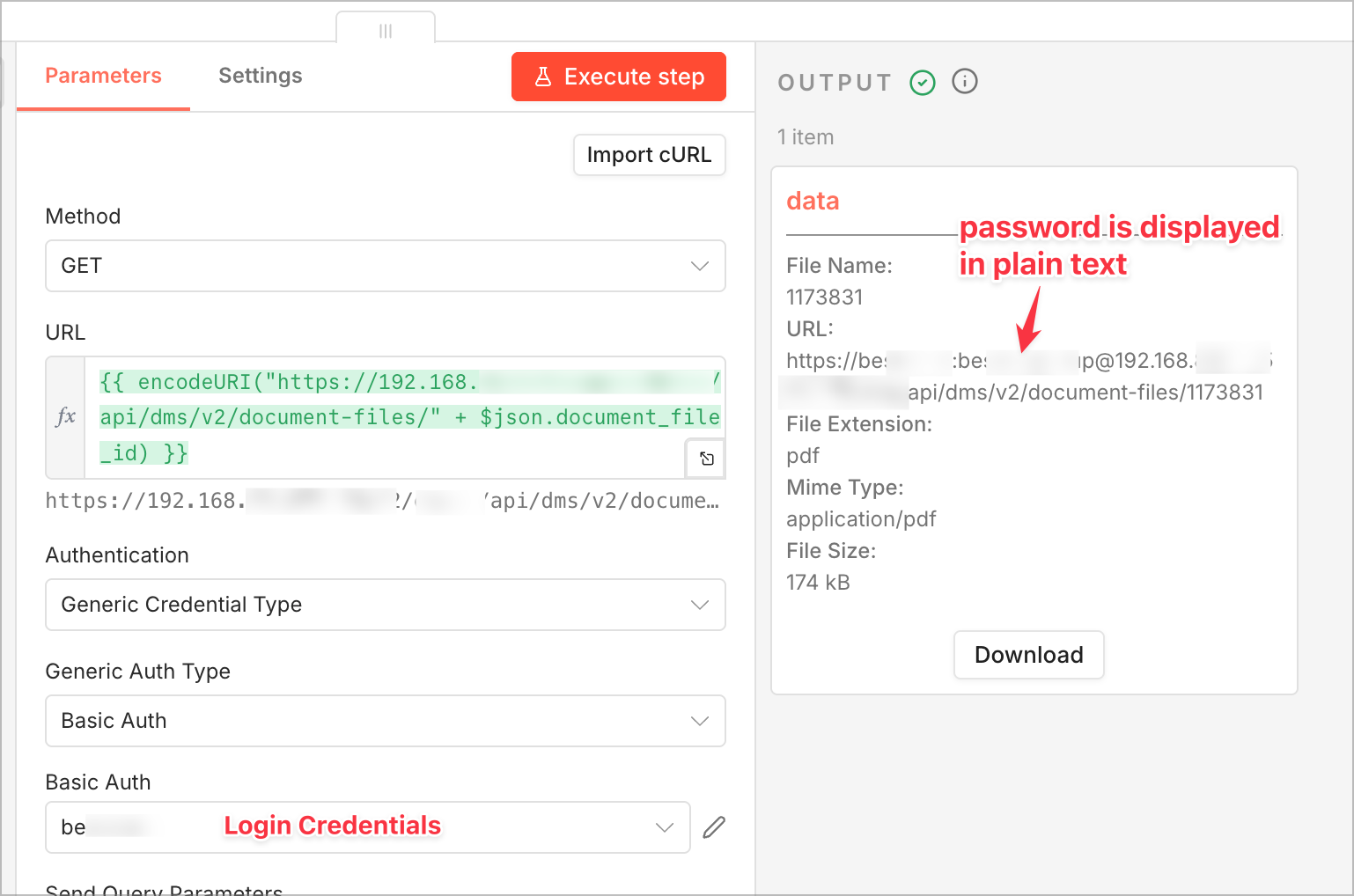
Hi, i’m using the HTTP Request node to retrieve a PDF file from an API using Basic Authentication. In the Output tab, the API password is displayed in plain text under Item Data > URL. Is there a way to mask the password?
n8n version: 2.12.2
TY 
Hi, i’m using the HTTP Request node to retrieve a PDF file from an API using Basic Authentication. In the Output tab, the API password is displayed in plain text under Item Data > URL. Is there a way to mask the password?
n8n version: 2.12.2
TY
Hi @chw0 Welcome!
The password is visible in the URL because the password is being directly embedded into the request, the fix is easy just use the n8n’s basic auth credential, like:
HTTP > Auth > General > and there set generic auth to Basic auth > There create new credentials with your username and password
And that is it as n8n handles auth using Authorization header the password should not be visible now.
Hi @Anshul_Namdev, thank you for your reply!
In the screenshot, you can see that I’ve entered the login credentials under Authentication: Generic Credential Type > Generic Auth Type: Basic Auth.
In GET requests that return JSON data, the password is masked. Except for requests that return binary data - in those cases, the password is displayed in plain text in the Itemdata Card (see screenshot)
@chw0 I understand, but dont you think that the file requested using that URL contains all that exposing so this can be related to the service you are requesting and how they send that file to you..?
@chw0 - I would recommend any other credential over the basic plain authentication. Basic API Auth is the real security concern. not the wrapper response. look into 0Auth, Bearer Token, API Keys. These are my strong recommendation.
This topic was automatically closed 7 days after the last reply. New replies are no longer allowed.