I want to use that supabase as knowledge but it’s very weird. Inside of n8n it creates embeddings but it doesnt create any embeddings in supabase. My workflow is just a endless loop and the ai agent doesnt do anything


Hi mesh6t,
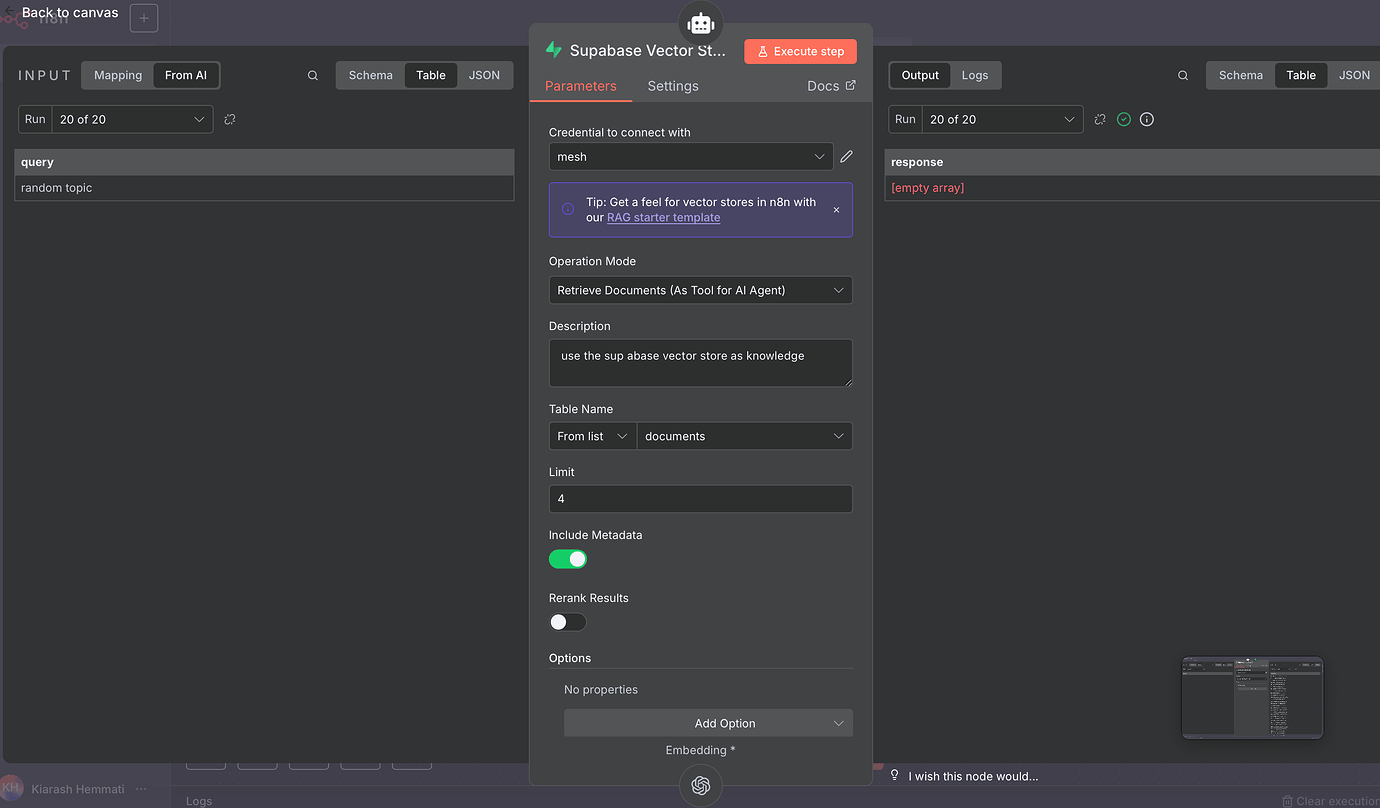
Currently, your workflow retrieves documents from Supabase but doesn’t perform embedding. Kindly update the workflow to include document embedding as below.
like this? can you explain to me what changes and why I have this issue? How does the ai agent take the data from the supabase node if its set to “insert documents”? Im a beginner I would appreciate a beginner friendly response 
I don’t know what the output of your “loop done” is — can you share a screenshot or example?
Also, why do you need the AI Agent node right after the loop done?
- If your loop is giving out documents to be embedded, then you don’t need the AI Agent node there.
- You just need to follow the steps I mentioned earlier (maybe customize to clean the content or add metadata…) — that will fix your table and make sure the embedding works properly.
And also, to explain your original workflow:
When you connect Supabase to the AI Agent like that, it means you’re trying to query (fetch) data — not insert documents.
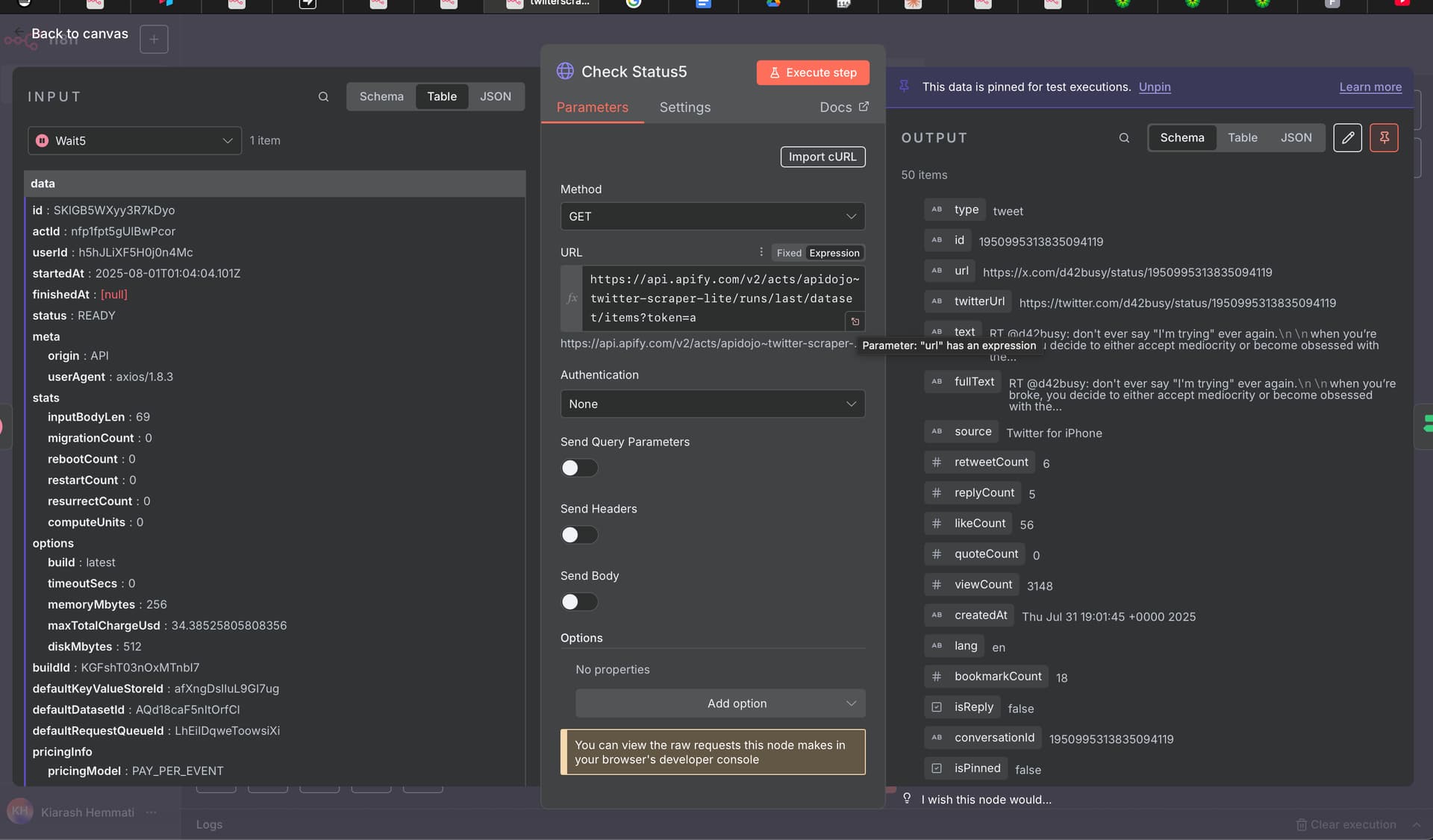
Maybe giving you a bit context will help. This workflow is a twitter scraper. I want to scrape a twitter account and save the tweets into supabase. From the beginning of loop node is because I want to filter out duplicates and only create new tweets into supabase. The AI agent node should create a tweet base of the supabase knowledge that I want to give. The ai agent node is after loop is doen because that was the only possible way that I saw where the ai agent node gets activated and creates a tweet. No matter what happens. Duplicates or no duplicates – doesnt matter.


Do you understand what I meant in the previous messages?
I don’t really understand. I shared my whole workflow maybe that helps.
Hey @Mesh, let me try to explain.
In your previous workflow that we looked at in the last thread, you have a flow which adds tweet (which are over 200 characters) text to the database. This is what a regular database does. If you want to use Supabase for it’s vector store functionality (to chat to your tweets), then you need to use a different node - Supabase vector store node - instead of a regular Supabase node, which would make it something like this

I suggest you purge the database from the old records before you add new ones.
Then in the separate (or the same) flow you can have a chat node with an agent connected to the vector store, that you could use to chat to your database. In that setup, you need to use the same embeddings model. This would looks something like the following:

If you reallt want to understand RAGs, watch this video. Start with the really simple one and build your flow based on that, make it work, then see if you need to improve it, then watch more of that video.
Thank you! I will apply the things you mentioned and share my new workflow and ask for improvement
You mentioned a chat bot — can I do it without one? I want the Ai agent to do it. I gave it a system and user prompt and it should get topics and knowledge from the supabase vector
This should be possible, where do you want the answer from the vector store to go to?
Answer? I want to use the vector store only as knowledge source
Ok, knowledge for what? You store data in the knowledge base for this knowledge to be used somehow. How would you like to use this knowledge from the database?
The Ai agent has a system and user prompt. I want the Ai to write copywriting texts with the knowledge of the supabase table
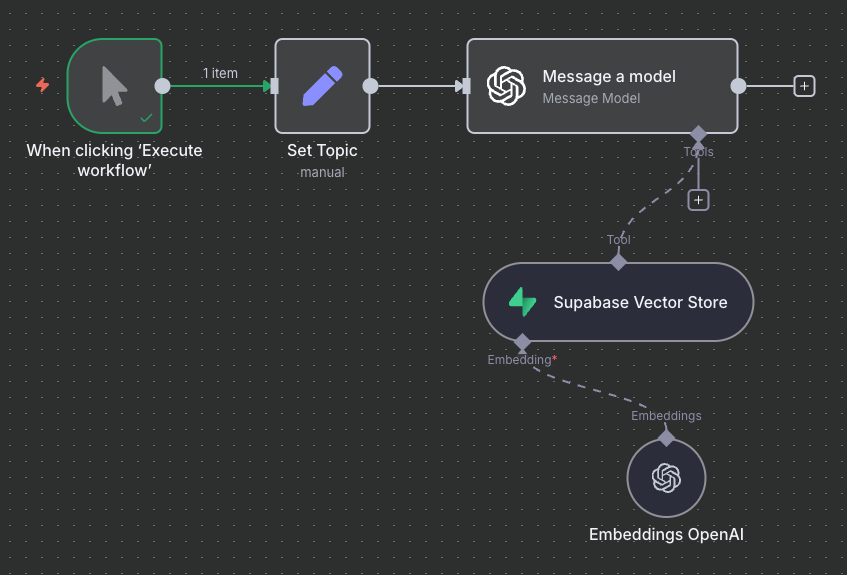
Topic should be chosen by the ai agent that uses the knowledge of the supabase table. Check out my workflow in the messages above
Which knowledge from the knowledge database the AI Agent should use to come up with the topic and write it? All the knowledge? Then there is no reason for the vector store. Or only some knowledge - but then how should it choose?
Yes all the knowledge. The knowledge gets updated with every new scrape
That’s not really what vector databases are designed for.
Unlike traditional databases that are optimized for exact matches and structured queries, vector databases are built to retrieve the most relevant pieces of information based on similarity to a given input - not to return all the data in the database.
Here’s how it works in practice:
-
Semantic Search, Not Full Dumping
A vector database doesn’t give you everything it stores. Instead, it helps find the information most relevant to a specific query. It’s best suited for scenarios where you want to retrieve semantically similar content, not extract the full contents. -
Example: Searching Physics Knowledge
Suppose your vector store contains a large knowledge base about physics. Now you want to write about the laws of thermodynamics. You’d query something like:
“What are the three fundamental laws of thermodynamics?” -
Embedding & Retrieval
That query goes through an embedding process, converting it into a high-dimensional numerical vector. This vector captures the meaning of your question and is sent to the vector database. -
Similarity Matching
The vector database then searches for and returns the chunks of data most semantically similar to that vector - i.e., passages specifically discussing the laws of thermodynamics. -
Optional Reranking and LLM Usage
These chunks might be reranked based on relevance, and then passed to a large language model (LLM), which synthesizes them into a coherent answer.
So in short, vector databases are great at finding the right pieces, but they’re not meant for retrieving or browsing all data stored within them at once - especially for writing articles from the entire dataset. For that, you’d need to access the original source content directly (e.g., a document database or file system), rather than relying solely on vector search.
Ahhh got it know. What would you recommend doing in my use case?