Describe the problem/error/question
Can’t seem to access the image created by the gemini tool attached to an ai agent. Even when self-hosting and mapping binary data volumes to local machine still not able to see any binary data.
It doesn’t even seem like it’s writing binary data to the volume?
What is the error message (if any)?

Please share your workflow
Share the output returned by the last node
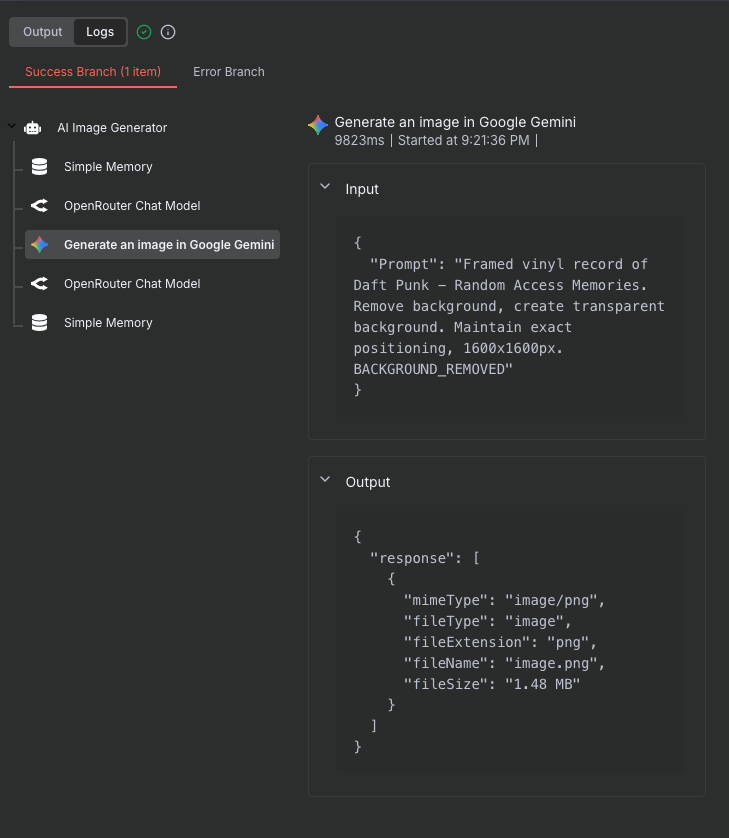
Information on your n8n setup
- n8n version:
- Database (default: SQLite):
- n8n EXECUTIONS_PROCESS setting (default: own, main):
- Running n8n via (Docker Desktop):
- Operating system:
1 Like
Hi! The error message indicates that it’s not possible to pass binary data between a tool and the agent. This means that you can’t use an Agent Tool to generate an image and expect the Agent to be able to use that.
In order to do something with images, you’d need to make your workflow sequential, or use a sub-workflow (and make sure that it returns text instead of a binary image).
Can you help me understand what was confusing about the error message?
1 Like
I understand that, I am just a bit confused as to why there’s a Gemini agent tool to create an image yet don’t have any ability (even outside of the agent) to access the image created?
Even if I don’t pass the binary data through to the ai agent, does the gemini tool that the agent uses not write the image to the file-system?
2 Likes
Joining the convo, yes if there is a gemini tool to connect to AI agent, whats the way to extract the image from there? the file or binary data?
Interested in this too, I need the ai agent to be able to see images returned from tool calls.