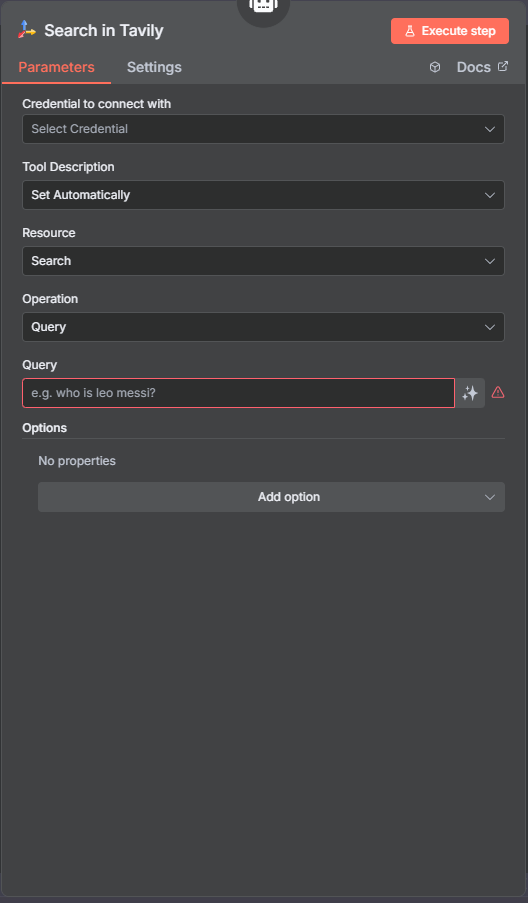
Hi, I want to use web-searching tool node in my ai agent, I tried using Tavily as my web-searching tool. In my understanding I tell the AI agent to do web-searching about certain topic let’s say about “crypto” then the AI agent will use the tavily to do web-searching.
Now here’s where I don’t understand, if I already tell the AI agent to search topic about crypto, why there’s a query text box in tavily node? I’ve found every tool node for web-searching always have this text box, doesn’t it feels redundant by doing it twice?
Note: tavily node setting where there’s query text box
It makes sense!
The first time, you’re talking to the AI Agent and telling it: search for this, then the agent takes your question and goes to the tool, sending it through a query..
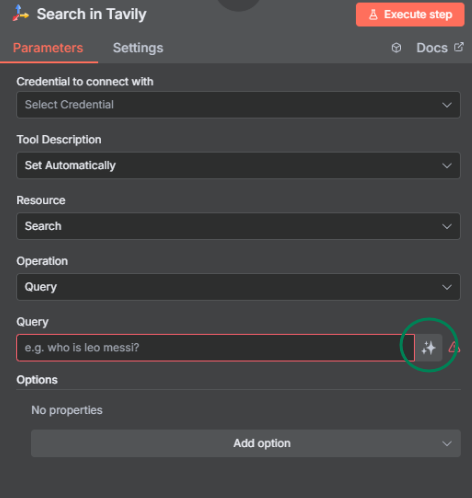
And don’t forget to click on this icon so the agent can generate the query on its own.
Let me make sure, according to what you told me, I don’t really need to add anything to it and just click the icon and the agent will create the query of it own, is this correct?