This is A.I generated solutions; based on your question content hope it helps.
Here’s how you can fix that problem:
 Goal
Goal
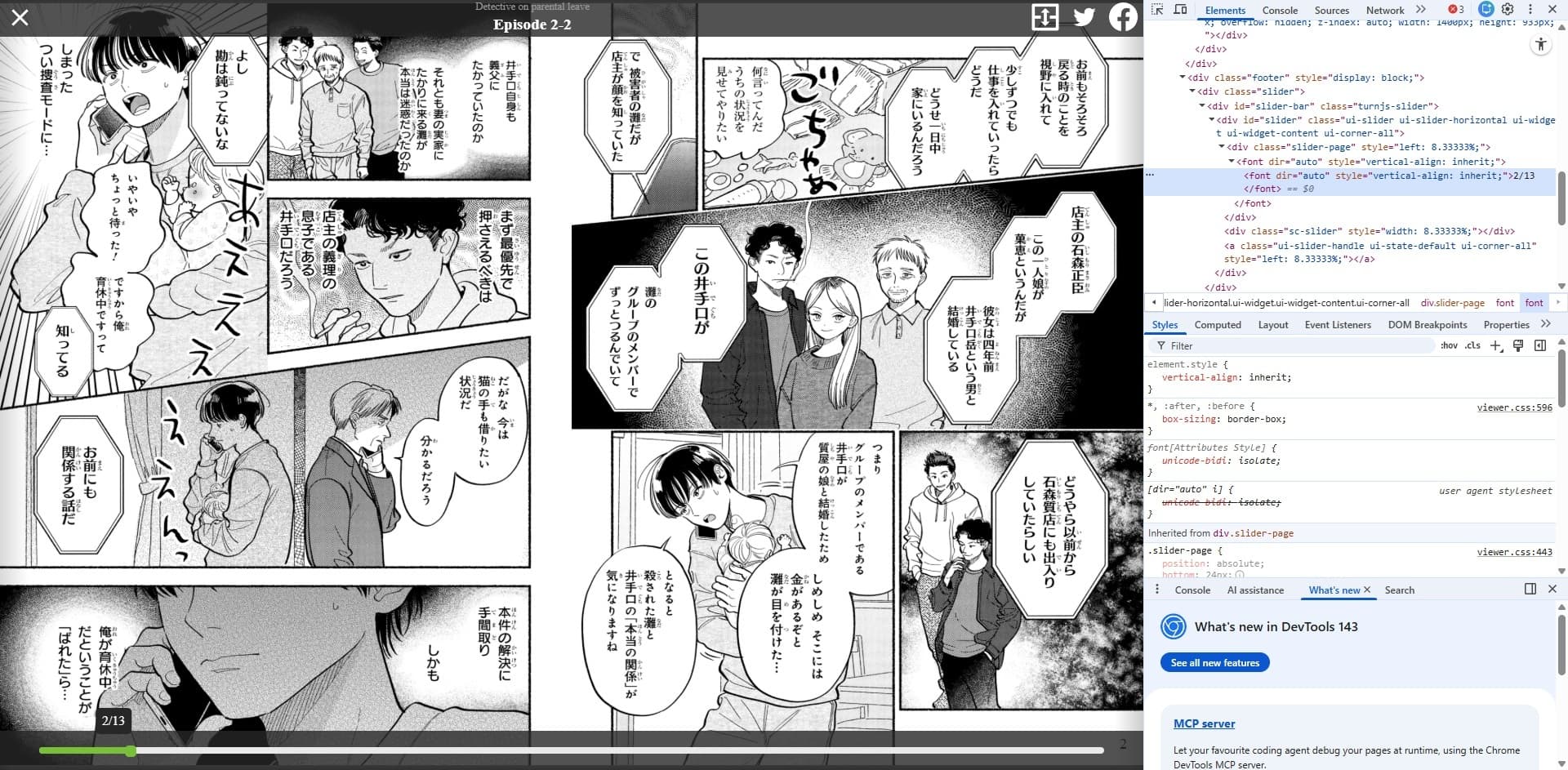
You want to extract the text inside nested <font> tags like:
<div id="slider">
  <div class="slider-page">
    <font><font>Extract this text</font></font>
  </div>
</div>
 Solution 1 – Use a HTML Extract Node
Steps:
- Add an HTML Extract node after the node that outputs the HTML.
- Set the Property Name to the field containing the HTML (e.g.,
html).
- In the CSS Selector, enter:
#slider > div.slider-page > font > font
- Choose Text Content as the extraction mode.
This will output:
{
  "text": "Extract this text"
}
Solution 2 – Use a Function Node (for more control)
If the HTML Extract node doesn’t capture nested tags properly, use this JavaScript in a Function node:
// Using a DOM parser to extract text from nested font tags
const html = $json.html; // assuming HTML content is in "html" field
const cheerio = require('cheerio');
const $ = cheerio.load(html);

// Select the nested font text
const text = $('#slider > div.slider-page font font').text();

return [{ text }];
 Note: The Function node has
 cheerio available in n8n Cloud and newer self-hosted versions.
If not, use the HTML Extract node instead.
Solution 3 – Use an Expression (if you only need one value)
If the HTML is in a field like $json["html"], you can extract the text with a Set node using this expression:
{{ (() => {
  const html = $json.html;
  const parser = new DOMParser();
  const doc = parser.parseFromString(html, "text/html");
  const target = doc.querySelector("#slider > div.slider-page > font > font");
  return target ? target.textContent.trim() : null;
})() }}
Source: ChatGPT - New chat
Quick tip:
You can also use this short trick and start new chat in chatgpt and continue from (Free):
ask.n8n.community/ + Question = Enter Link.
Example:
https://ask.n8n.community/Help me fix this problem: https://community.n8n.io/t/how-to-extract-text-value-inside-html-font-dir/250088#p-477107-describe-the-problemerrorquestion-1