In this video, we take a look at the GitHub to Notion integration and show the workflow that syncs your GitHub issues to your Notion database. Whenever a new issue is opened in your GitHub repository, it will be shown in your Notion database, syncing the status property (opened/edited/closed/deleted). In case there’s no Notion database existing yet, a new one will be created automatically.
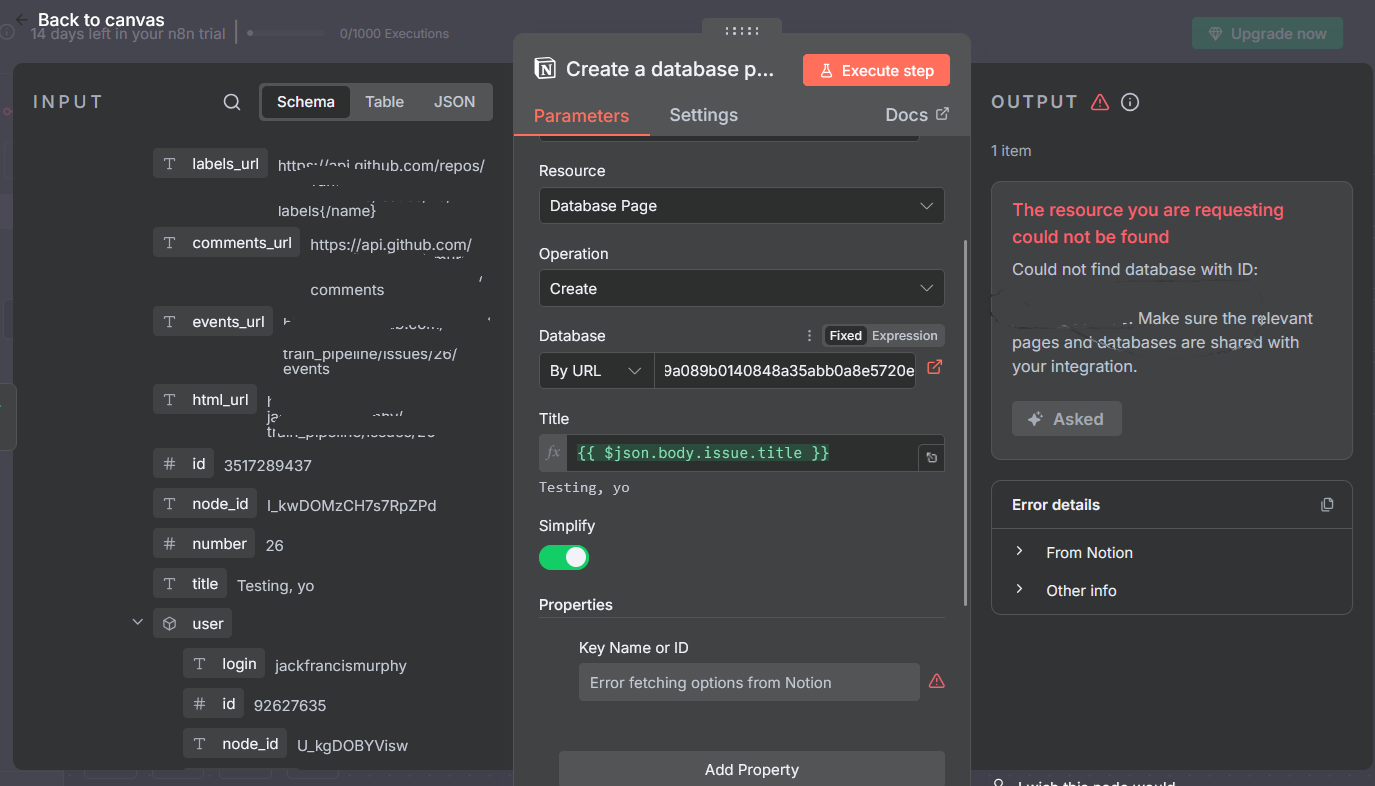
Hello, I’m stuck on this tutorial. The step at https://youtu.be/-3dSAsr91N8?t=168 doesn’t work within my Notion node (I am working in the cloud)
It says in the output that the resource cannot be found, but there is a hyperlink button (at the right-hand side of the ‘database field’) which takes me to my database?
In terms of editing the ‘properties’ parameters, the “Key Name or ID” field cannot fetch the options from Notion.